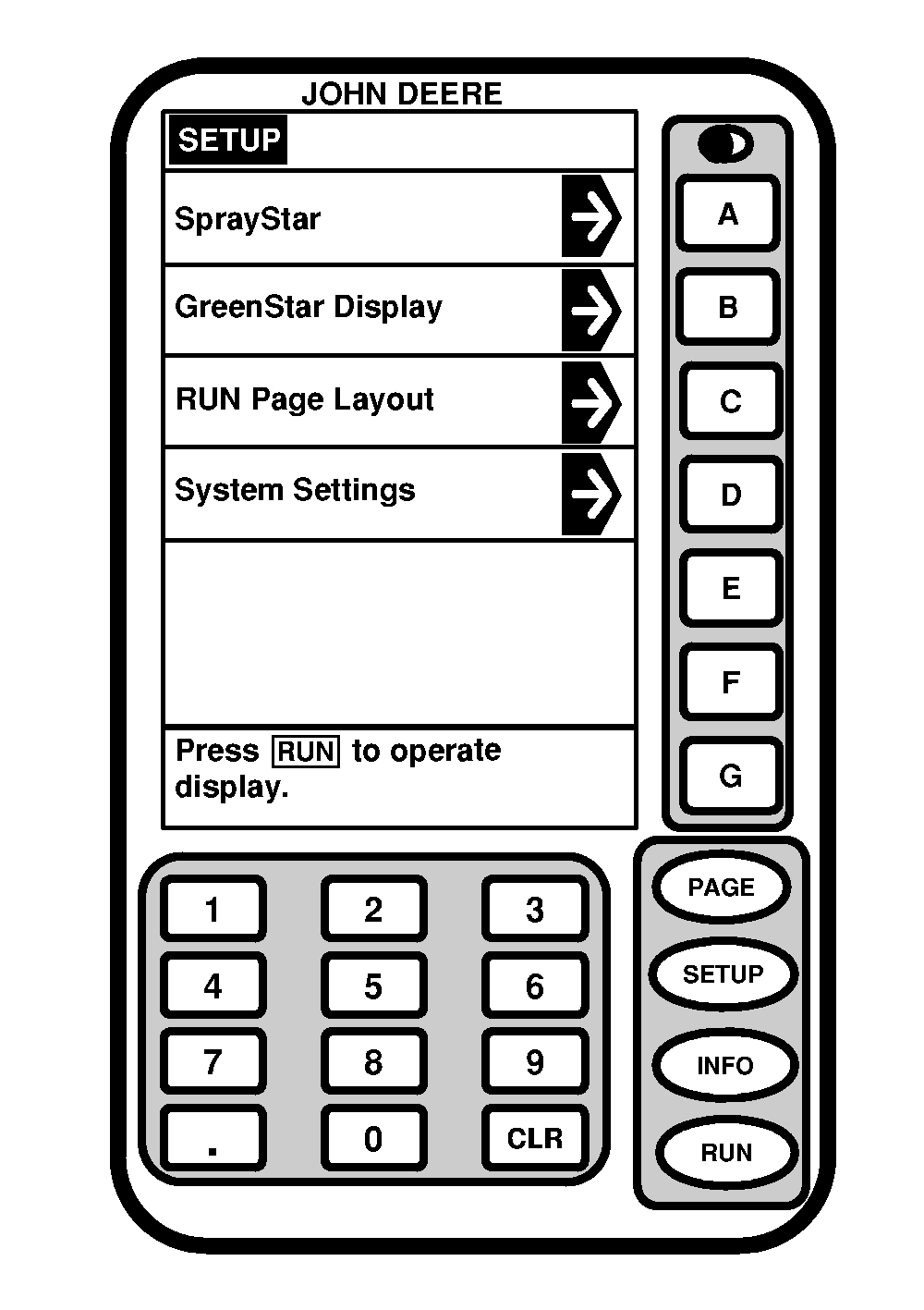
Setup of SPRAYSTAR SystemThe setup screen allows the operator to select screens for changing specific information. Press "SETUP" to view the setup screen. This page allows the setup of the following items: SPRAYSTAR -Setup or change information that corresponds with the sprayer. GREENSTAR ® DISPLAY -Generic setup screen that allows operator to change background intensity of the display and display address. RUN PAGE LAYOUT -Allows for return to default settings from customized displays when accessed through Setup Sprayer-Page 3. SYSTEM SETTINGS -Used to select the country code, language, unit of measure (English or Metric), date, time and number format desired by the operator. NOTE: Other items may appear on this screen. (See appropriate operators manual for setup and operating information of Parallel Tracking and GREENSTAR systems.) |
|
|
GREENSTAR is a trademark of Deere & Company | OUO6092,000060D -19-15JUN04-1/1 |