Nozzle Flow CheckNozzle Flow Check is a procedure to check your application rate at a desired speed while the machine is not moving. The following items can be determined:
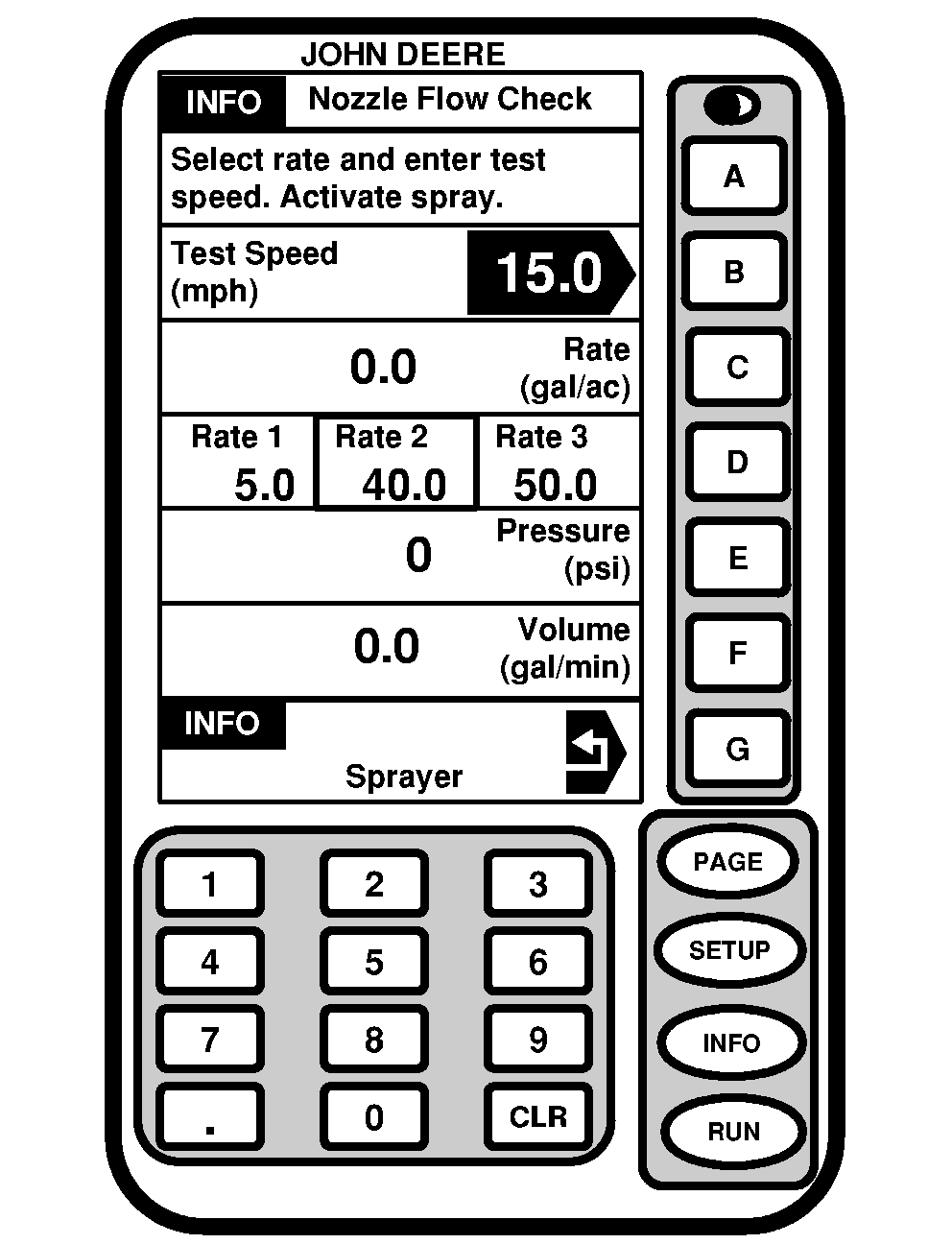
NOTE: Master ON/OFF switch is disabled in transport mode. Spraying is only allowed in field mode at less than 20 mph. 1. Press "INFO". 2. Press letter button next to "SprayStar". 3. Press letter button next to "Nozzle Flow Check". NOTE: The sprayer cannot be spraying to select this function. 4. Press letter button next to "Test Speed (mph)". 5. Enter test speed and press letter button next to "Test Speed (mph)" to save this value. 6. Turn rate select knob to target application rate (1, 2, or 3) which is on line "D" of SPRAYSTAR Display. NOTE: The application rate to be tested must be pre-programmed into the SPRAYSTAR system. (See Setting Application Rates in this section.) 7. Operate engine at maximum RPM and activate spray. Engage solution pump and turn master spray ON. 8. Hold a known volume container under a nozzle and measure output for one minute. Amount collected times the number of nozzles should equal line "F". |
|
OUO6092,0000624 -19-23JUN04-1/2 |
|
For example, using a size 3 nozzle and the pressure at 40 psi with 54 nozzles, total volume should be 16.2 gpm (.3 gpm per nozzle x 54 nozzles = 16.2 gpm). The actual application rate is shown on line C. Volume spraying out of the boom is shown on line F and the pressure at the boom section shut-off valves is shown on line E. If the actual application rate does not get to the target rate, refer to nozzle calculator or nozzle chart to determine the correct nozzle size for the given application rate and speed. If the volume is higher than expected and pressure is lower than expected, nozzle tips could be worn. Refer to nozzle information in Wet System section. If the pressure is higher than expected for the given output, nozzle tips could be partially plugged. Also a pressure drop could be occurring from boom section shut-off valves to nozzle tips (normally only associated with high flow rates.) |
OUO6092,0000624 -19-23JUN04-2/2 |