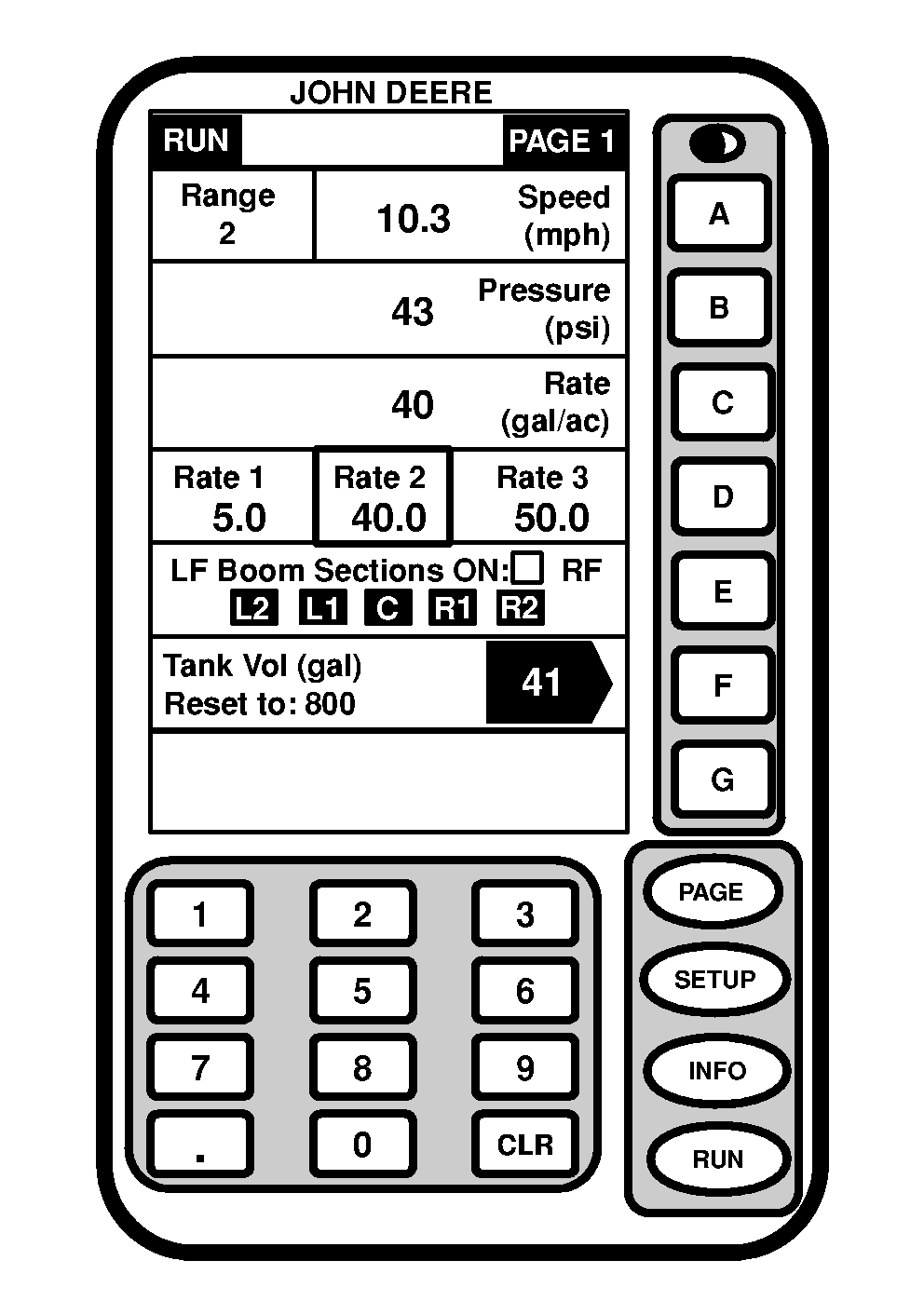
Run-Page 1 of SPRAYSTAR SystemPage 1 of the RUN menu displays the following if default run page display screens are used: Line A -Speed: Speed range selected and speed the sprayer is traveling. Radar symbol appears when radar (if equipped) is operating. Radar will operate from approximately 3 to 20 mph. Radar is not available below 2 mph and in fourth range. Line B -Pressure: Pressure at the boom section shut-off valves of wet system in kPa (psi). Line C -Rate: Application rate that the sprayer is applying. Line D -Three Targeted Rates: Application rates being targeted, programmed by operator.
OR
(The rate select knob is located on console. To select a rate, turn to Rate "1", "2", or "3". To select manual setting, turn rate select knob to "MAN"). Line E -Boom Sections: Indicates which boom sections are spraying. Boxes around section indicate which sections are enabled by section switches on console. Sections that are turned on by Master ON/OFF switch and actually spraying have dark background with lighter letter. Fence Row Nozzles: When fence row nozzles are turned on, an "LF" or "RF" will appear above boom sections. Line F -Solution Tank Volume: Indicates how much solution is left in solution tank. When reset, SPRAYSTAR will count down tank volume as solution is sprayed out. Line G -Caution statements displayed in this location. These caution statements are for the chassis and sprayer sensors. |
|
OUO6092,00006FB -19-08OCT04-1/1 |