Flush Foam Marker System-Every 250 Hours
IMPORTANT: Open tank vent valve prior to and during filling foam tank from bottom port. Open valve slowly to relieve tank pressure. Close valve after filling or foam marker will not operate. 1. Pull up on tank cap relief valve ring (A) or open tank vent valve (B) to relieve tank pressure. 2. Remove cap (C) and attach water hose to fill port. 3. Open fill valve (D). 4. Fill tank full of clean water. 5. Close fill valve. Disconnect hose from fill port, install cap and close vent valve.
|
|
 CAUTION:
Contents under pressure. Vent pressure from tank prior to removing cap or servicing foam marker control unit. To vent tank, pull up on tank cap relief valve ring (A) or open tank vent valve (B).
CAUTION:
Contents under pressure. Vent pressure from tank prior to removing cap or servicing foam marker control unit. To vent tank, pull up on tank cap relief valve ring (A) or open tank vent valve (B).
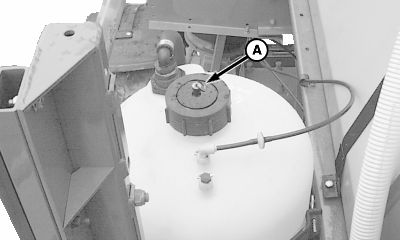
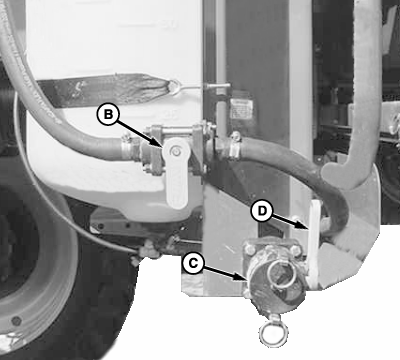
OUO6092,0000852 -19-20JUL05-1/4 |
|
6.
Rotate fluid control knob (A) on rearward side of foamer control box fully counterclockwise.
7. Start engine. 8. Remove hose from tank and install cap or disconnect hose from fill port and close vent valve.
|
|
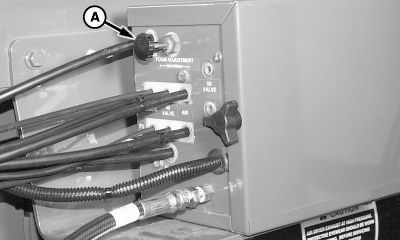
OUO6092,0000852 -19-20JUL05-2/4 |
|
9.
Press "SETUP" to display SETUP menu.
10. Press letter button next to "Sprayer Vehicle". 11. Press letter button next to "Foam Marker" to toggle between selections:
12. Select "MANUAL LOW". |
|
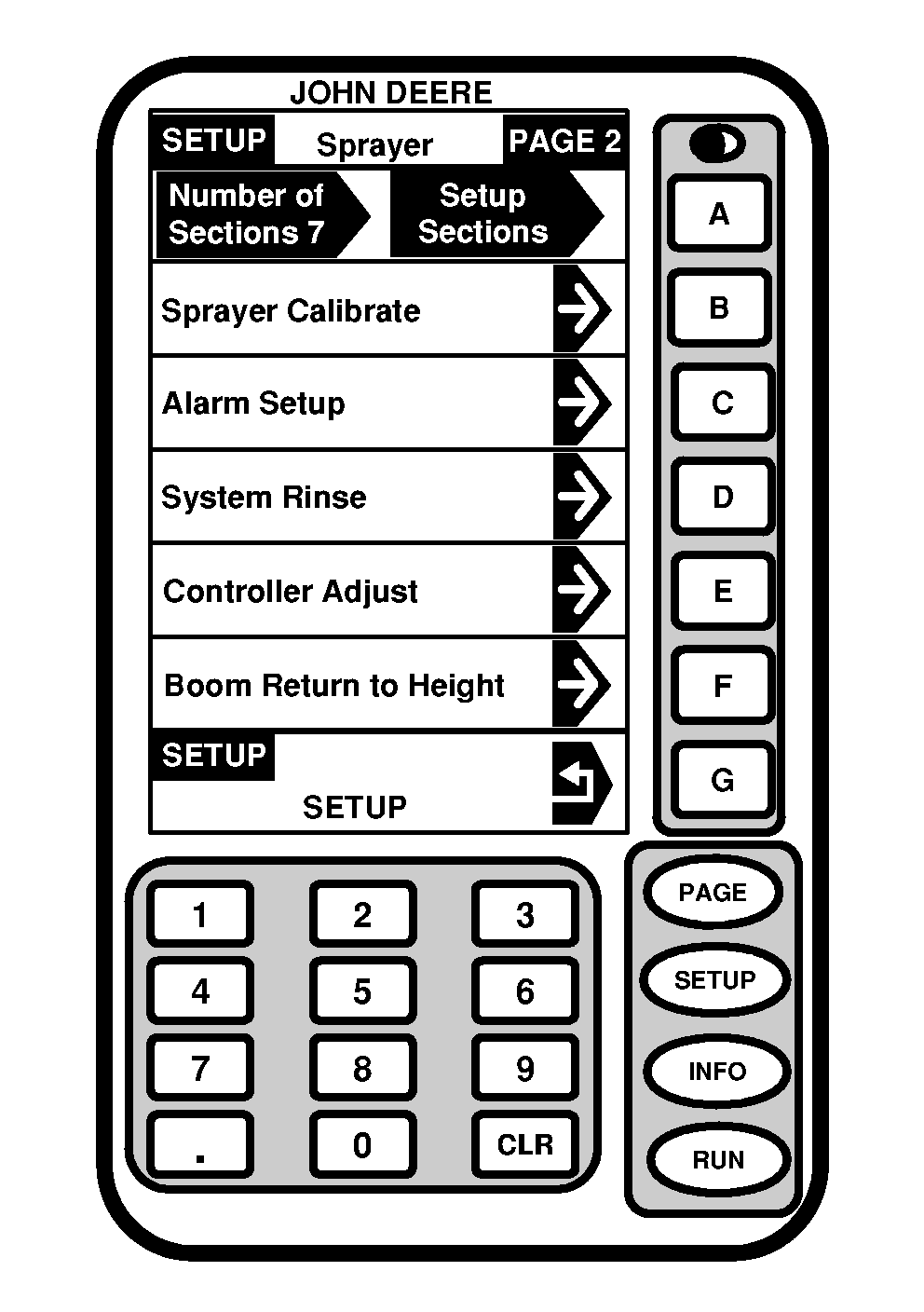
OUO6092,0000852 -19-20JUL05-3/4 |
|
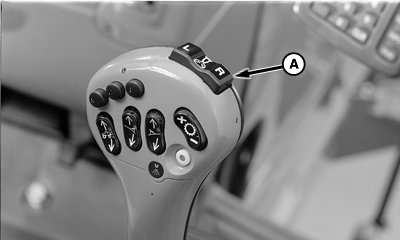
13.
Press left-hand side of foam marker control switch (A) and allow approximately one-half of the clean water in the solution tank to flow through left-hand collector.
14. Press right-hand side of control switch and allow remaining water in solution tank to flow through right-hand collector. 15. Shut off foamer system. (If storing the machine in a cold climate after performing this procedure, see Preparing Foam Marker System For Cold Weather Storage in the Storage section). |
|
OUO6092,0000852 -19-20JUL05-4/4 |