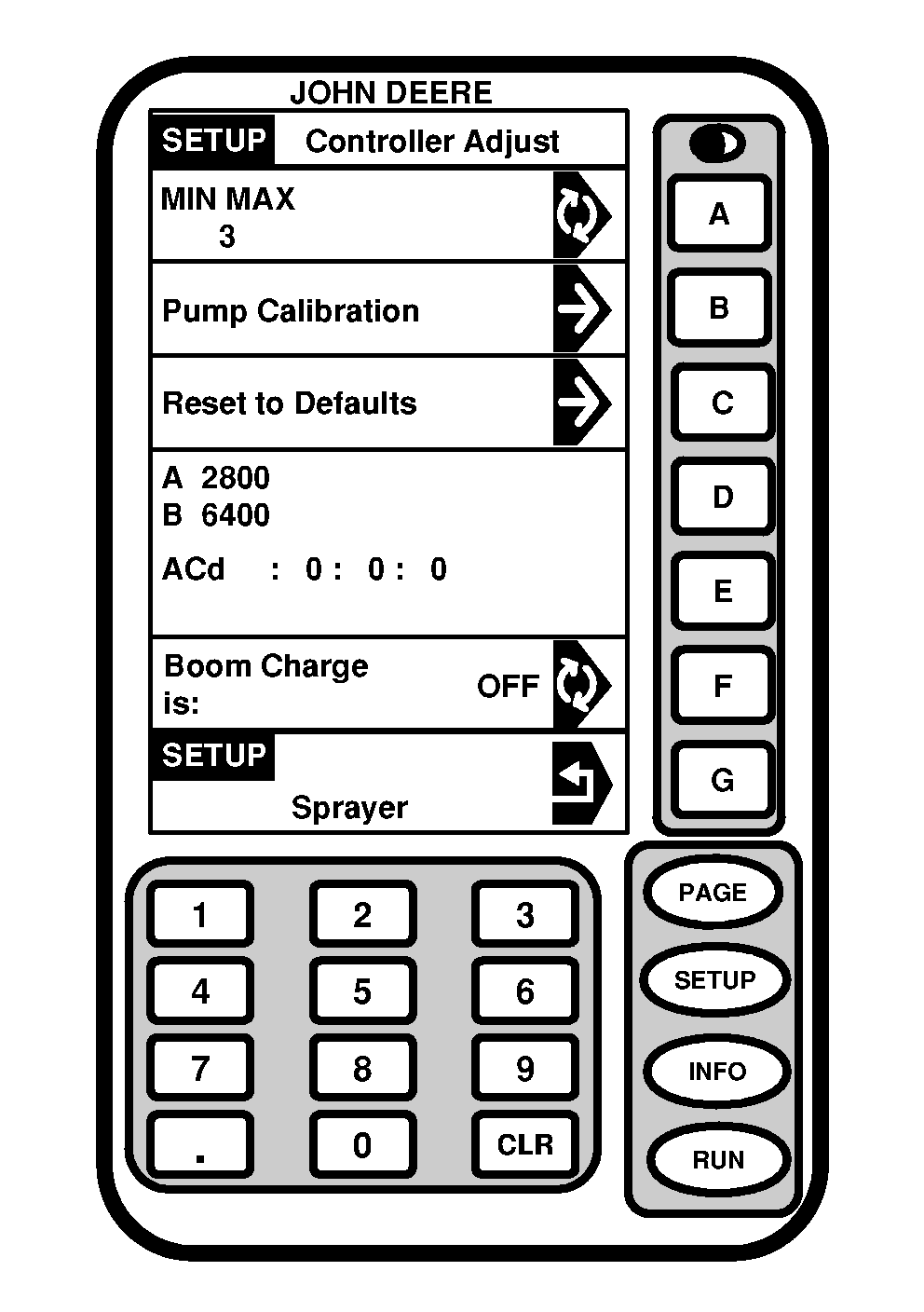
Setting Sprayer ResponseThe Sprayer Response allows the operator to adjust the response time of the SPRAYSTAR rate control. This is the time it takes the actual application rate to reach the target application rate in auto mode. The response time has five different settings. A "5" indicates the fastest response time (MAX) and a "1" indicates the slowest response time (MIN). Each step down from "5" requires more response time to adjust to the target rate. For almost all situations, the response time should be set at "3" for all 4720 sprayers. If a different boom is installed, or an unusual configuration on a John Deere boom is installed, the response time may have to be reduced or slowed. When To Change The Response Time Setting:
To change the response time do the following: 1. Press "SETUP".2. Press letter button next to "SprayStar". 3. Press "PAGE". 4. Press letter button next to "Controller Adjust". 5. Press letter button next to MIN MAX to change response time setting. Keep pressing letter button until desired setting is reached. |
|
OUO6092,000087C -19-29JUL05-1/2 |
|
NOTE: "1" is the minimum sprayer response setting and "5" is the maximum sprayer setting. To choose correct setting, start with response time setting of "4". If this response time does not provide acceptable performance, repeat Steps 1-5 using a lower setting. 6. Press "RUN" to return to Page 1 of RUN menu. |
OUO6092,000087C -19-29JUL05-2/2 |