Calibrating Solution PumpThe SPRAYSTAR system will automatically calibrate itself in order to provide an optimal control for a particular situation. NOTE: Do not perform this procedure for erratic solution pump rate or pressure if the A and B numbers are within range. If A and B numbers are within range, see entries for erratic rate or pressure in Troubleshooting section. The only time auto calibration needed is when the A and B values do not lie within their ranges or when one of the following has been replaced:
NOTE: The A and B ranges are:
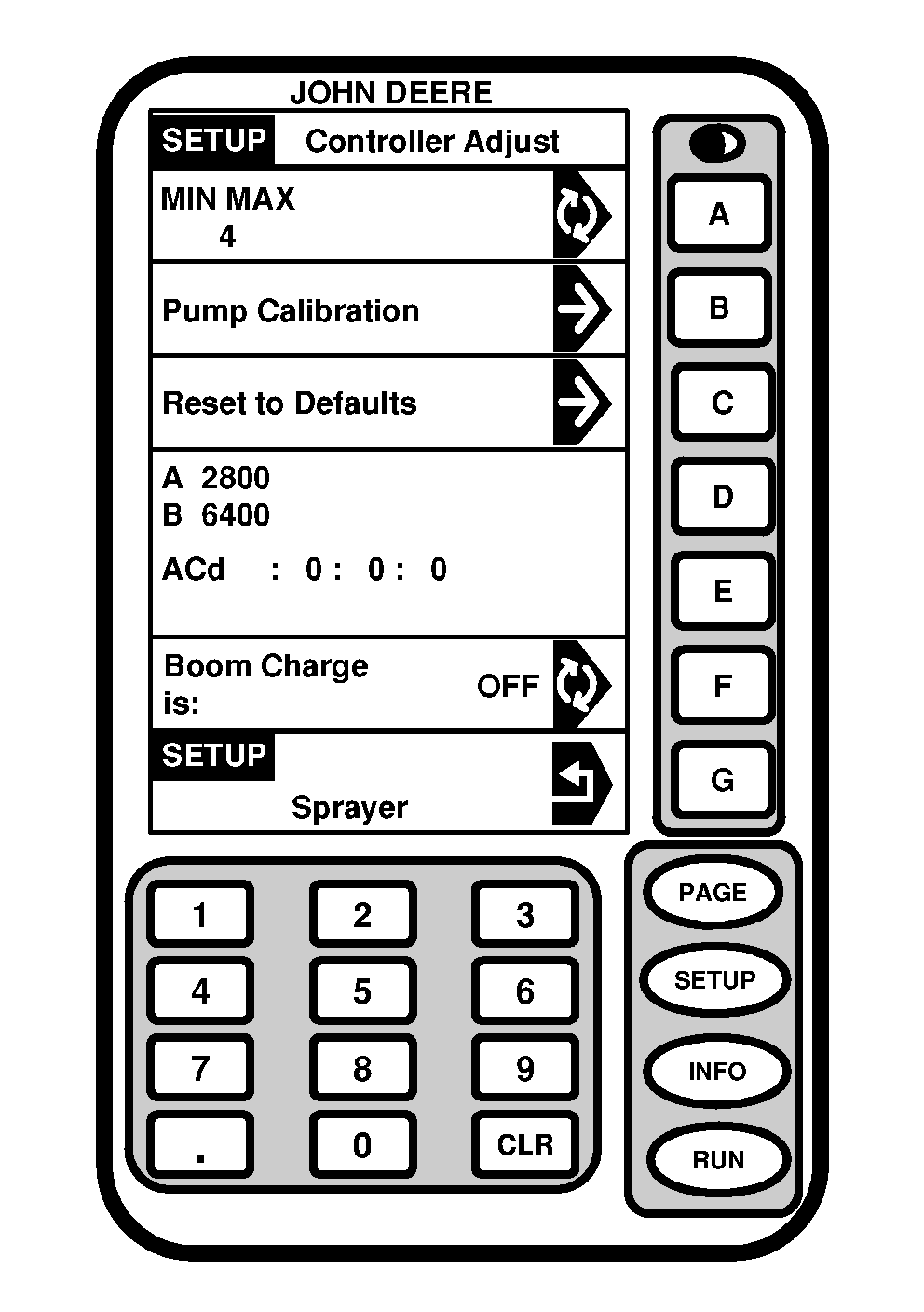
If the "A" value is in 4000 range, make sure "B" value is 8000 or greater for proper operation. To auto calibrate the sprayer: NOTE: Solution pump switch should be turned off to perform this procedure. 1. Operate engine at full throttle and warm hydraulic fluid temperature to normal operating range.2. Fill solution tank with enough water or solution to keep pump from running dry. |
OUO6092,000087D -19-26JUL05-1/2 |
|
|
|
3.
Press "SETUP" to display SETUP menu.
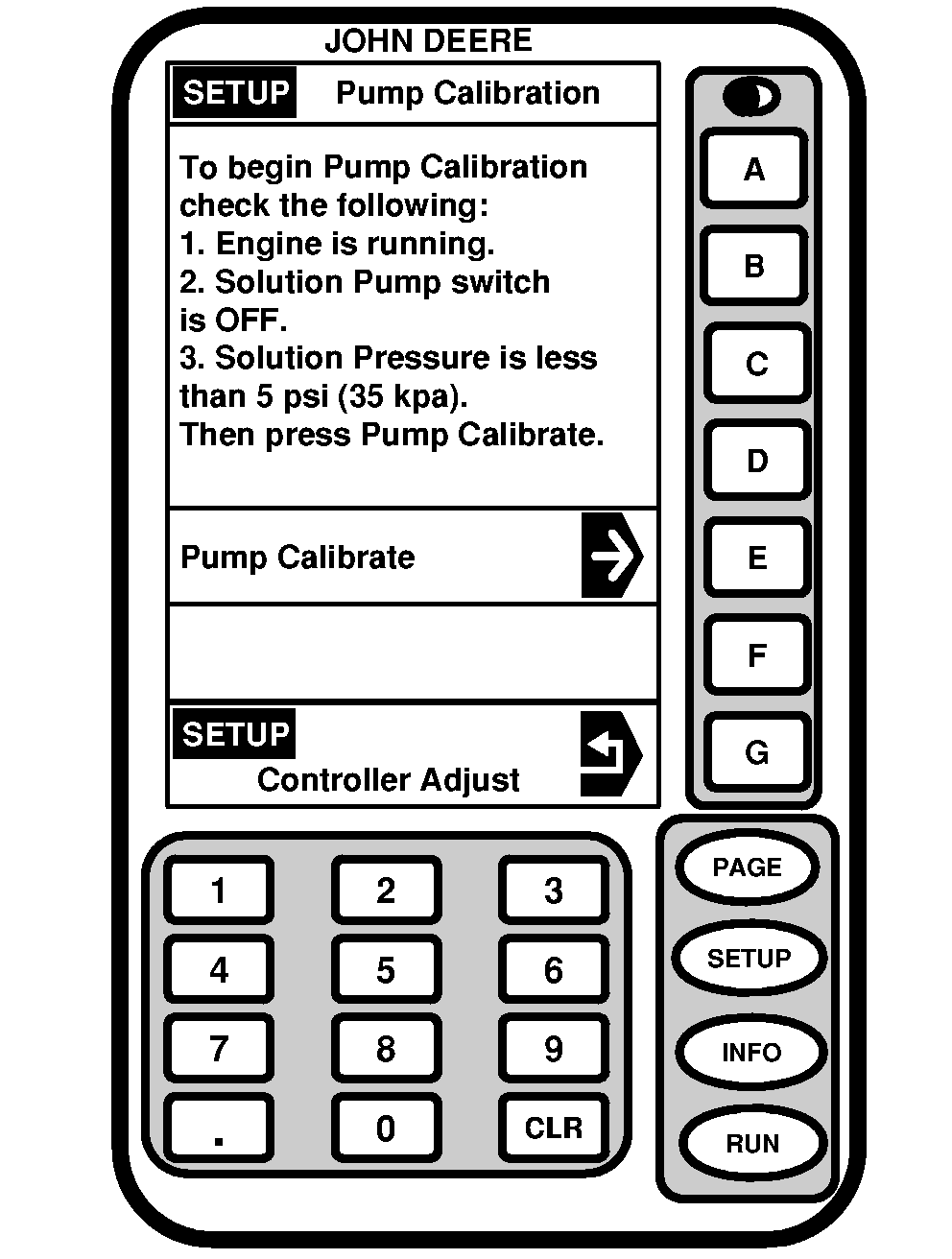
4. Press letter button next to "SprayStar". 5. Press "PAGE" for Page 2 of Sprayer Setup. 6. Press letter button next to "Controller Adjust". 7. Press letter button next to "Pump Calibration". 8. Follow instructions on screen. |
9. Press letter button next to "Pump Calibrate". NOTE: Pump calibration will take approximately 1-2 minutes. The solution pump will turn off when a "A" and "B" value appear and auto calibration is done. 10. When the solution pump shuts down, auto calibration is now done. Press RUN to return to Page 1 of the RUN menu. |
OUO6092,000087D -19-26JUL05-2/2 |