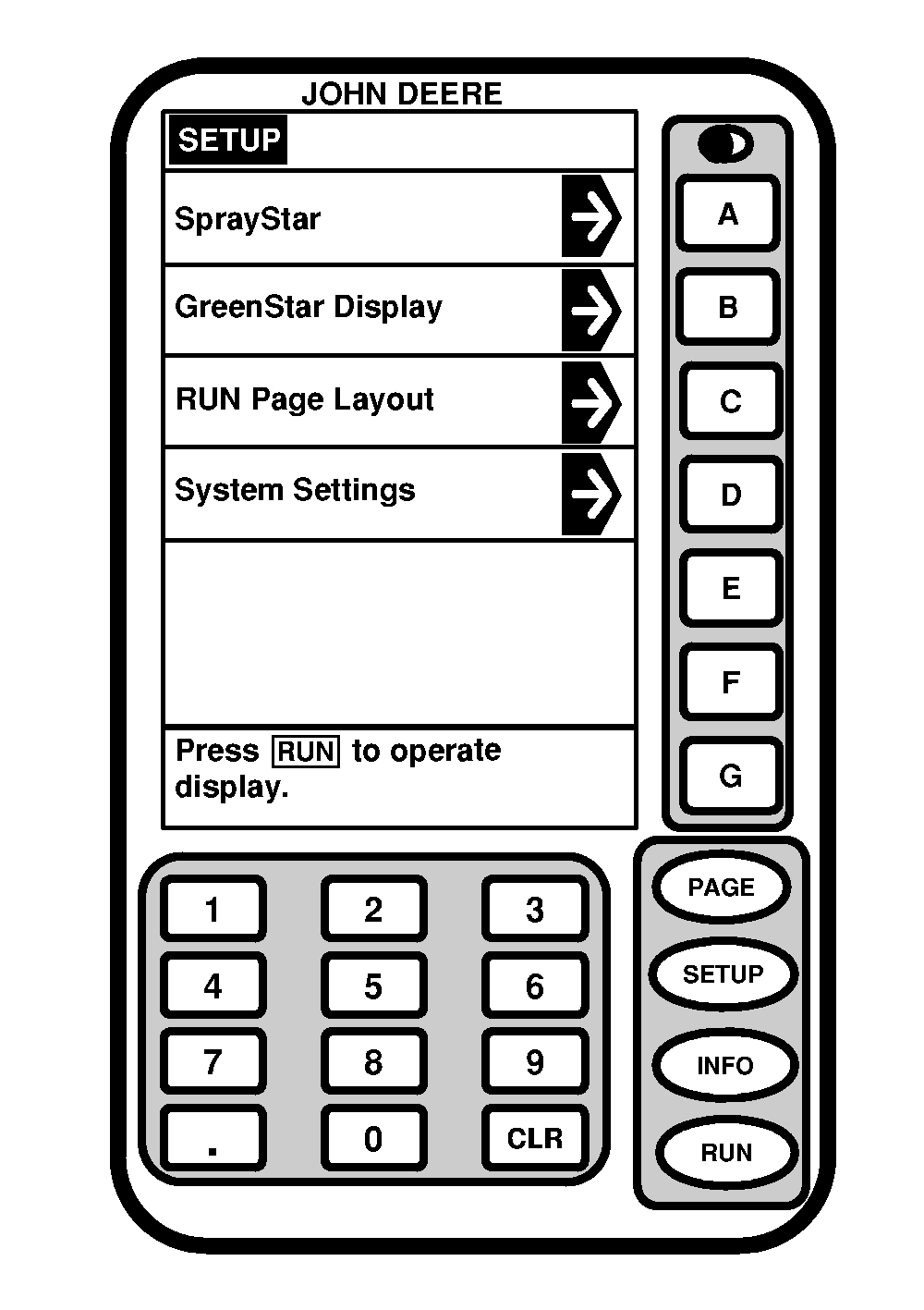
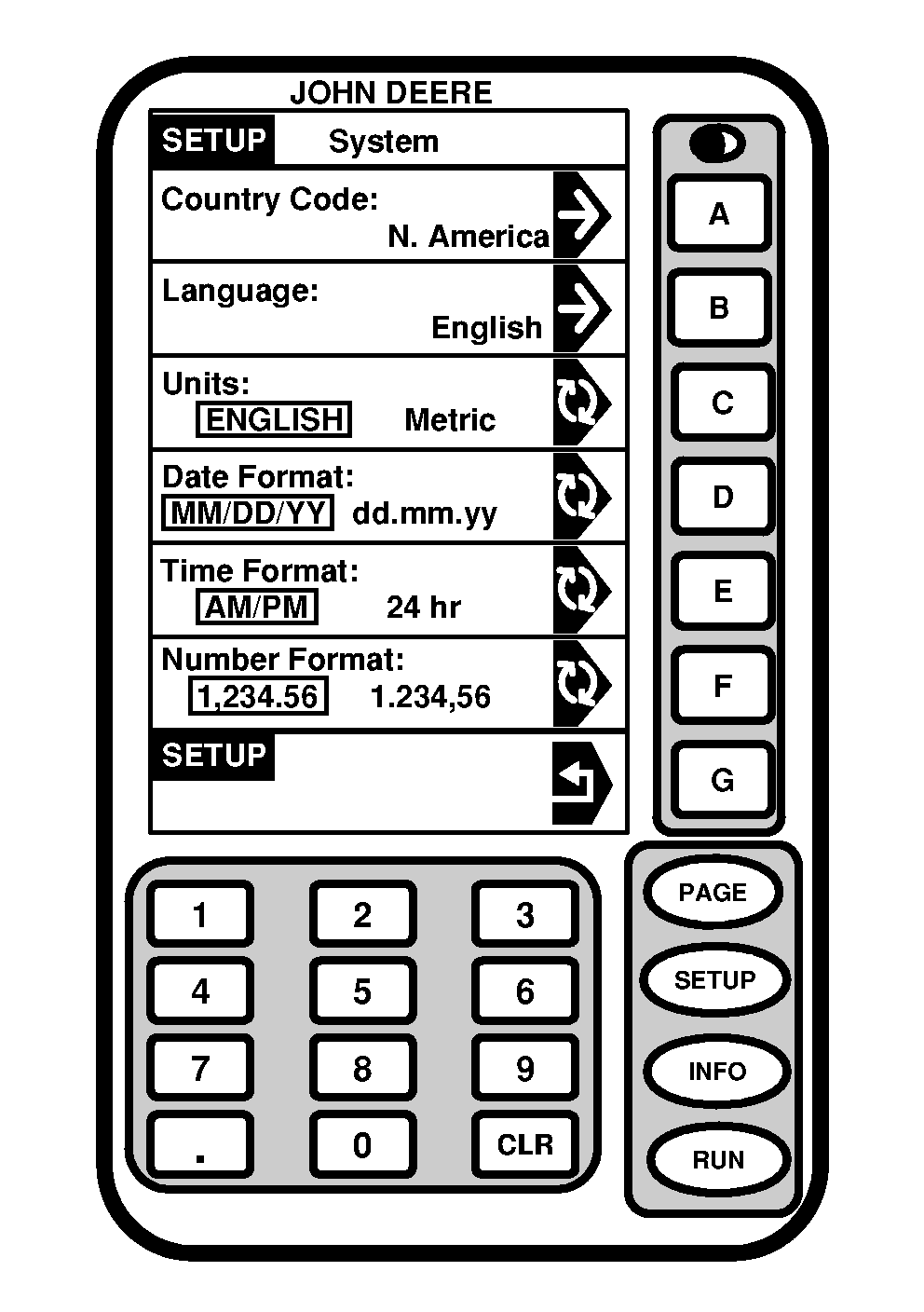
SETUP System SettingsSystem Settings screen is used to select the country code, language, unit of measure (English or Metric), date format, time format and number format. Each of these settings can be set as a group using the country code or individually. Press letter button next to "System Settings". SETUP- System-PAGE 1 will appear. |
|
OUO6092,0000A16 -19-15JUN06-1/5 |
|
|
|
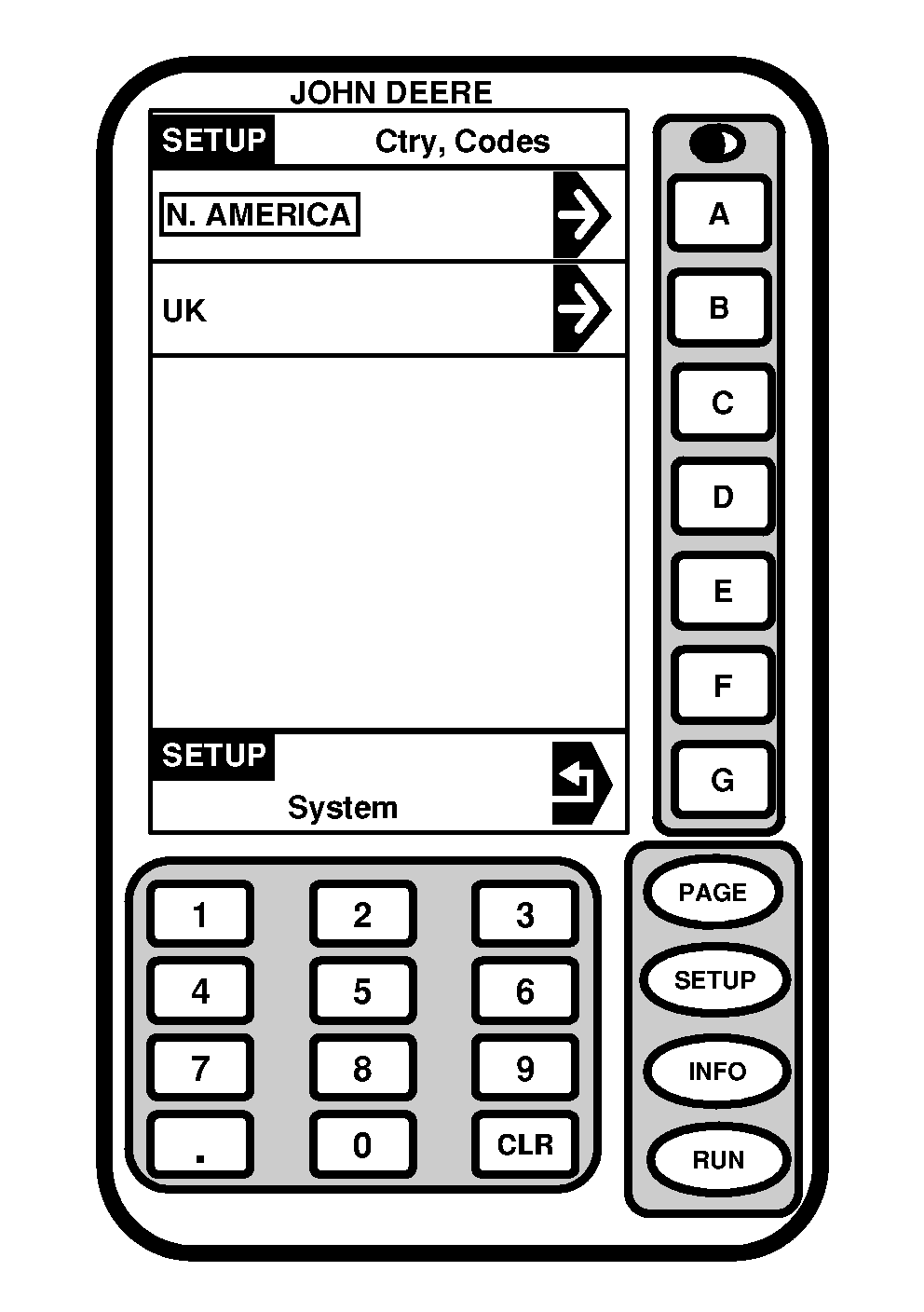
Country Code
Press letter button next to country preference. |
OUO6092,0000A16 -19-15JUN06-2/5 |
|
By selecting the North America option on SETUP - Country code page the following are the default settings:
|
|
OUO6092,0000A16 -19-15JUN06-3/5 |
|
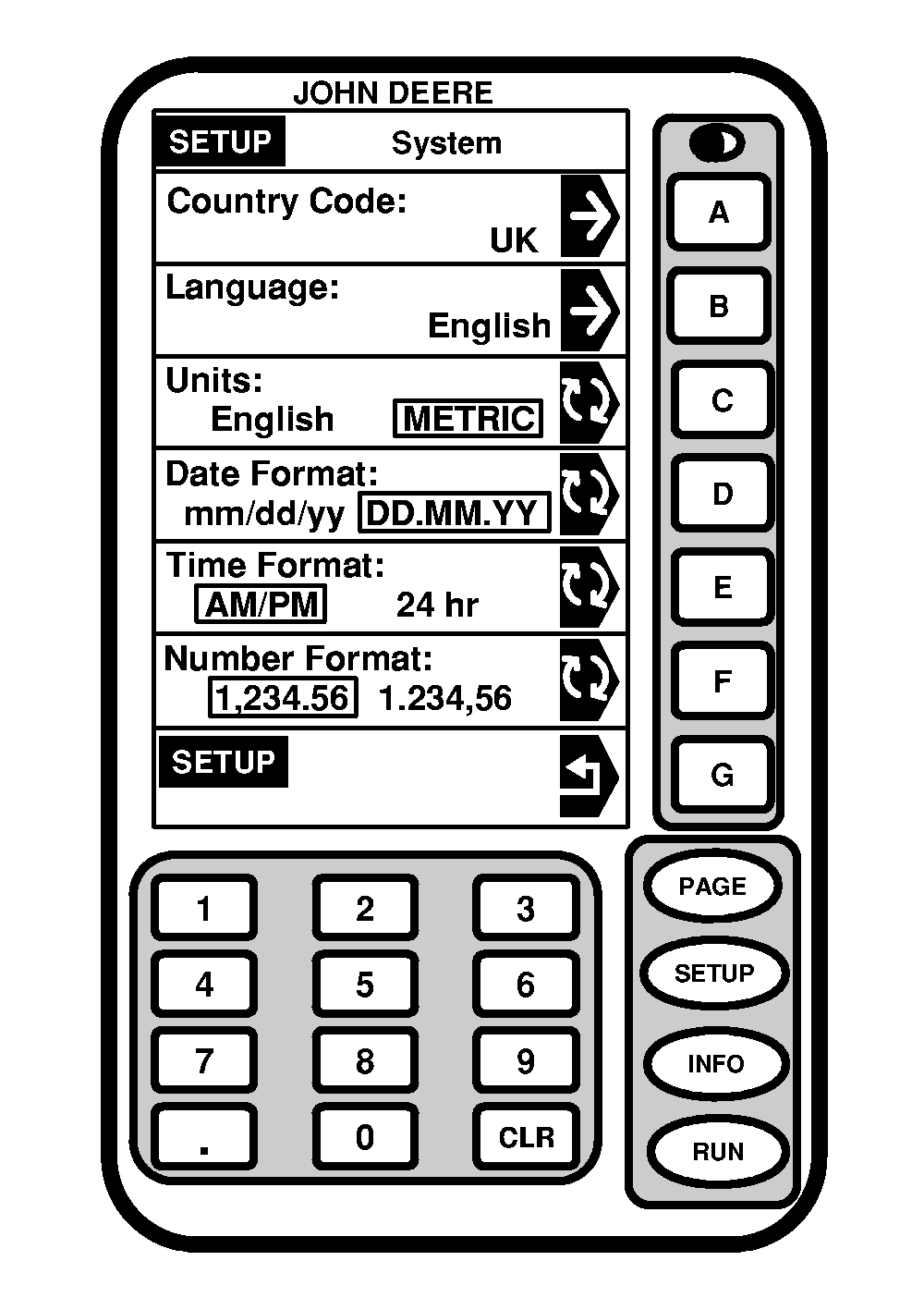
By choosing the UK option on SETUP - Country code page the following are the default settings:
|
|
OUO6092,0000A16 -19-15JUN06-4/5 |
|
|
|
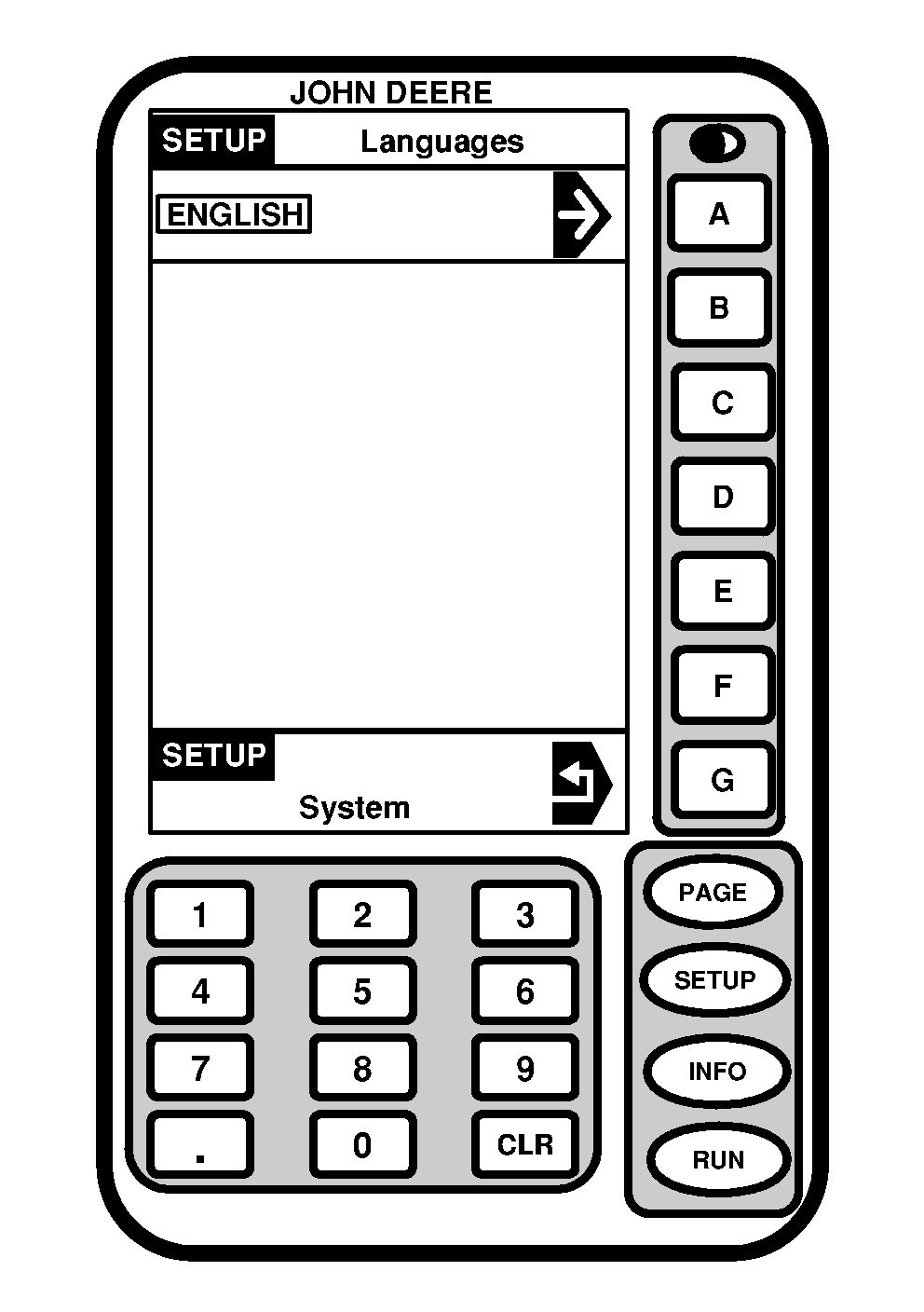
Language
Press letter button next to Language cell to change Language preference. |
OUO6092,0000A16 -19-15JUN06-5/5 |