Setting Time and Date
|
|
1.
Verify key switch is "ON".
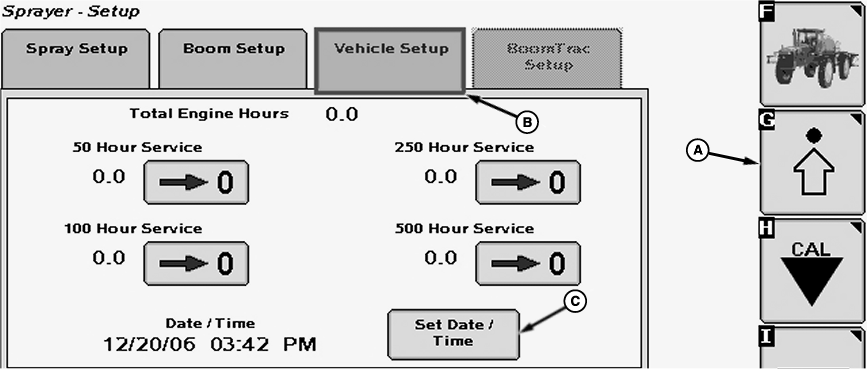
2. Select the Setup softkey (A) to view the setup menu. |
3. Select the Vehicle Setup tab (B). 4. Press "Set Date / Time" button (C). The "Set Date / Time" screen will appear. |
OUO6092,0000FD7 -19-14AUG07-1/2 |
|
5.
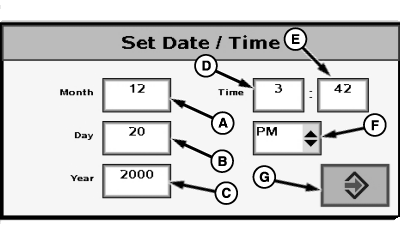
Select each input box (A-E) to be changed and enter a new value using pop-up keyboard.
6. Select drop-down box (F) to select between "AM" and "PM". 7. Select the enter button (G) to accept new value.
|
|
OUO6092,0000FD7 -19-14AUG07-2/2 |