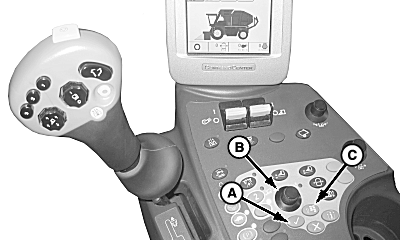
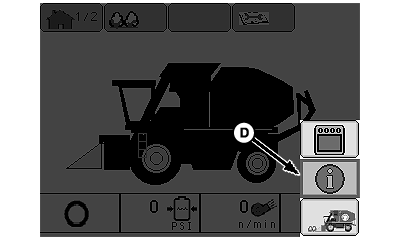
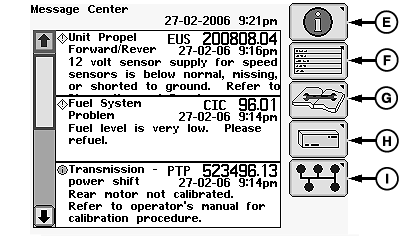
Diagnostic Trouble Codes ListingPush main menu button (C) to access information screen. Rotate selection dial (B) to highlight information icon (D) and press confirm button (A) to display all of the active diagnostic trouble codes. Select active diagnostic trouble codes icon (E) to view active codes. Select all diagnostic trouble codes icon (G) to view all codes.
|
|
OUO1078,0000045 -19-18MAR09-1/1 |