Header Height Control Rate Response AdjustmentIMPORTANT: Decreasing the rate of response of the header height control system should be done with caution. Machine damage can occur from rough terrain if the rate of response of the units is too slow. Determine terrain type and adjustment using following descriptions:
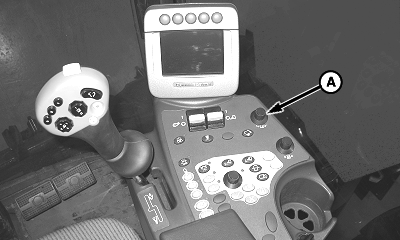
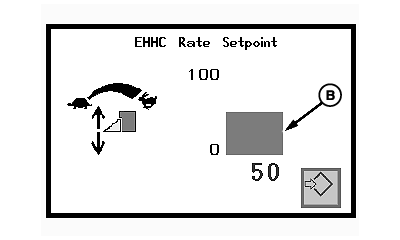
IMPORTANT: Damage can occur to the row units if rough terrain is encountered. Height sensing response rate dial (A) allows the operator to control how fast the row units react (raise/lower) to changing ground conditions while in the height sensing mode of operation. Rotating dial clockwise will increase response rate of the header (fast response). Rotating dial counterclockwise will decrease response rate of the header (slow response). NOTE: Suggested default setting for EHHC rate setpoint is 50. 1. Observe rate setpoint (B) on console display as a guide and set initial rate response. 2. Operate machine and observe rate response. Adjust dial as necessary. |
|
OUO1078,0000213 -19-29OCT08-1/1 |