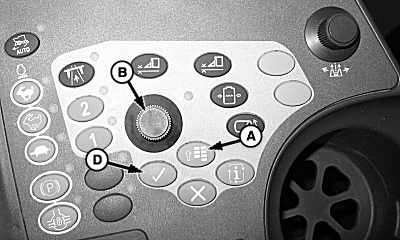
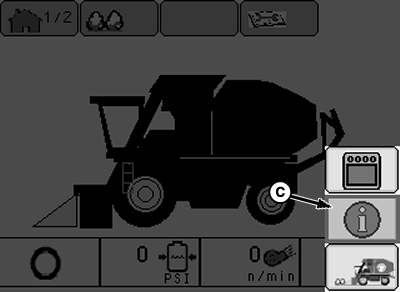
Calibrate Header Height Control1. Locate cotton picker on a level concrete surface.NOTE: The hydraulic system needs oil temperature to be approximately 50 °C (120 °F). 2. Start engine and let idle until oil temperature is approximately 50 °C (120 °F). 3. Raise and lower row units several times to warm up components. 4. Press the menu button (A) and select the info icon (C) using display dial (B). 5. Press the enter button (D) to enter the info screen.
|
|
OUO1078,0000214 -19-29OCT08-1/5 |
|
6.
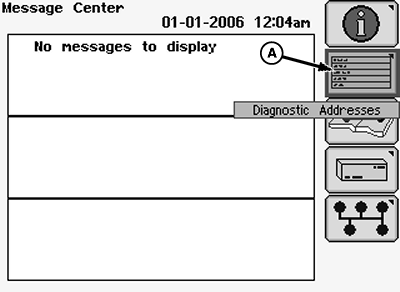
Using the display dial, select the diagnostic addresses icon (A) and press the enter button.
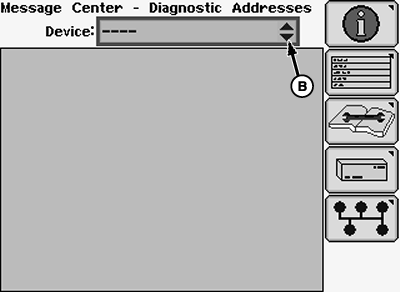
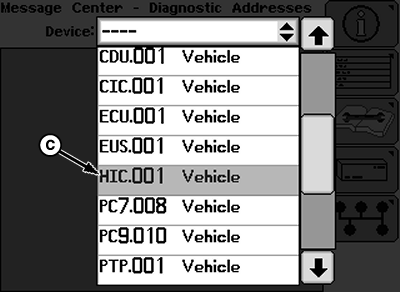
7. Select the drop-down menu (B) and scroll to find "HIC.001 Vehicle." 8. Select "HIC.001 Vehicle" and press the enter button.
|
|
OUO1078,0000214 -19-29OCT08-2/5 |
|
9.
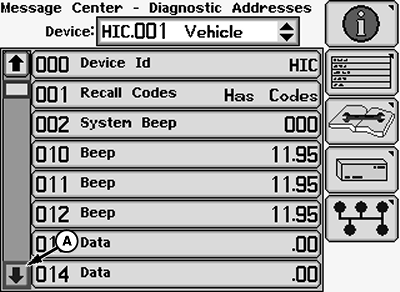
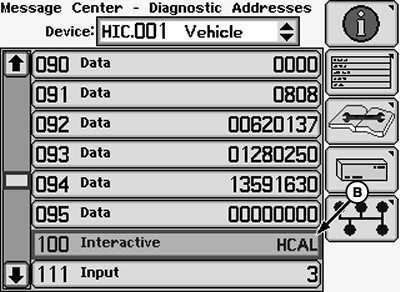
Using the display dial, select the down scroll arrow (A) until "100 Interactive FCAL" is found.
10. Select "100 Interactive FCAL" (B) and press enter on the armrest.
|
|
OUO1078,0000214 -19-29OCT08-3/5 |
|
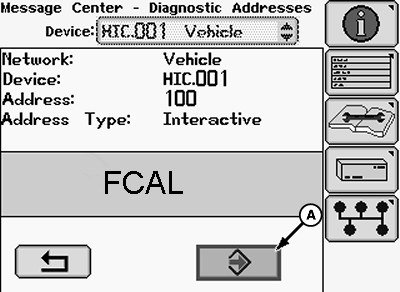
NOTE: Calibration cannot begin unless row units are completely lowered. 11. Lower row units until they are resting on the ground. 12. Highlight selection (A) and press enter. "HUP" will be displayed on the Armrest Display Unit (ADU) and calibration will begin.
|
|
OUO1078,0000214 -19-29OCT08-4/5 |
|
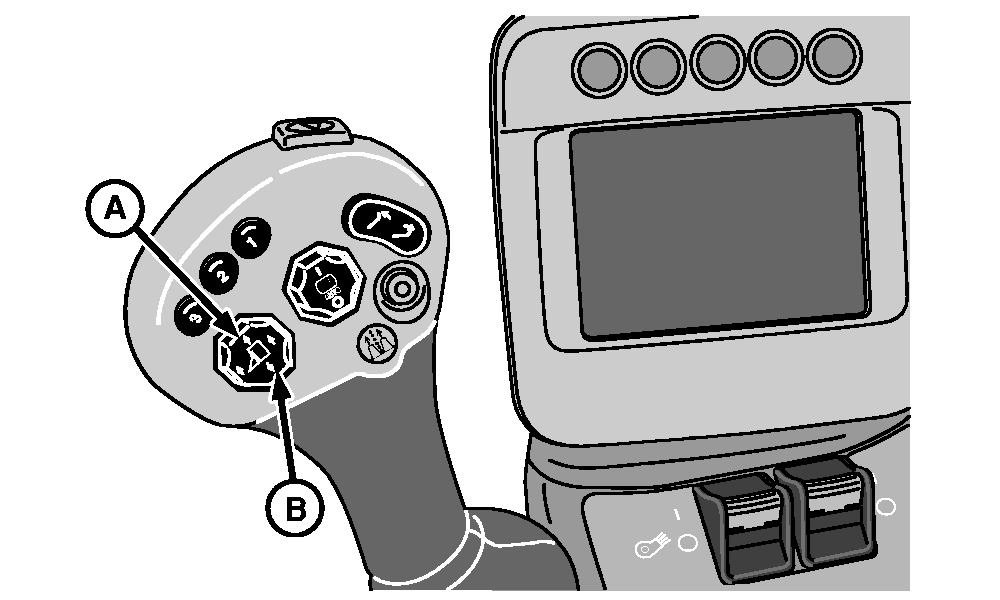
13.
Press and hold (A) until "HDn" is displayed on the ADU.
14. Press and hold (B) until "H1U" is displayed on the ADU. 15. Press and hold (A) until "H1d" is displayed on the ADU. 16. Press and hold (B) until "H2U" is displayed on the ADU. 17. Press and hold (A) until "EOC" is displayed on the ADU. 18. Highlight and select enter icon to save calibration. If there is an error, codes will appear. Deadband values will automatically scroll after successful calibration. 19. Highlight and select return icon to exit address. 20. Press the menu button on the armrest and select the home screen icon to return to the home screen. 21. Select "close diagnostics" after EHHC calibration to confirm operation. |
|


OUO1078,0000214 -19-29OCT08-5/5 |