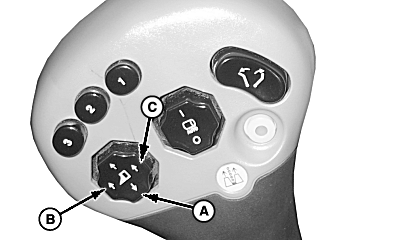
Lowering Row UnitsPress bottom of button (A) on multifunction control handle to lower all units. This will activate the header height control system when the units are engaged. The header height control system will maintain unit-to-ground clearance. (See OPERATE AND ADJUST HEADER HEIGHT CONTROL in Header Height Control section for proper operation and adjustments.) Press raise left-hand unit button (B) or raise right-hand unit button (C) to raise corresponding row units (units mounted on left-hand unit frame and right-hand unit frame) as needed to avoid obstacles. Press and release bottom of raise/lower all units button (A) to return row units to previous height. |
|
OUO1078,000024D -19-18MAR09-1/1 |