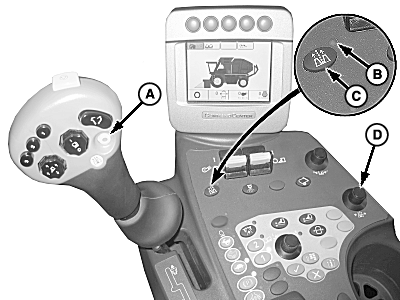
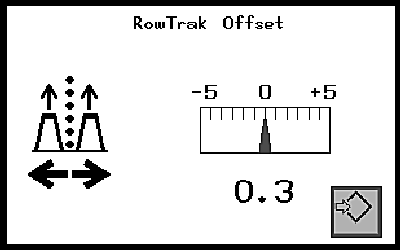
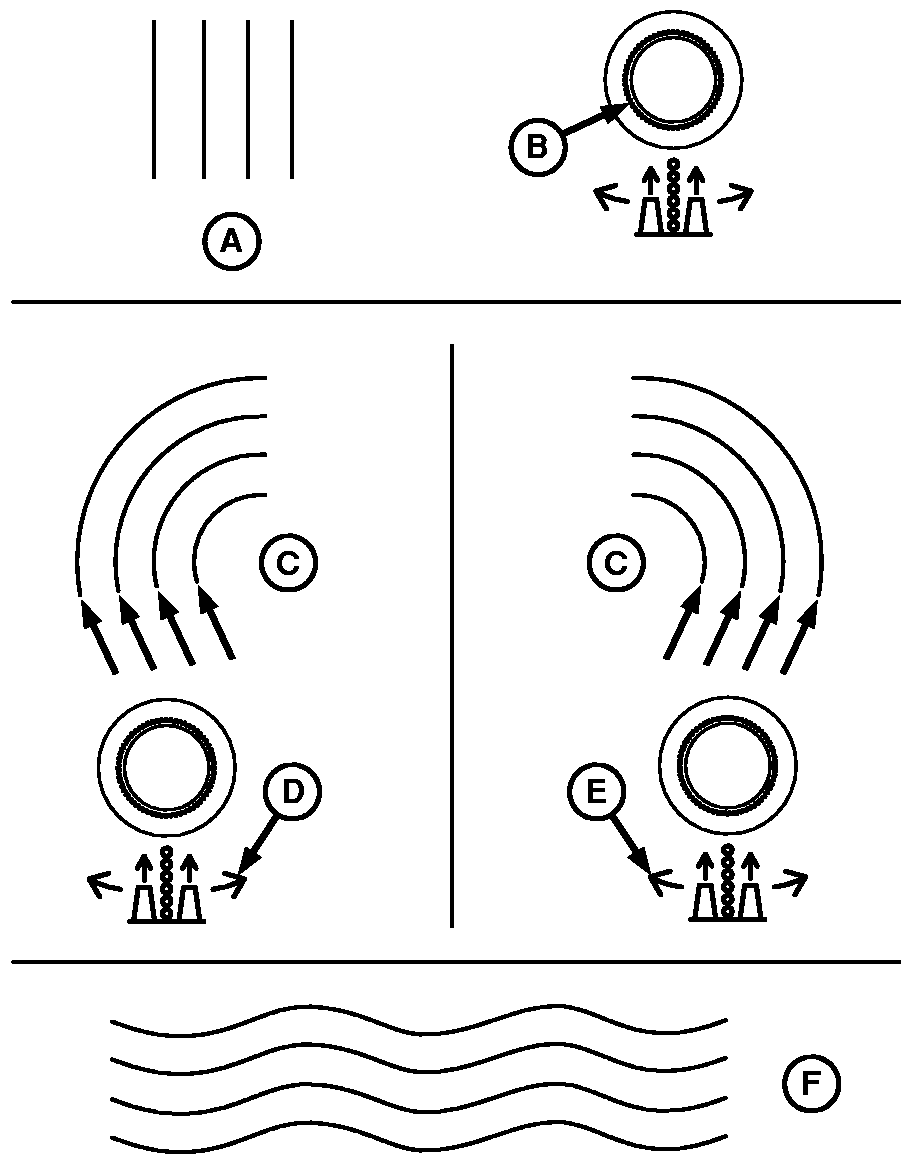
Operating ROW-TRAKNOTE: If error codes are generated, see ROW-TRAK CIRCUIT DIAGNOSTIC CODES in this section. General Operation: 1. Push ROW-TRAK enable button (C). ROW-TRAK indicator light (B) on console will illuminate indicating system is active.2. Align machine with row, engage row units and begin harvesting. Engage ROW-TRAK by pushing engage button (A) on the multifunction control handle. When going into auto mode, horn will beep once. When leaving auto mode, horn will beep twice. Engine must be at full engine speed. Ground speed must be below 11 kph (7 mph). Release steering wheel. 3. During operation of ROW-TRAK, tracking can be adjusted using offset adjust knob (D). Use of offset adjust knob will vary depending on whether adjusting system for straight or curved rows.
|
|
OUO1078,0000257 -19-18MAR09-1/2 |
|
Offset Adjustment:
4. ROW-TRAK can be disengaged using the following methods;
When machine is operating with ROW-TRAK engaged, operator presence system will sound an audible alarm if the operator leaves the seat for more than 2 seconds providing time for the operator to sit back down. Operator presence system will disengage ROW-TRAK if operator does not sit down after 4 seconds. If ROW-TRAK system is disengaged in this manner, ROW-TRAK light on console will flash. Engage button on multifunction control handle must be pressed again to engage ROW-TRAK. NOTE: If ROW-TRAK does not operate as described, see your John Deere dealer for assistance. |
|
OUO1078,0000257 -19-18MAR09-2/2 |