Set Flowmeter Calibration Number
NOTE: Flowmeter is not recommended for boom flow rates under 15 Lpm (4 gpm).
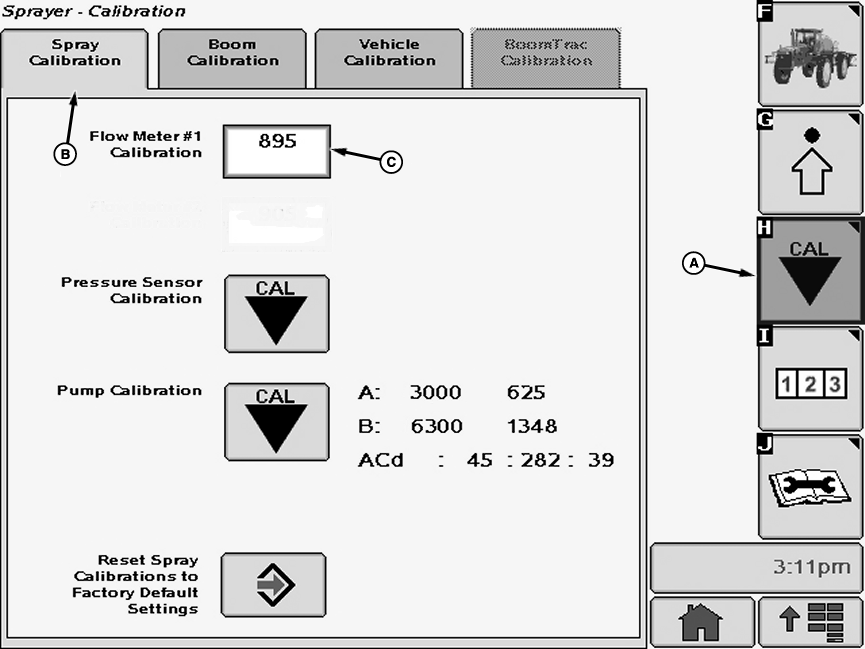
N84138-UN-08JUN09A - Calibration Softkey
B - Spray Calibration Tab
C - Input box
Select the Calibration softkey (A) to view the setup menu.Select the Spray Calibration tab (B).
Select input box (C) to be changed and enter a new value using pop-up keyboard. Select the enter button to accept new value.
NOTE: The flowmeter calibration number is stamped on the stainless steel tag attached to the back of the display. It is also etched on the flowmeter insert.
OUO6092,00001B5-19-20090713 |