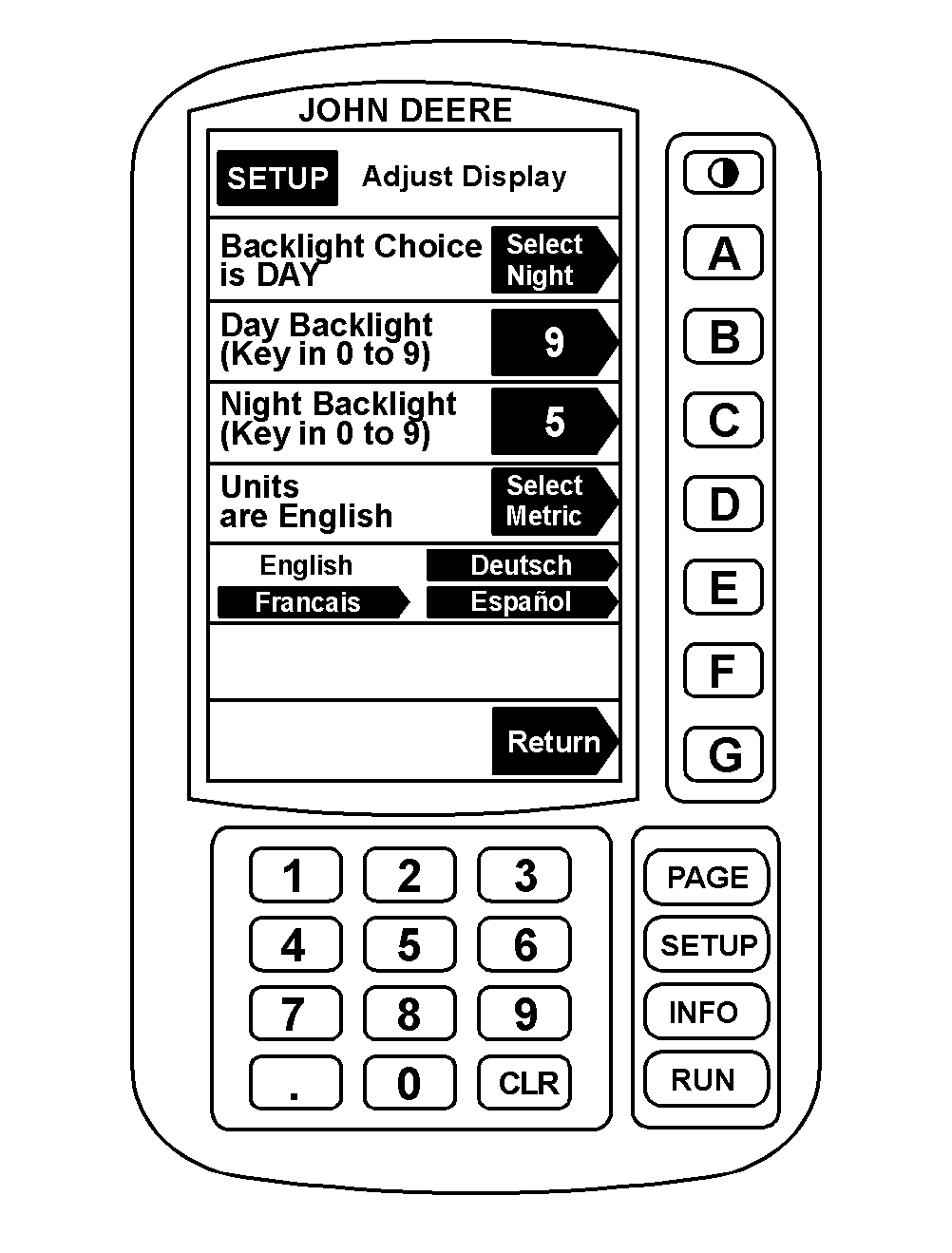
Setting Backlight Level1. Press "SETUP", then "B" for GREENSTAR ™ Display. 2. Press "B" to change DAY backlight level. NOTE: Backlight level controls the brightness of the screen. A number between 0-9 can be input. An input of 9 would give the brightest backlight. 3. Key in a number of 0-9, and press "B" to enter the level. 4. Press "C" to change NIGHT backlight level. 5. Key in a number from 0-9, and press "C" to enter the level. 6. Press "A" to select NIGHT or DAY backlight. 7. Press "G" to return to Setup or "RUN" to return to page 1 of RUN. |
|
|
GREENSTAR is a trademark of Deere & Company. | AG,OUO1011,707 -19-06JUL99-1/1 |