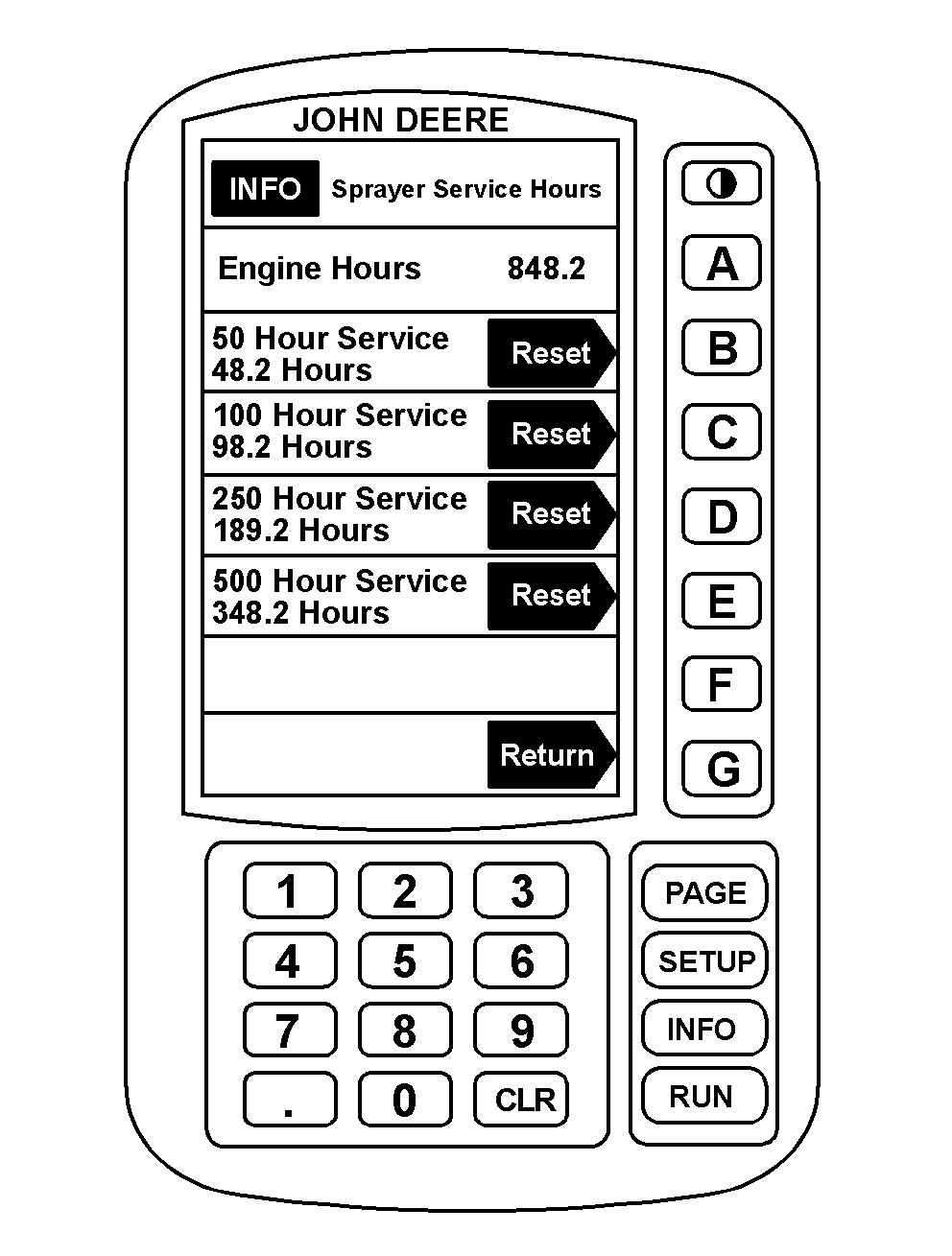
Resetting Service Interval CounterService interval statements appear on the bottom of the RUN pages after a service interval has expired. The service interval statement informs the operator that the time has expired since the last service was performed. The service intervals that SPRAYSTAR ™ monitors are 50, 100, 250 and 500 hours. When a service interval statement appears on bottom of RUN pages, the operator should perform the service as soon as possible and then reset the service interval counter. To reset a service interval counter: |
|
|
SPRAYSTAR is a trademark of Deere & Company. | AG,OUO1011,711 -19-06JUL99-1/2 |
|
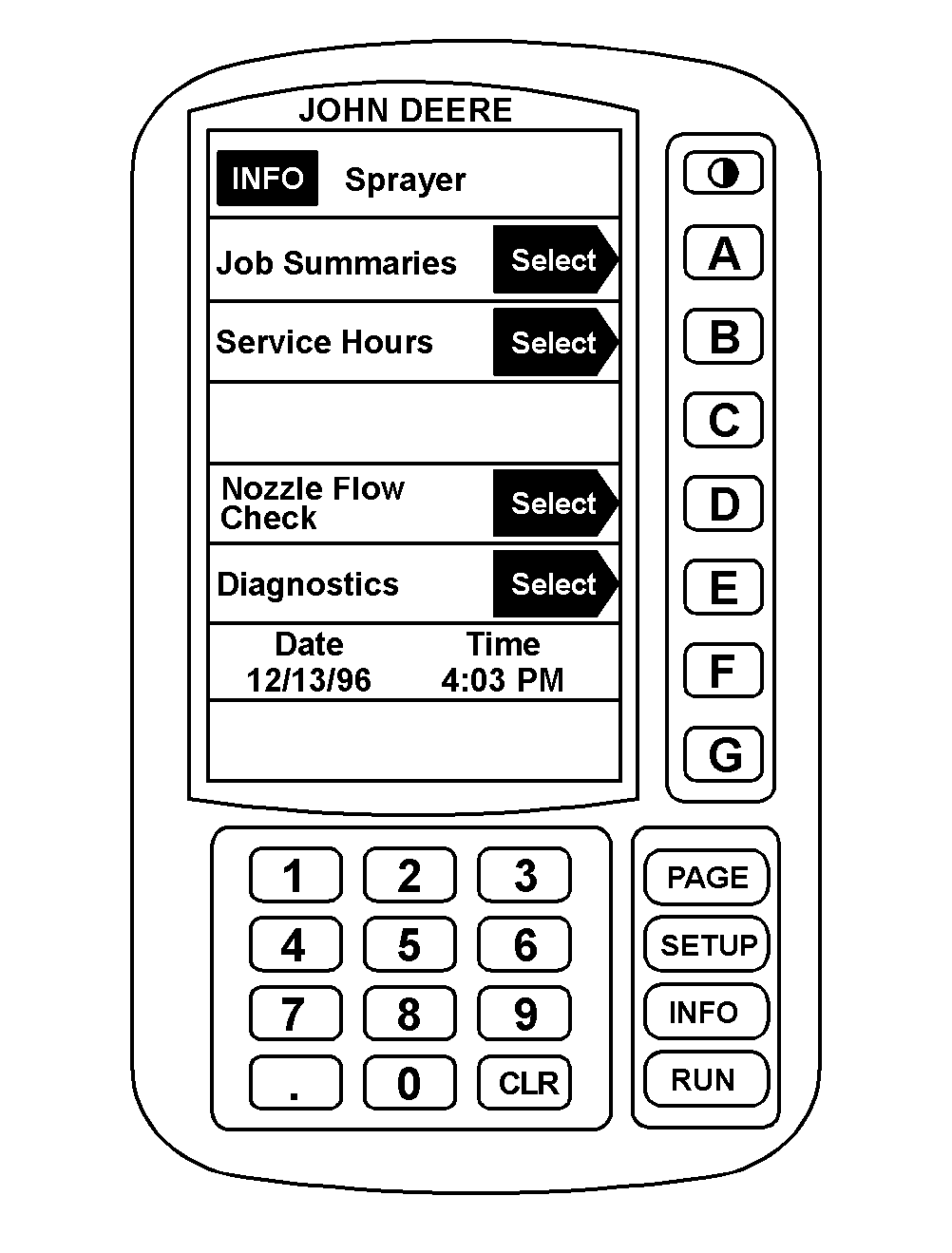
1. Press "INFO." 2. Press "A" for sprayer. 3. Press "B" for service interval counter. 4. When a service interval has been reached and service has been completed, push appropriate button (B-E) to reset the interval counter for the service just performed. NOTE: Refer to the Lubrication and Maintenance sections in this manual for items to be serviced and their service intervals. SPRAYSTAR ™ will not produce a service interval statement on the RUN pages until a service interval expires. |
|
|
SPRAYSTAR is a trademark of Deere & Company. | AG,OUO1011,711 -19-06JUL99-2/2 |