Recent Problems
N74860-UN-06FEB07
N75072-UN-06FEB07
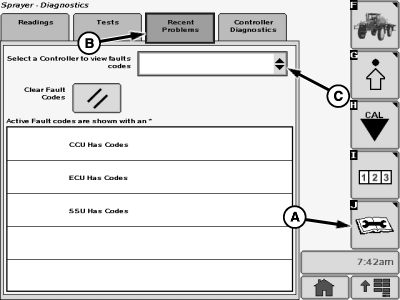
A - Diagnostics Softkey
B - Recent Problems Tab
C - Drop-Down Menu
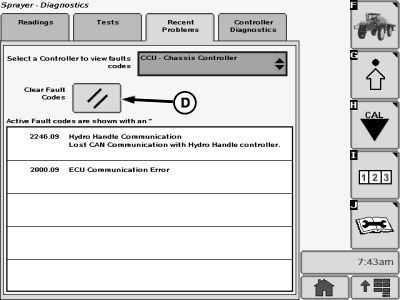
D - Clear Fault Codes Button
To view fault codes:
Select the Diagnostics softkey (A) to view the sprayer diagnostics menu.
Select the “Recent Problems” tab (B). A list of controllers with active fault codes will be listed on this page. Select a controller from the drop-down menu (C) to view or erase codes for that specific controller. Press the "Clear Fault Codes" button (D) to clear fault codes for the selected controller.
OUO6092,0000D87-19-20070206 |