Operating Distance Counter
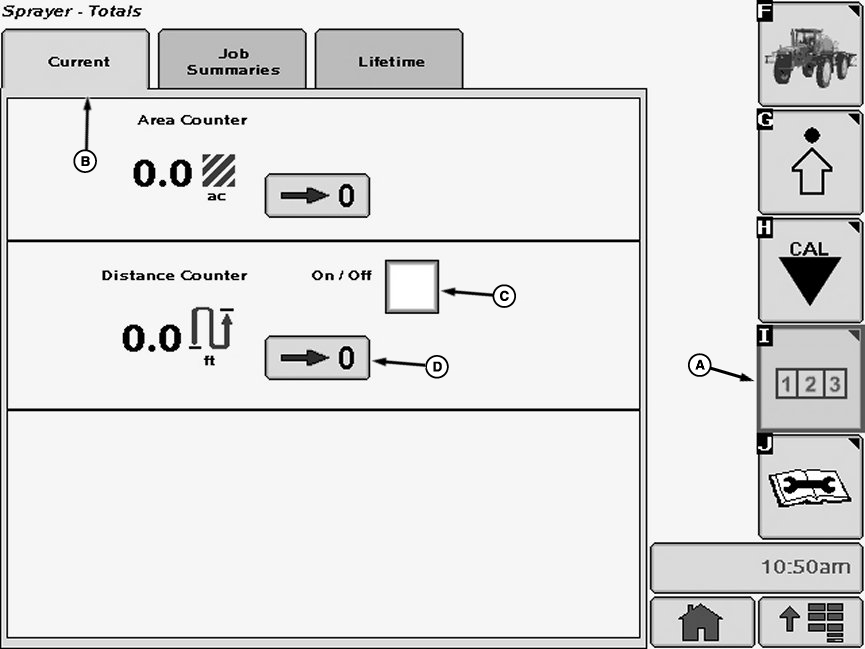
N74950-UN-05FEB07A - Reports and Totals Softkey
B - Current Tab
C - Distance Traveled
D - Zero Button
Select the Reports and Totals softkey (A) to view the sprayer totals menu.Select the “Current Tab” tab (B). The current totals page will display instant values.
Select check box (C) next to “Distance Counter” and a check will appear inside box activating item. To deactivate a check box, touch check box to remove the check.
NOTE: Distance counter will automatically switch over to kilometers at 1000 m or miles at 5280 ft.
Select Zero button (D) to reset the distance counter to zero.
OUO6092,0000DA4-19-20070205 |