Operating in the Field
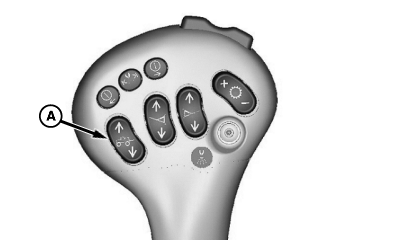
N67612-UN-16SEP04A - Raise/Lower Switch
Unfold boom and press raise/lower switch (A) to position boom at desired operating height.Setup SprayStar control unit for your particular application. (See SprayStar System section for proper setup procedure.)
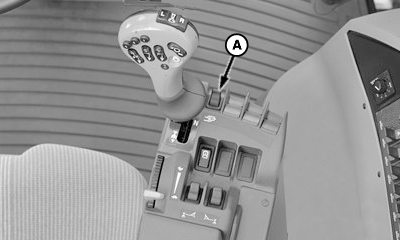
N80095-UN-04MAR08A - Solution Pump Switch
Push forward on solution pump switch (A) to engage solution pump.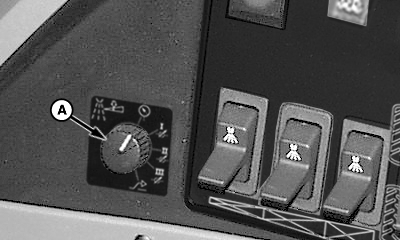
N80096-UN-04MAR08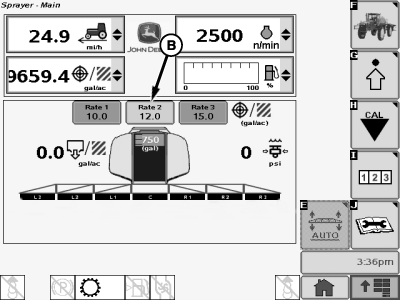
N74874-UN-23JAN07A - Rate Control Switch
B - Selected Rate
View spray operation display on monitor screen.Turn rate control switch (A) to desired application rate (1, 2 or 3) or to manual pressure setting (MAN).
NOTE: Rate selected (B) will be highlighted on monitor screen.
If equipped with Swath Control Pro the “AUX” position on rate control switch is used for the map based rate.
N67613-UN-16SEP04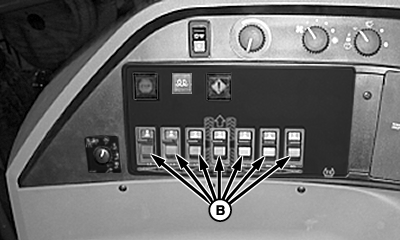
N80097-UN-04MAR087 Boom Section Switches (80-100 ft Boom)
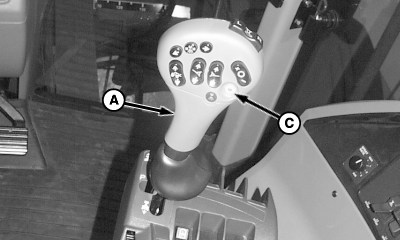
A - Multifunction Control Handle
B - Boom Section Switches
C - Master ON/OFF Switch
Push multifunction control handle (A) slowly forward to start forward motion.Lift all boom section switches (B).
NOTE: Enabled booms have black fill color indication on the display.
Press master ON/OFF switch (C) to start spraying operation.
NOTE: Actively spraying boom sections have cone indication under the boom section on the display.
NOTE: Spray system shut-down is not immediate. Solution flow will continue for a few seconds after pressing master ON/OFF switch. For best response time and coverage, turn spray off as you slow for row end.
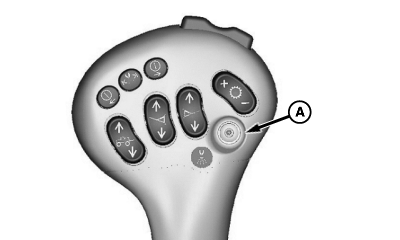
N66488-UN-15SEP04A - Master ON/OFF Switch
At row end, press master ON/OFF switch (A) to stop spraying. All other switches can remain in pre-set positions.NOTE: Spray system start-up is not immediate. To overcome delayed response, press master ON/OFF switch while moving forward to start spraying just before solution is actually needed.
When aligned with next row, press master ON/OFF switch to resume spraying.
OUO6092,0001117-19-20080226 |