Set Tread Width—Without Hydraulic Tread Adjust Option
IMPORTANT: Manual setting of tread width requires use of special tools and/or handling equipment. (See your John Deere dealer if your operation does not have the proper equipment to perform this procedure safely, as described here.)
Required tools are:
- Overhead hoist or lift bracket and floor jack
- 6,803 kg (15,000 lb) capacity shop stand (John Deere JDG10393 or equivalent)
- Spindle Spacer (John Deere JDG1113 or equivalent)
- Forklift or tractor with loader attachment
- Pull chain
NOTE: If sticking occurs, remove debris from axle knees and spray with TY25733 teflon based lubricant.
 CAUTION: To avoid injury or machine damage, manual tread setting is done one wheel at a time. By resetting one wheel at a time, while having the other three (3) wheels on the ground and blocked, the machine is kept stationary.
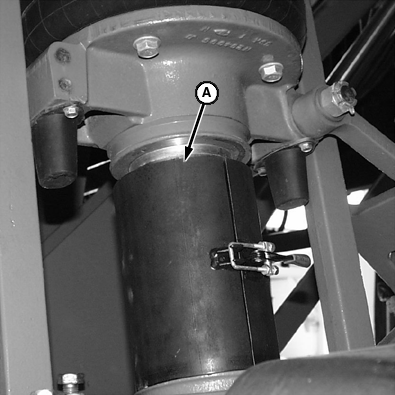
N50898-UN-19JUL99A - Spindle Spacer
Place wheel chocks in front of, and behind the tires that will not be reset at this time.Install spindle spacer (A) on the suspension rod of the wheel to be reset. Spindle spacer prevents suspension from extending. If spindle spacer is not used, machine will have to be raised higher (approximately 230 mm [8 in.]) to get wheel off the ground. Higher lift makes machine more difficult to support.
NOTE:
N80122-UN-04MAR08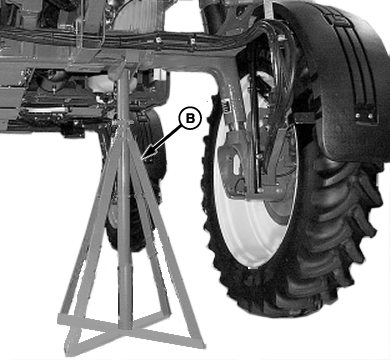
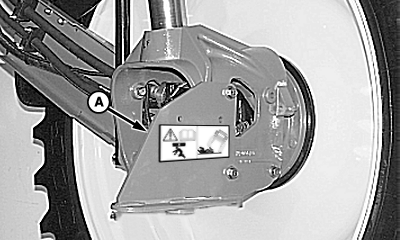
N76724-UN-14JUN07A - Jack Bracket
B - Shop Stand
If an overhead hoist is not available to raise machine, use lift bracket (A), attached with M16 x 80 cap screws, and a floor jack.Using an overhead hoist (or jack bracket and floor jack) raise one corner of the machine until wheel clears the ground by approximately 152 mm (6 in.).
Position 6,804 kg (15,000 lb) capacity shop stand (B) under frame and lower machine onto support with bottom of tire 76—127 mm (3—5 in.) off the ground.
Remove floor jack (if used).
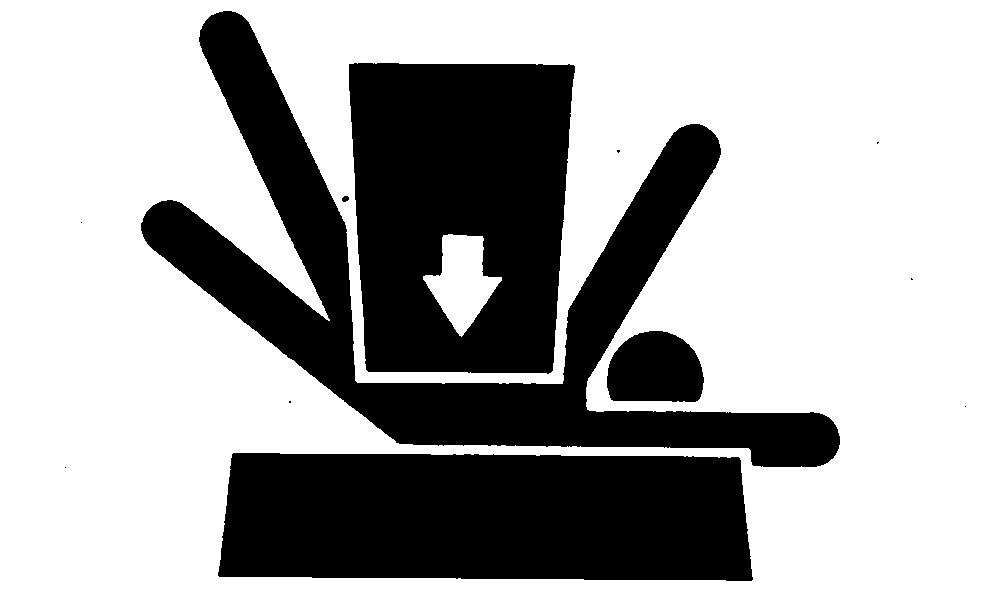
- CAUTION:
TS229-UN-23AUG88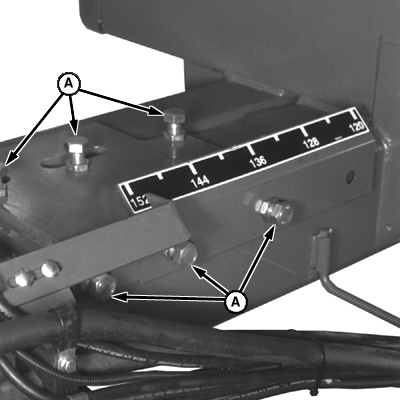
N50907-UN-19JUL99Front Axle Shown
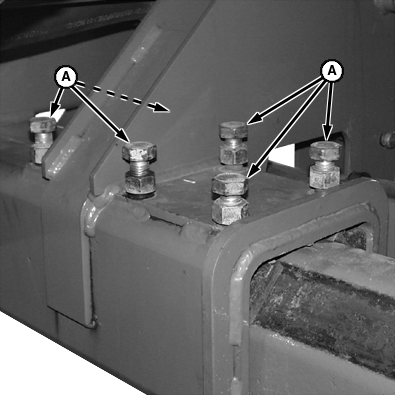
N50900-UN-19JUL99Rear Axle Shown
A - Hardware
To help prevent personal injury caused by unexpected movement of the machine, be sure machine is stable before going under the frame. Do not support machine on cinder blocks, hollow tiles or props that may crumble under continuous load. Do not work on a machine that is supported solely by a jack.Loosen six (6) pieces of axle shim hardware (A), one or two turns. Shim hardware should only be loosened. not removed. Shims need to stay in contact with axle during reset.
IMPORTANT: Completely removing both quick-lock pins releases both wheels and can cause machine to shift. Pull pins out far enough to release the wheel being moved only.
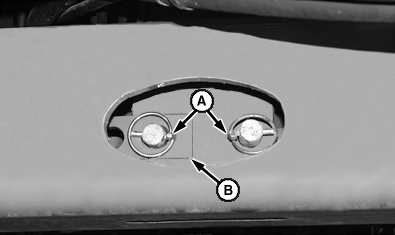
N50901-UN-19JUL99Rear Axle “Full Out”
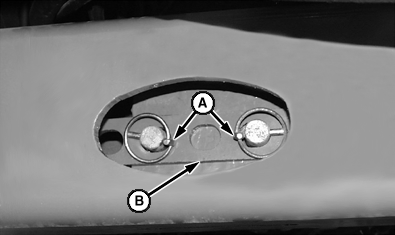
N50902-UN-19JUL99Rear Axle “Other Than Full Out”
A - Quick-Lock Pin(s)
B - Tread Link
Pull quick-lock pins (A) out approximately half-way to disengage tread link (B) from mounting pins.NOTE: Top photo shows tread link when axle is set to “full out” position. Bottom photo shows link when axle is set at an inner position other than “full out”.
IMPORTANT: Be careful not to raise machine off shop stand. Forklift forks only need to be in contact with the bottom of the tire, not lifting it.
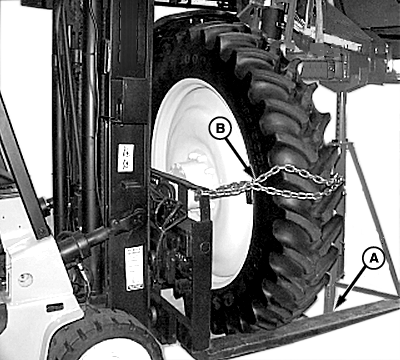
N76726-UN-14JUN07Extending Axle
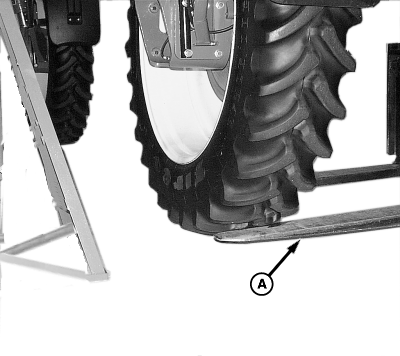
N76727-UN-14JUN07Retracting Axle
A - Forklift Forks
B - Chain
EXTENDING AXLE: Position forklift forks (A) against bottom of tire, making sure fork ends do not contact shop stand. Place a pull chain (B) around the top of the tire and attach to forklift mast.IMPORTANT: Forklift forks can contact shop stand, pushing it out from under the frame causing machine damage. Do not allow fork to extend past tire when retracting axle.
RETRACTING AXLE: Position forklift forks against bottom of tire, making sure fork ends do not extend past the inside sidewall.
Lift the wheel slightly, only until the axle is free to move inside the frame tube; but not so high as to raise the frame from the shop stand.
- CAUTION: Exercise extreme caution when extending axle out to widest setting. There is no stop in the frame to prevent the axle from being pulled clear from the frame tube. No more than 406 mm (16 in.) of axle should ever be exposed past the end of the frame tube.
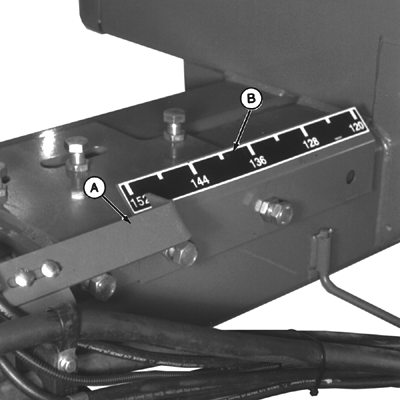
N42173ZP-UN-03FEB97A - Pointer
B - Decal
Move the forklift in or out until the wheel nears the desired position. Wheel may have to be raised and lowered slightly to “walk” axle inside of frame tube. Observe factory installed pointer (A) and decal (B) for width setting dimension. - CAUTION: To prevent injury, do not touch tread link when it is moving. Have assistant only observe the tread link for alignment, not touch it. Tread link is moving near stationary parts, creating a potential pinch-point that can injure fingers and hands.
N50901-UN-19JUL99Widest Setting
N50902-UN-19JUL99Inner Setting
A - Quick-Lock Pin(s)
B - Tread Link
When getting close to desired tread position, have an assistant observe the tread link for hole-to-pin alignment. Place tread link (B) over mounting pins and install quick-lock pin(s) (A).
N50907-UN-19JUL99Front Axle Shown
N50900-UN-19JUL99Rear Axle Shown
A - Hardware
Remove forklift.Apply anti-seize compound to axle shim hardware.
Tighten axle shim hardware (A).
Lift machine, remove shop stand, and lower machine to the ground. If jacking plate and spindle spacer was used, remove and relocate to next wheel to be reset. Move wheel chocks from next wheel to be reset-to-last wheel reset.
Repeat entire procedure at other wheels.
NOTE: If tread adjust setting is wider than the narrowest position the machine marker lights must be adjusted. See Adjust Marker Lights On Machines With Manual Tread Adjust in this section.
Adjust marker lights, if necessary.
OUO6092,000112E-19-20080226 |