Job Summaries and Current Totals
Current Totals
N74861-UN-05FEB07
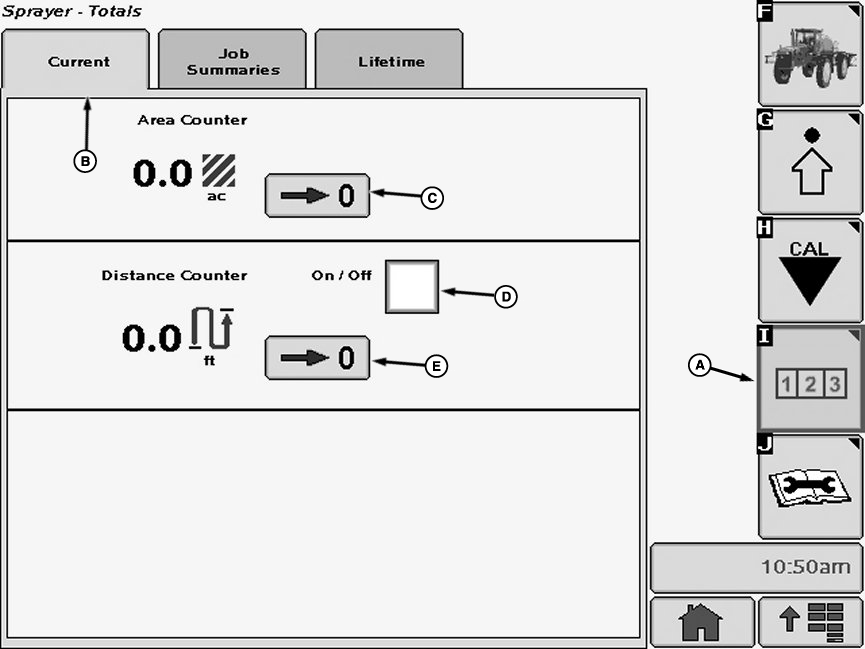
Current Tab
A - Reports and Totals Softkey
B - Current Tab
C - Reset Button
D - Check Box
E - Zero Button
Select the Reports and Totals softkey (A) to view the sprayer totals menu.
Select the “Current Tab” tab (B). The current totals page will display instant values.
Job Summaries
N74862-UN-14AUG07
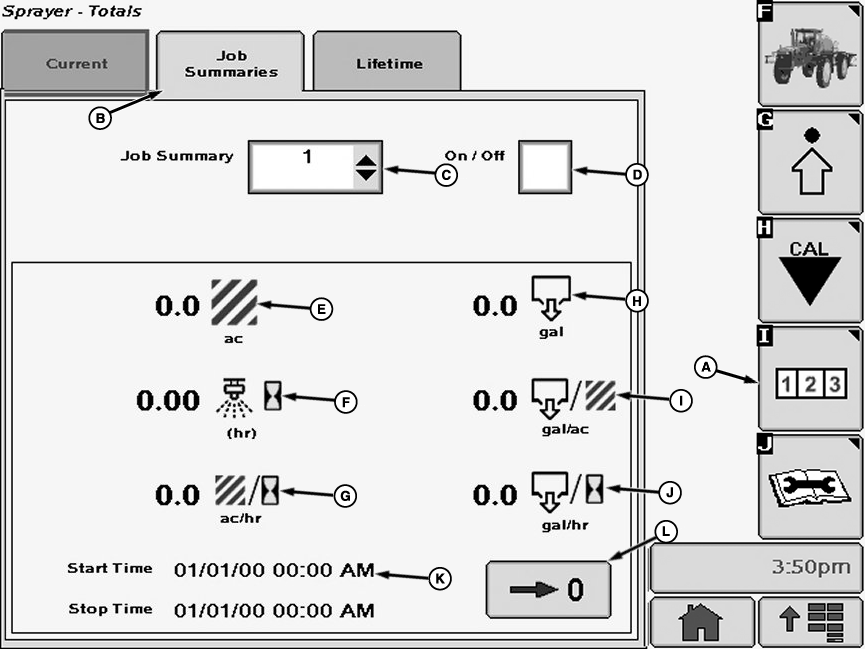
Current Tab
A - Reports and Totals Softkey
B - Job Summaries Tab
C - Job Summary Drop Down Menu
D - Check Box
E - Area (ac)
F - Time Spent Spraying
G - Area Per Hour
H - Volume
I - Volume Per Area
J - Volume Per Hour Sprayed
K - Start and Stop Times
L - Zero Button
Select the Reports and Totals softkey (A) to view the sprayer totals menu.
Select the “Job Summaries” tab (B). The job summaries page will keep track of all totals listed on the job page.
- Select the Job Summary drop-down box (C).
- Select the desired job from the job summary drop down menu.
- Select the On\Off check box (D) to show a check mark. When this box shows a check, the info for that job has started to record.
To create a new job follow these steps:
Jobs can be reset to zero by pressing the zero button.
Lifetime Totals
N74863-UN-14AUG07
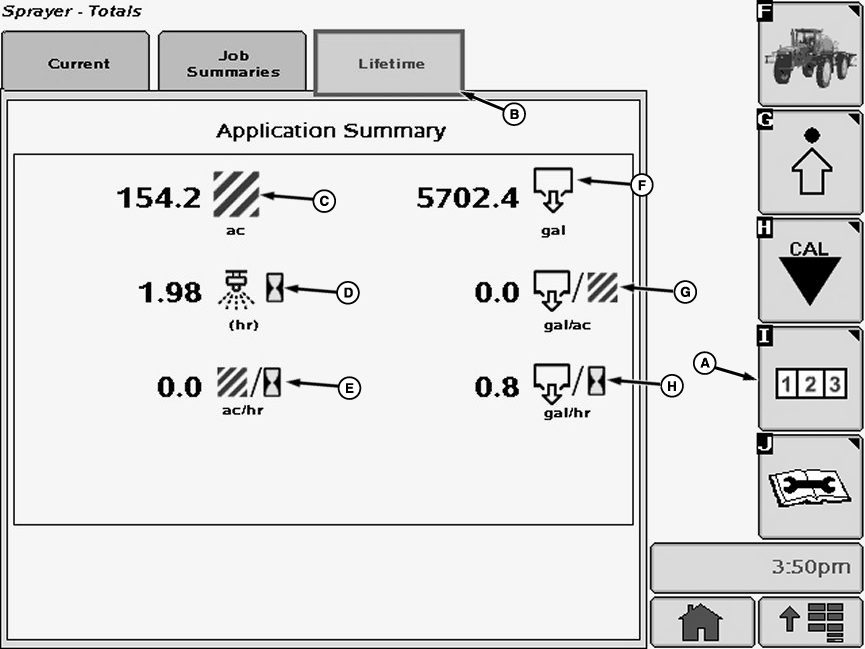
Lifetime Tab
A - Reports and Totals Softkey
B - Lifetime Tab
C - Area
D - Time Spent Spraying
E - Area Per Hour
F - Volume
G - Volume Per Area
H - Volume Per Hour Sprayed
The “Lifetime” page acts as a general history of job summaries. It will keep track of total area covered, time spent spraying, total volume sprayed, and machine hours.
OUO6092,00011AA-19-20080331 |