Operating Row-Trak System
N88218-UN-25MAR10
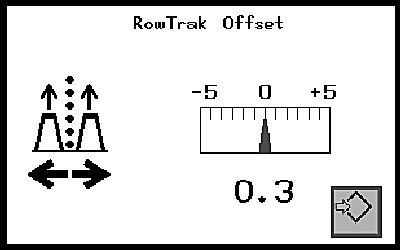
N79972-UN-13FEB08
Offset Shown 0.3 to the Left in This Example
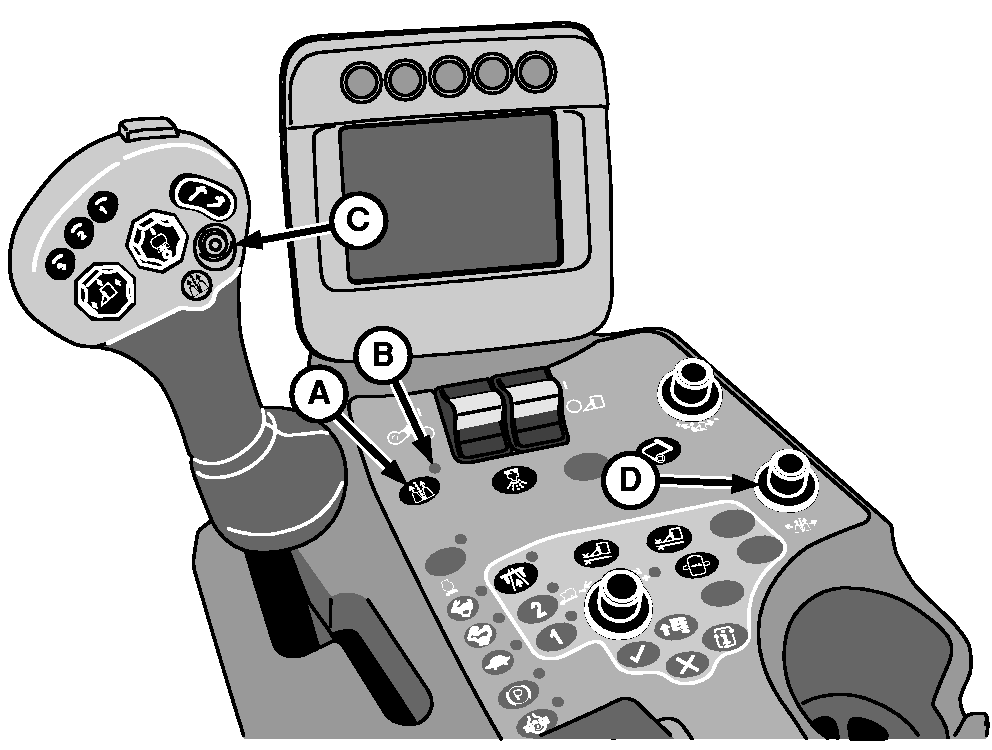
A - On/Off Button
B - Indicator Light
C - Engage Button
D - Offset Adjustment Knob
-
Press Row-Trak system on/off button (A) on control console. Indicator light (B) illuminates to indicate that system is ON.
-
Increase engine speed to full throttle.
-
Align machine with rows, engage fan and row units, lower row units, and move multifunction control handle forward to begin harvesting. Adjust handle position to maintain ground speed less than 11 km/h (7 mph). (See HARVESTING in Operating the Machine section.)
-
Engage Row-Trak system by pressing engage button (C) on multifunction control handle. Audible alarm sounds once to confirm that system is engaged. Release steering wheel.
-
Offset adjustment knob (D) is used when necessary to make minor adjustments to keep the machine centered on the rows. A display of the amount of offset appears on the armrest display unit when adjustments are made.
-
During operation of Row-Trak guidance system, adjust tracking as follows. Adjustment varies depending on whether harvesting straight, curved, or contoured rows.
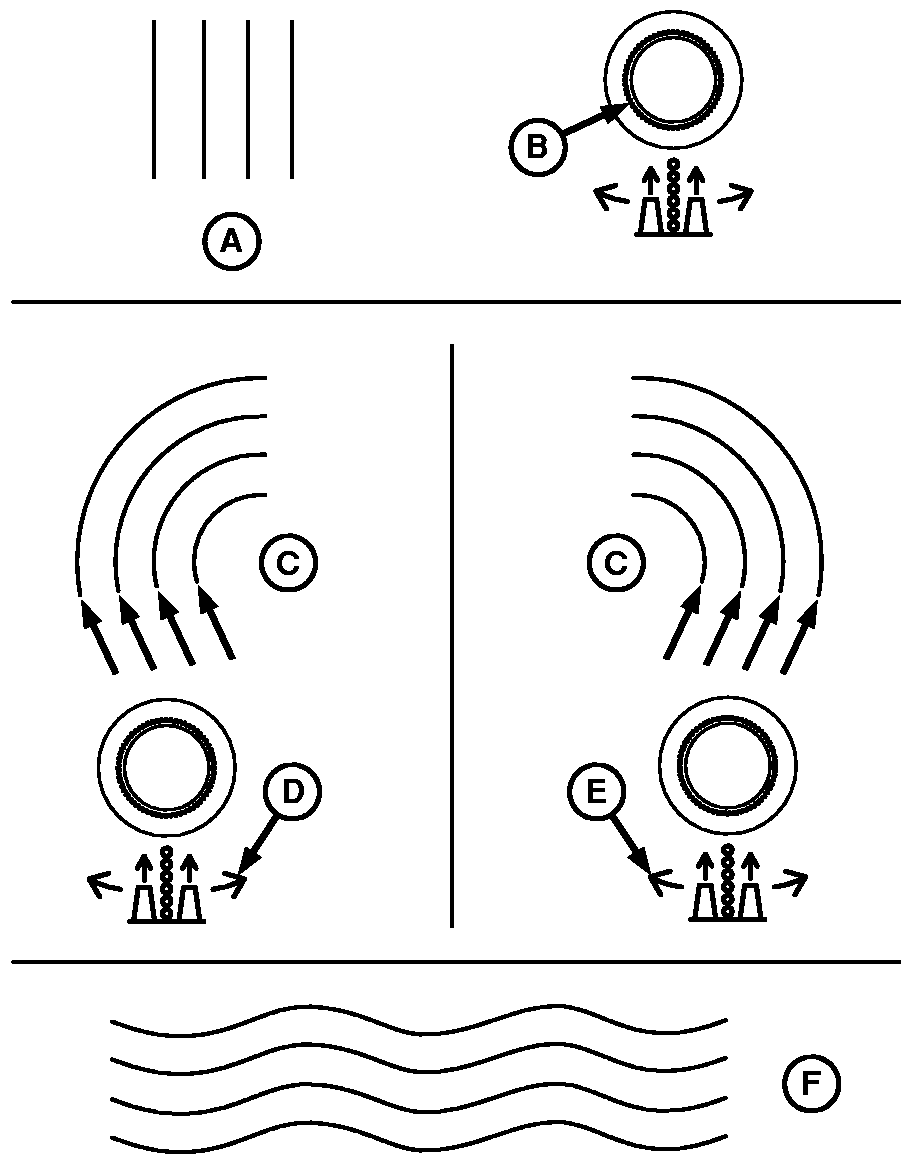
N79971-UN-08FEB08A - Straight Rows
B - Offset Adjustment Knob
C - Curved Rows
D - Adjust Knob Right (Clockwise)
E - Adjust Knob Left (Counterclockwise)
F - Contoured Rows
- STRAIGHT ROWS (A): Rotate offset adjustment knob (B) right or left as required to center machine on row. Display changes to show current degree of offset selected. Centering machine on row normally requires minimal adjustment.
- CURVED ROWS (C): Rotate offset adjustment knob while picking to match curve of rows. If rows curve to right, turn adjustment knob right (clockwise) (D) until machine tracks the curve of the rows. After turning machine at the end of the row, align machine with row, then turn adjustment knob to left (counterclockwise) (E) until machine tracks the curve of the rows.
- CONTOURED ROWS (F): Rotate offset adjustment knob clockwise (right) or counterclockwise (left) to track with row.
-
Disengage Row-Trak system in one of the following ways:
- Slightly turn steering wheel
- Press engage button
- Press Row-Trak system on/off switch
- Turn row units off
Audible alarm sounds twice to confirm that system is disengaged and steering is by operator control.
NOTE: If Row-Trak system does not operate as described, see your John Deere dealer for assistance.
-
If operator leaves the seat for more than 2 seconds while machine is operating with Row-Trak system engaged, operator presence system sounds an audible alarm. If operator does not sit down within 4 seconds, operator presence system disengages Row-Trak system and indicator light on console flashes. To re-engage Row-Trak system, press engage button on multifunction control handle again.
|
DP99999,0000559-19-20120208 |