Engine and Fan Hour Meters Screen
The engine and fan hour meters screen is accessed through the diagnostics and calibration tab on the home page as follows:
-
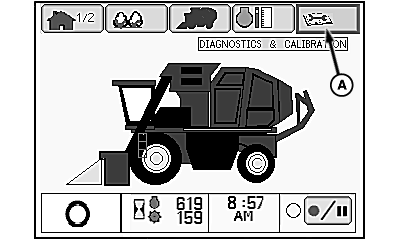
N93042-UN-20JUN11Home Page
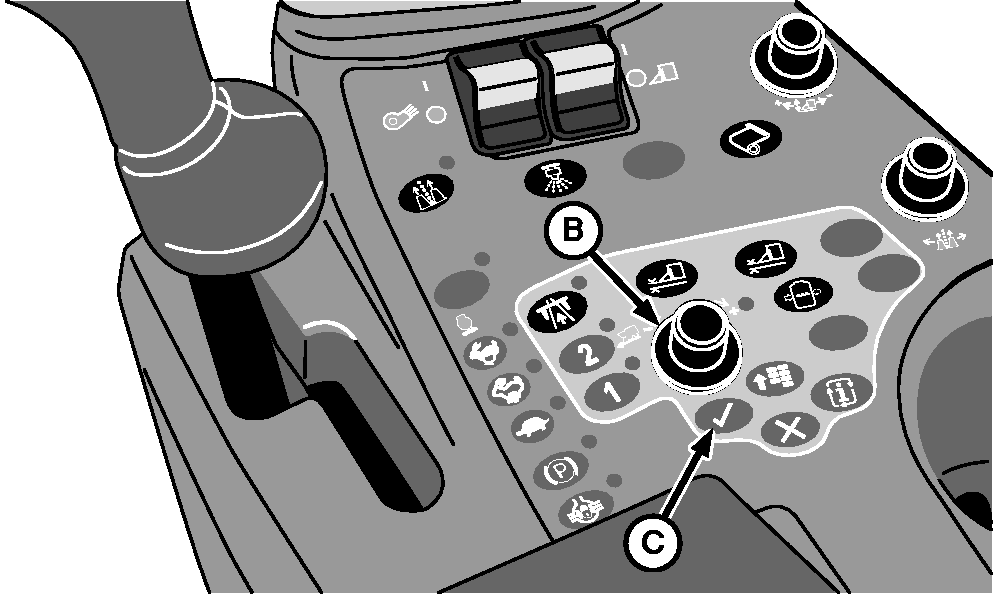
N87833-UN-26FEB10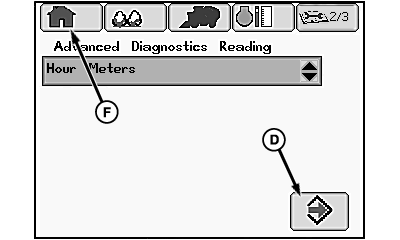
N93049-UN-20JUN11Diagnostic Readings Main Screen
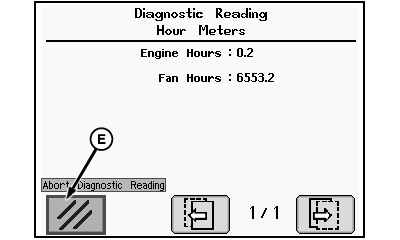
N86226-UN-13AUG09Hour Meters Screen
A - Diagnostics and Calibration Tab
B - Selection Dial
C - Confirm Button
D - Enter Icon
E - Clear Icon
F - Home Tab
Highlight diagnostics and calibration tab (A) on home page using selection dial (B). -
Press confirm button (C). Diagnostic readings main screen appears.
-
Highlight enter icon (D) and press confirm button. Hour meters screen appears.
-
Engine hours and fan hours are displayed on hour meters screen. Highlight clear icon (E) and press confirm button to return to diagnostic readings main screen. Highlight home tab (F) and press confirm button to return to home page.
|
DP99999,000076E-19-20110627 |