Transport Mode Screen
N88114-UN-15MAR10
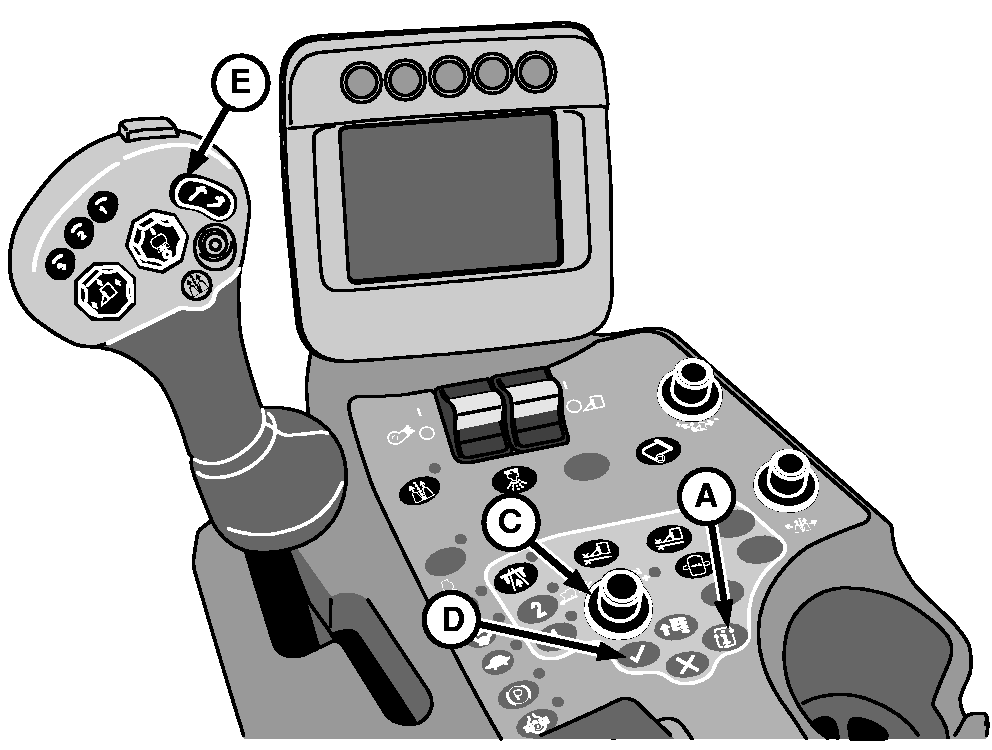
Armrest Console Controls
N87842-UN-12MAR10
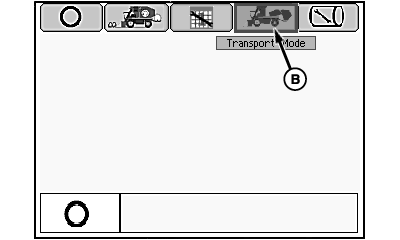
Mode Management Screen
N87845-UN-03MAR10
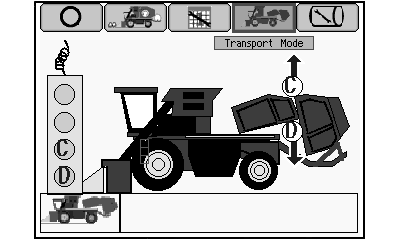
Transport Mode Screen
N88113-UN-12MAR10
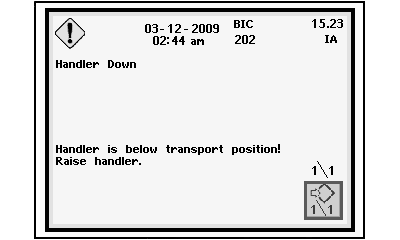
Handler Position Caution Message
A - Mode Select Button
B - Transport Mode Icon
C - Selection Dial
D - Confirm Button
E - Handler Raise/Lower Switch
The transport mode is used to unfold the round module builder components when preparing to move the machine from field to field. When unfolded, the weight of components is located closer to ground level which provides greater stability.
Place machine in transport mode as follows:
-
Press mode select button (A) on armrest control console. Mode management screen appears on armrest display unit (ADU).
-
Highlight transport mode icon (B) using selection dial (C).
-
Press confirm button (D). Transport mode screen appears on ADU.
-
Remove power module tether control from storage bracket on front side of power module.
-
Press button D on tether control to unfold machine into transport configuration.
-
If handler is positioned too low for safe transport, a caution message screen appears on the ADU.
-
If caution message appears, press top of handler raise/lower switch (E) on multifunction control handle to raise handler. Hold switch until message screen goes away. Handler raises to transport position and stops.
-
Press button C on tether control to fold machine into harvest configuration.
|
DP99999,0000770-19-20110622 |