Positioning Machine for Transport
-
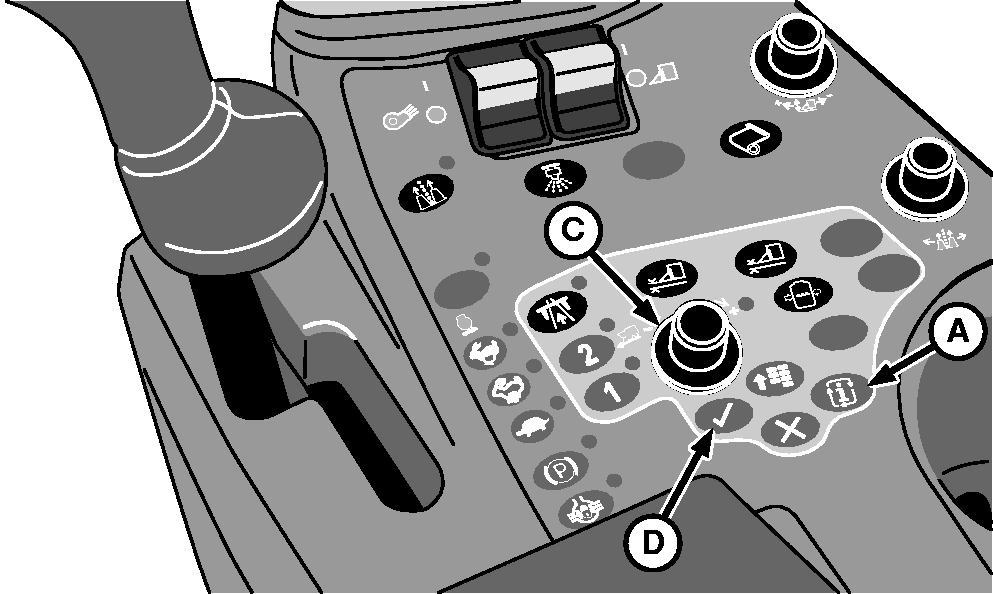
N87838-UN-26FEB10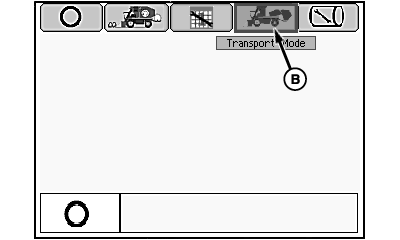
N87842-UN-12MAR10Mode Management Screen
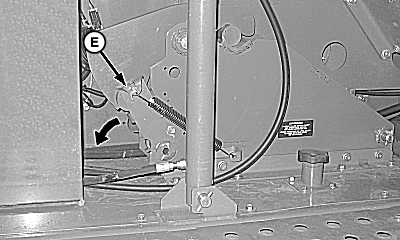
N88163-UN-19MAR10RMB Latch Lever in Locked Position
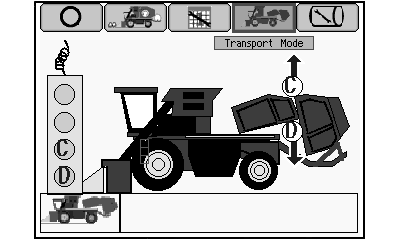
N87845-UN-03MAR10Transport Mode Screen
A - Mode Select Button
B - Transport Mode Icon
C - Selection Dial
D - Confirm Button
E - Latch Lever
Press mode select button (A). Mode management screen appears on armrest display unit (ADU). -
Highlight transport mode icon (B) using selection dial (C).
-
Press confirm button (D). Transport mode screen appears on ADU.
-
 CAUTION: RMB latch lever (E) is spring loaded. Release latch
using foot to avoid injury.
CAUTION: RMB latch lever (E) is spring loaded. Release latch
using foot to avoid injury.NOTE: Operator does not need to reset spring. Latch resets while machine goes into transport mode.
Rotate latch lever (E) in direction shown.
-
Remove tether control from storage bracket on front side of power module.
-
NOTE: Short delays in machine motion is normal, continue to hold button D until machine is fully configured in transport mode.
Press and hold button D on tether control to place machine in transport mode.
-
Return tether to storage bracket.
|
DP99999,000079C-19-20110708 |