Towing Machine (Engine Operational)
If a transmission failure prevents the machine from moving under its own power, manually release park brake before towing the machine.
If the engine can be started and operated to provide hydraulic pressure to the park brake valves, the following procedure can be used to enable the park brake tow (release) mode. When the tow mode is enabled, the manual and automatic modes are still active. However, the release mode disengages the park brake and ensures that the transmission is not power locked regardless of the multifunction control handle position and regardless of any fault conditions.
The park brake button on the armrest control console controls the park brake mode. The park brake mode goes from manual ON to automatic mode when the park brake button is first pressed. The second time the button is pressed the park brake goes from automatic to manual OFF mode. The third time the button is pressed the park brake goes back to manual ON mode. This sequence of three modes continues each time the park brake button is pressed while tow mode is enabled. Cycling ignition switch power off and then on deactivates tow mode.
IMPORTANT: Operator presence is required to disengage the park brake. Exiting seat causes brake to re-engage.
NOTE: If the engine cannot be started to provide hydraulic means to release the park brake, or there are failures which prevent the park brake release, then mechanical means of allowing tow mode is required. See your John Deere dealer.
-
N88049-UN-18MAR10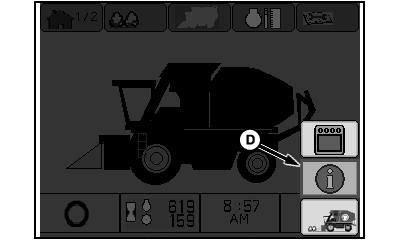
N93479-UN-08JUL11Menu Screen
N86362-UN-19AUG09Message Center Screen
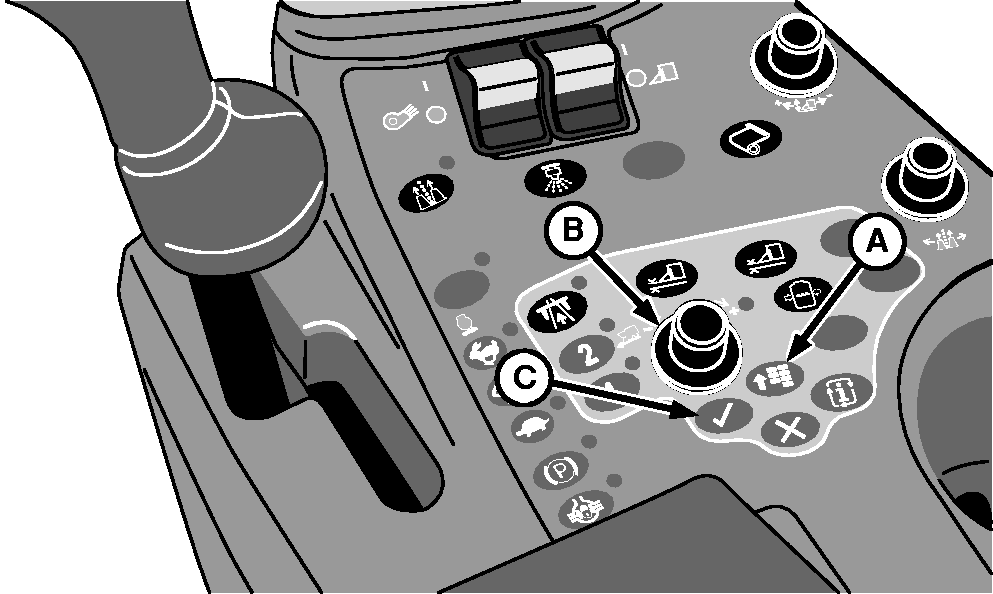
A - Menu Button
B - Selection Dial
C - Confirm Button
D - Info Icon
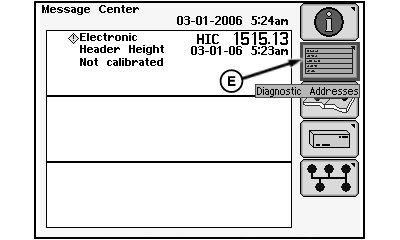
E - Diagnostic Addresses Icon
Press the menu button (A). -
Using selection dial (B), highlight info icon (D) and press confirm button (C). Message center screen appears.
-
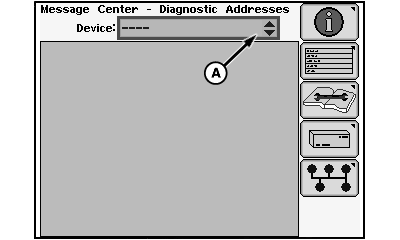
Highlight diagnostic addresses icon (E) and press confirm button. Device selection screen appears.
-
N86355-UN-25AUG09Device Selection Screen
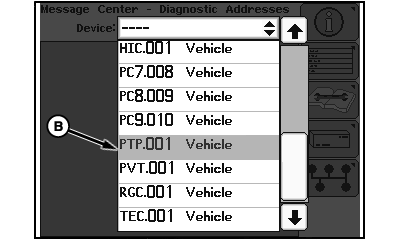
N88169-UN-23MAR10Device Drop-down List
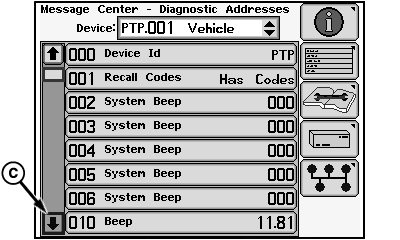
N88214-UN-23MAR10Device Diagnostic Address Menu
A - Device Drop-down Box
B - Device Identifier PTP.001
C - Down Arrow
Highlight device drop-down box (A) and press confirm button. -
Using selection dial, scroll down and highlight device identifier PTP.001 (B). Press confirm button. Device diagnostic address menu appears.
-
Highlight down arrow (C) and press confirm button until diagnostic address 120 appears on screen.
-
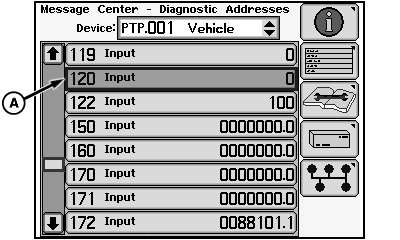
N88215-UN-23MAR10Diagnostic Address Selection
A - Diagnostic Address 120
Highlight diagnostic address 120 (A) and press confirm button. Diagnostic address input screen appears. -
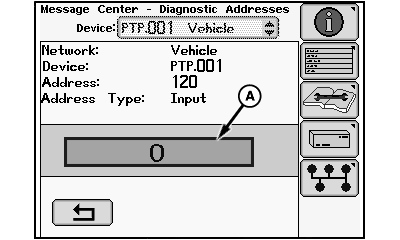
N88216-UN-23MAR10Diagnostic Address Input Screen
A - Input Box
Highlight the value in input box (A) and press confirm button. -
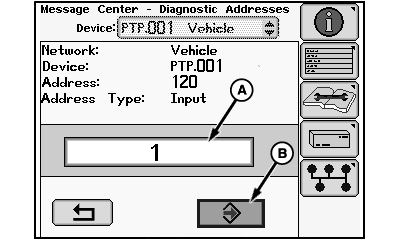
N88217-UN-23MAR10Tow Mode Activation
A - Input Box
B - Enter Icon
Use selection dial to change value in input box (A) to 1 and press confirm button. Highlight enter icon (B) and press confirm button to save value. Machine is now in tow mode. -
Park brake LED is illuminated steady, indicating that park brake is engaged. To disengage park brake, press park brake button two times. The following sequence occurs as button is pressed:
- Press one – normal automatic mode (LED flashing, park brake engaged with multifunction control handle in Neutral)
- Press two – manual OFF mode (LED OFF, park brake OFF)
- Press three – manual ON mode (LED steady on, park brake engaged)
-
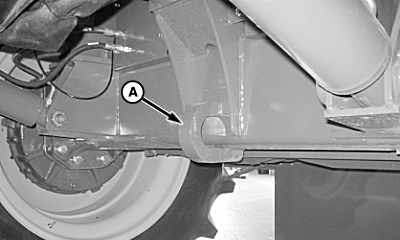
N96253-UN-13DEC11Tow Hook
A - Tow Hook
Attach tow chain to tow hook (A) on front main frame axle. Be certain that chain does not contact any hydraulic lines. Move row units as necessary to provide adequate room for chain. -
Tow machine in forward direction. Have driver in operator’s seat to steer machine.
-
After towing operation is complete, cycle ignition switch power with key to return park brake to normal operation.
|
DP99999,000079E-19-20111213 |