Gain Adjustment Diagnostics
NOTE: Changes to sensitivity can be made to account for various field conditions. A secondary adjustment is necessary to change error limits which affect "S"-ing (wandering) experienced during operation.
-
N88049-UN-18MAR10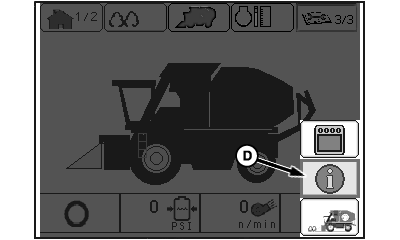
N95851-UN-19DEC11Main Menu Screen
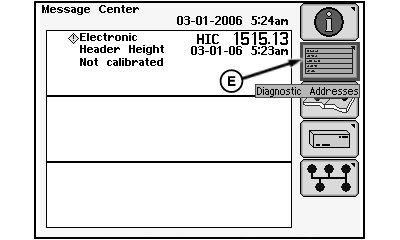
N86362-UN-19AUG09Message Center Screen
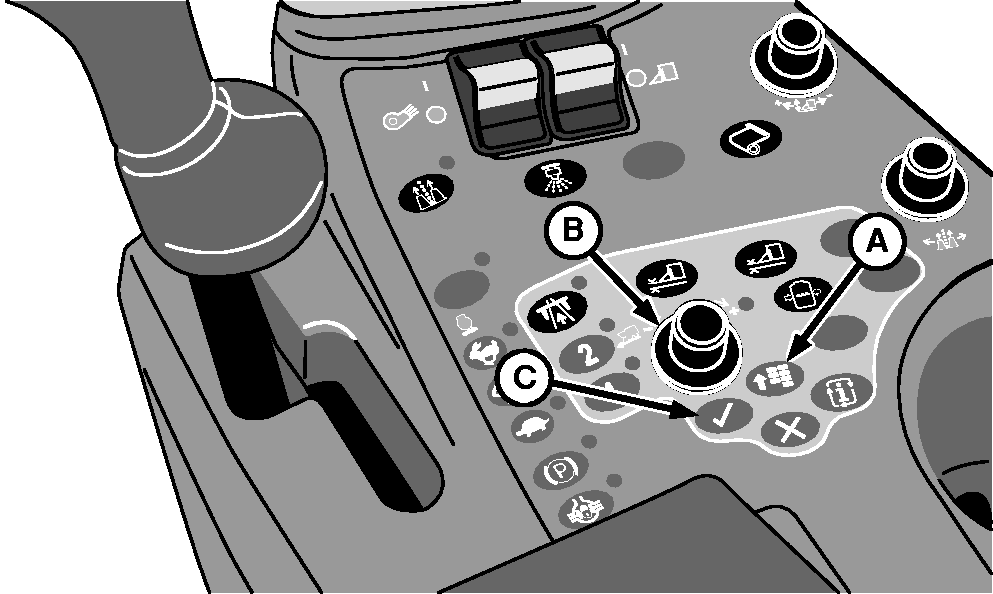
A - Menu Button
B - Selection Dial
C - Confirm Button
D - Info Icon
E - Diagnostic Addresses Icon
Press menu button (A). Main menu screen appears on display unit. -
Using selection dial (B), highlight info icon (D) and press confirm button (C). Message center screen appears.
-
Highlight diagnostic addresses icon (E) and press confirm button. Device selection screen appears.
-
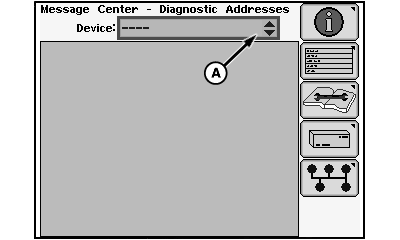
N86355-UN-25AUG09Device Selection Screen
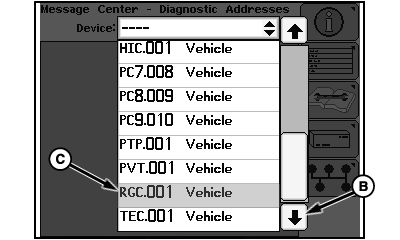
N86363-UN-19AUG09Device Drop-Down Menu
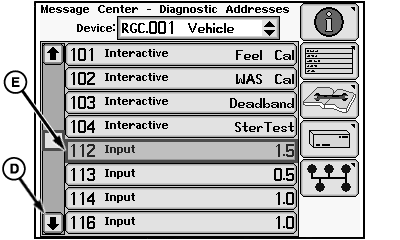
N86364-UN-19AUG09Diagnostic Addresses Menu
A - Device Drop-Down Box
B - Down Arrow
C - Device Identifier
D - Down Arrow
E - Diagnostic Address 112
Using selection dial, highlight device drop-down box (A) and press confirm button. Device drop-down menu appears. -
Highlight down arrow (B) and press confirm button until device identifier RGC.001 (C) is shown.
-
Using selection dial, scroll through drop-down menu to highlight device identifier RGC.001 and press confirm button. Device diagnostic addresses menu appears.
-
Highlight down arrow (D) and press confirm button to scroll menu until diagnostic address 112 (E) is found.
-
Using selection dial, scroll through menu to highlight address 112 and press confirm button. Diagnostic address input screen appears.
-
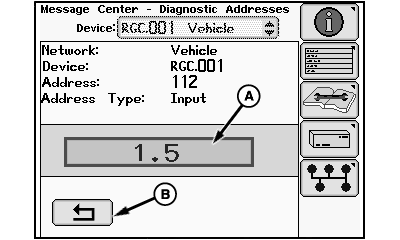
N86365-UN-19AUG09Diagnostic Address 112 Input Screen
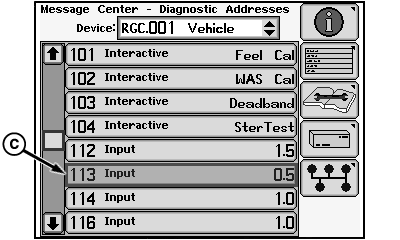
N86366-UN-19AUG09Diagnostic Addresses Menu
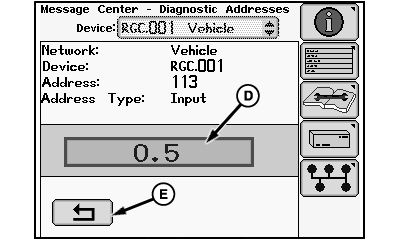
N86367-UN-19AUG09Diagnostic Address 113 Input Screen
A - Response Rate Input Box
B - Return Icon
C - Diagnostic Address 113
D - Error Limits Input Box
E - Return Icon
Highlight response rate input box (A) and press confirm button. -
Rotate selection dial to change response rate to desired value and press confirm button. Default value is 1.0 and the range is 0—2.0. Increasing this value increases the response rate.
-
Highlight return icon (B) and press confirm button to return to diagnostic addresses screen.
-
Highlight diagnostic address 113 (C) and press confirm button. Diagnostic address 113 input screen appears.
-
Highlight error limits input box (D) and press confirm button.
-
Rotate selection dial to change value and press confirm button. Default value is 1.0 and the range is 0—2.0. Decreasing this value reduces the “S”-ing (wandering) that is experienced.
-
Highlight return icon (E) and press confirm button to return to diagnostic addresses screen.
-
Press menu button on armrest and select home screen icon to return to home screen.
|
DP99999,00007D9-19-20111219 |