Calibrating Row-Trak System
-
NOTE: If any diagnostic trouble codes are present in the RGC control unit, Row-Trak system cannot be calibrated. Correct and clear codes before calibrating.
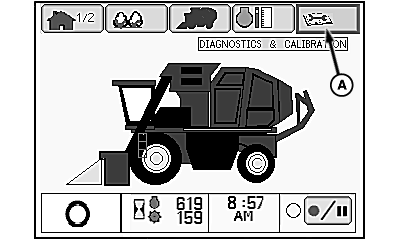
N93042-UN-20JUN11Home Screen
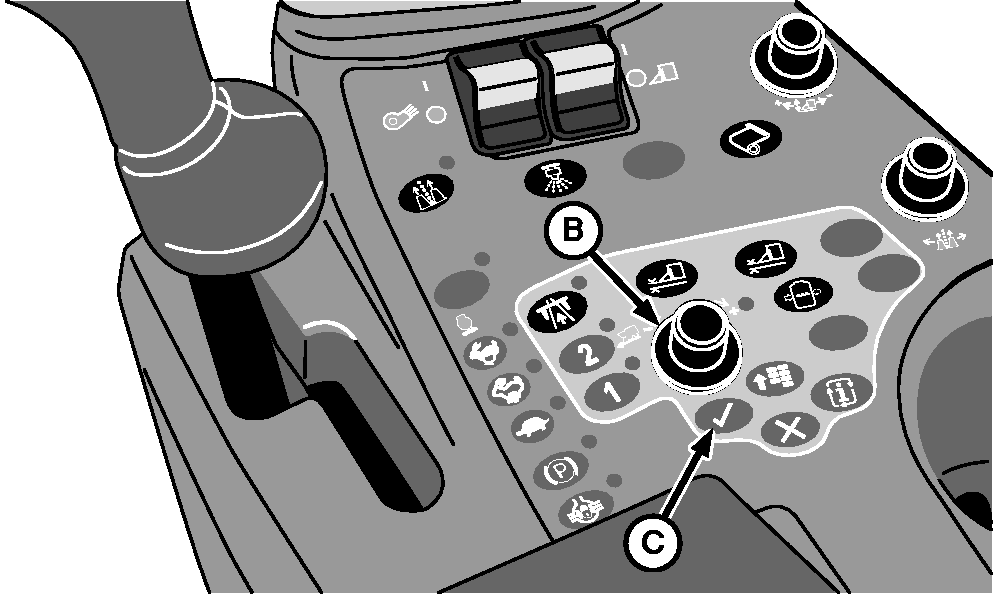
N87833-UN-26FEB10Control Console
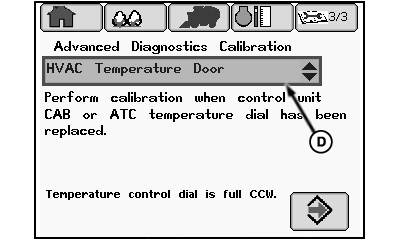
N95846-UN-16DEC11Calibration Main Screen
A - Diagnostics and Calibration Tab
B - Selection Dial
C - Confirm Button
D - Drop-down Box
Position cotton picker on a level concrete surface. -
NOTE: Hydraulic system oil temperature must be approximately 50 °C (120 °F) before beginning calibration.
Start engine and run at slow idle until hydraulic oil temperature is approximately 50 °C (120 °F).
-
Raise and lower row units several times to warm up components, then fully lower all units.
-
Highlight diagnostics and calibration tab (A) on home screen using selection dial (B).
-
Press confirm button (C) three times to access calibration main screen.
-
Highlight calibration procedures drop-down box (D) and press confirm button. A drop-down calibration menu appears.
-
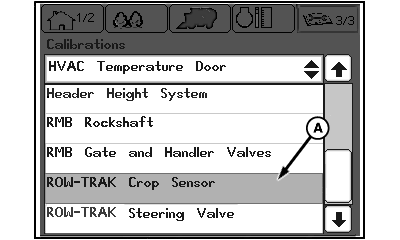
N95847-UN-19DEC11Calibration Menu
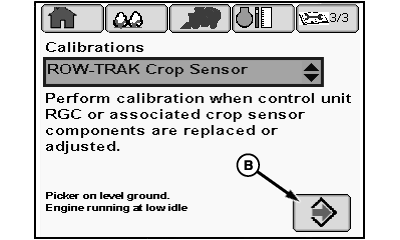
N95848-UN-19DEC11Calibration Start Screen
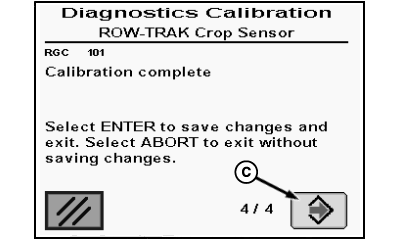
N88506-UN-30APR10Calibration Complete Screen
A - ROW-TRAK Crop Sensor
B - Enter Icon
C - Enter Icon
Highlight ROW-TRAK Crop Sensor (A) and press confirm button. The Row-Trak crop sensor (feeler) calibration start screen appears. -
Highlight enter icon (B) on the start screen and press confirm button. Follow on-screen instructions to complete calibration.
-
When calibration complete screen appears, highlight enter icon (C) and press confirm button to save calibration results and exit. Calibration menu screen appears.
-
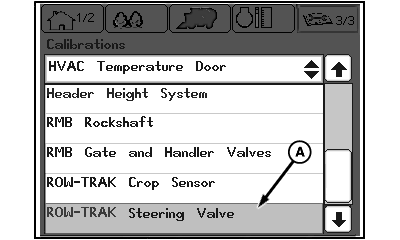
N95849-UN-19DEC11Calibration Menu Screen
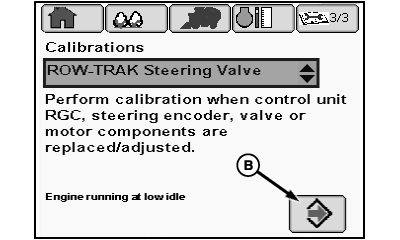
N95850-UN-19DEC11Calibration Start Screen
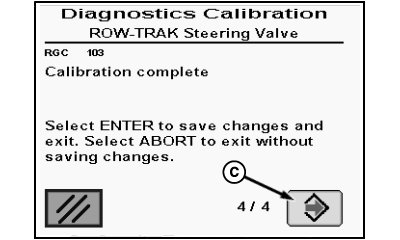
N88508-UN-30APR10Calibration Complete Screen
A - ROW-TRAK Steering Valve
B - Enter Icon
C - Enter Icon
Highlight ROW-TRAK Steering Valve (A) on menu and press confirm button. Steering valve calibration start screen appears. -
Highlight enter icon (B) on start screen and press confirm button. Follow on-screen instructions to complete calibration.
-
When calibration complete screen appears, highlight enter icon (C) and press confirm button to save calibration results and exit.
-
Press menu button on control console, select home screen icon, and press confirm button to return to home screen.
|
DP99999,00007DA-19-20111219 |