Checking and Adjusting Cotton Handling System Speed Sensors
N88348-UN-12APR10
N87841-UN-01MAR10
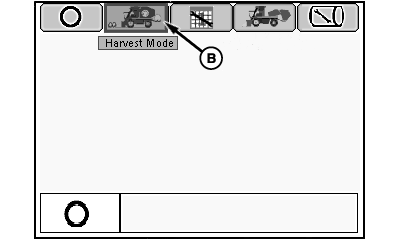
Mode Management Screen
N87848-UN-01MAR10
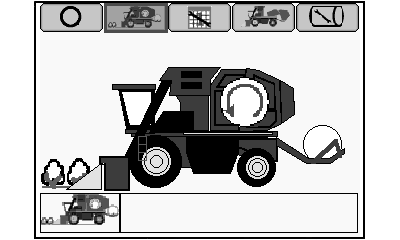
Harvest Mode Screen
N88500-UN-28APR10
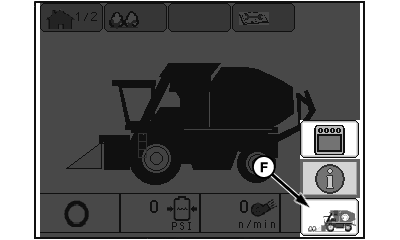
Information Screen
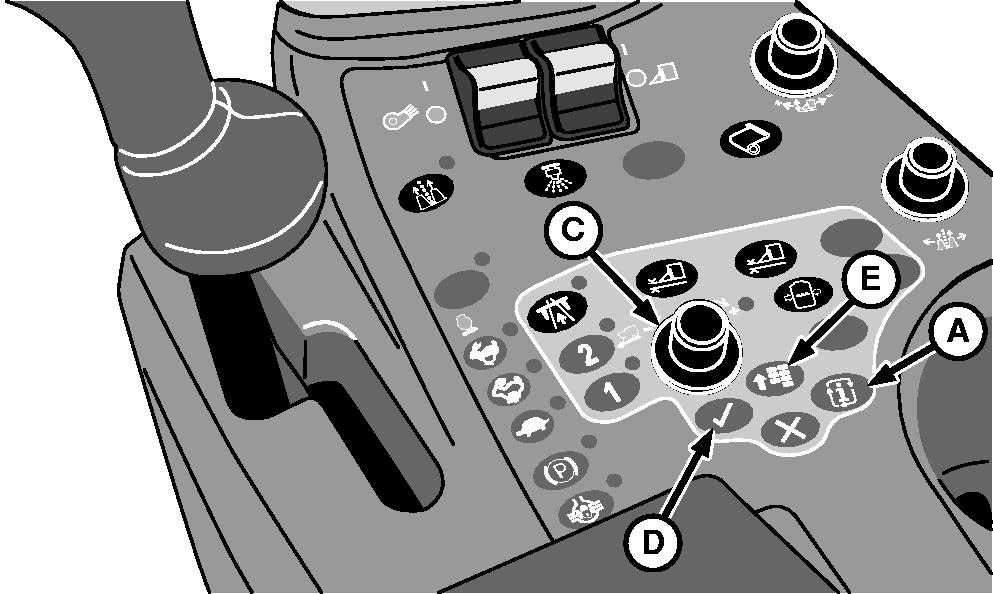
A - Mode Select Button
B - Harvest Mode Icon
C - Selection Dial
D - Confirm Button
E - Main Menu Button
F - Home Screen Icon
If module forming or wrap process does not initiate properly when operating machine in auto mode, check feeding component operating speeds as follows and adjust applicable sensors as necessary.
-
Start engine and wait a few seconds for controllers and display to initialize.
-
Press mode select button (A) on control console. Mode management screen appears on armrest display unit (ADU).
-
Highlight harvest mode icon (B) using selection dial (C).
-
Press confirm button (D). Harvest mode screen appears on ADU.
-
Press main menu button (E) to access information screen.
-
Highlight home screen icon (F) and press confirm button. Home screen page 1 appears on ADU.
-
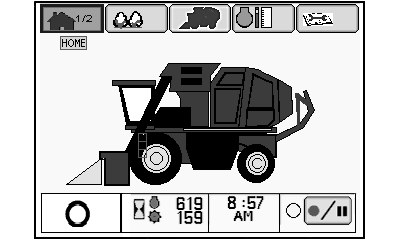
N92986-UN-15JUN11Home Screen Page 1
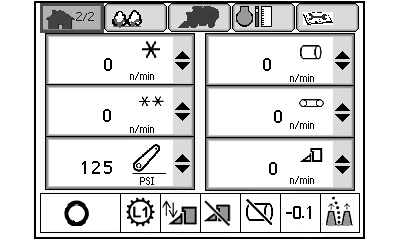
N92987-UN-16JUN11Home Screen Page 2
A - Home Screen Tab
Highlight home screen tab (A) and press confirm button to access home screen page 2. -
Press high engine speed button on control console.
-
Press and hold foot switch on cab floor to engage cotton handling system.
-
Check the following component speeds on the display:
Cotton Handling System Component Speeds
Component
Nominal Speed (rpm)
Feeder Belt
275
Beater Rollers
400
Metering Rollers
30
Module (Baler)
120
Left-hand Fan
4300
Right-hand Fan
4300
-
If any speed is out of range by more than a few rpm or if reading fluctuates, check sensor position and adjust as necessary.
-
NOTE: See diagrams following this procedure for sensor locations.
A standard tie band is approximately 1 mm thick and can be used to check gap.
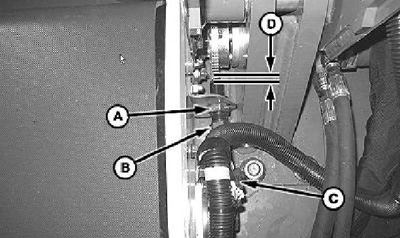
N87305-UN-17NOV09Speed Sensor Gap
A - Nut
B - Sensor
C - Connector
D - Gap
Fan speed sensor adjustment. Loosen lock nut and screw fan speed sensor in until it contacts fan rotor. Unscrew sensor two full turns and tighten lock nut. -
Feeder speed sensor adjustment. Loosen nut (A) and adjust position of sensor (B) to set gap (D) to approximately 1mm (0.039 in.). Connector (C) can be disconnected if necessary to allow sensor adjustment. Make sure that sensor is vertically aligned with tone wheel.
Speed Sensor Location Diagrams
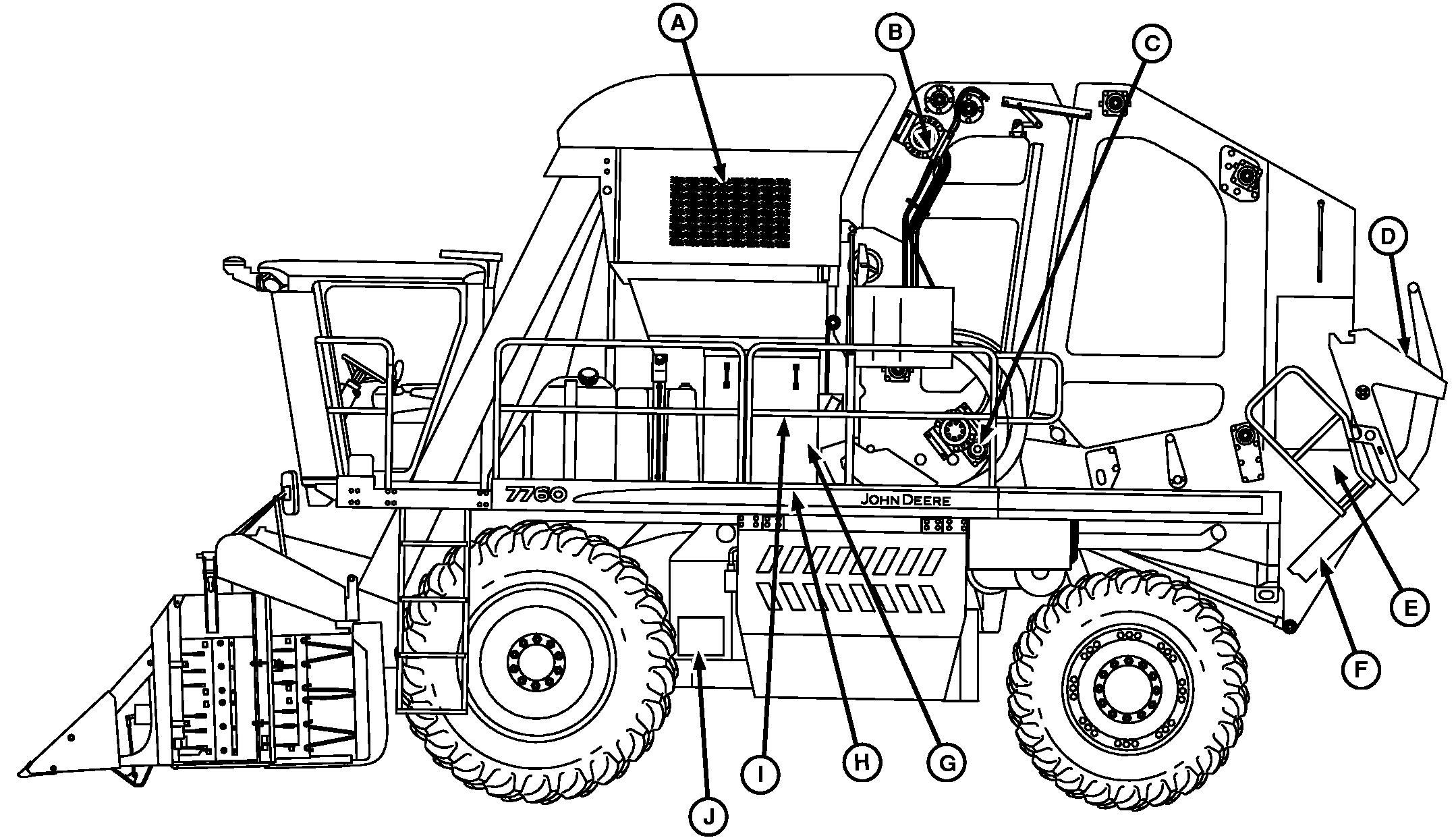
N96372-UN-09JAN12
Speed Sensor Locations-Left Side
A - Upper Accumulator Sensor (Receiver)
B - Upper RMB Speed Sensor
C - Lower RMB Speed Sensor
D - Rear BOH Sensor (Receiver)
E - Wrap Speed Sensor
F - Front BOH Sensor (Receiver)
G - Beater Roller Speed Sensor
H - Feeder Belt Speed Sensor
I - Metering Roller Speed Sensor
J - Left-hand Fan Speed Sensor
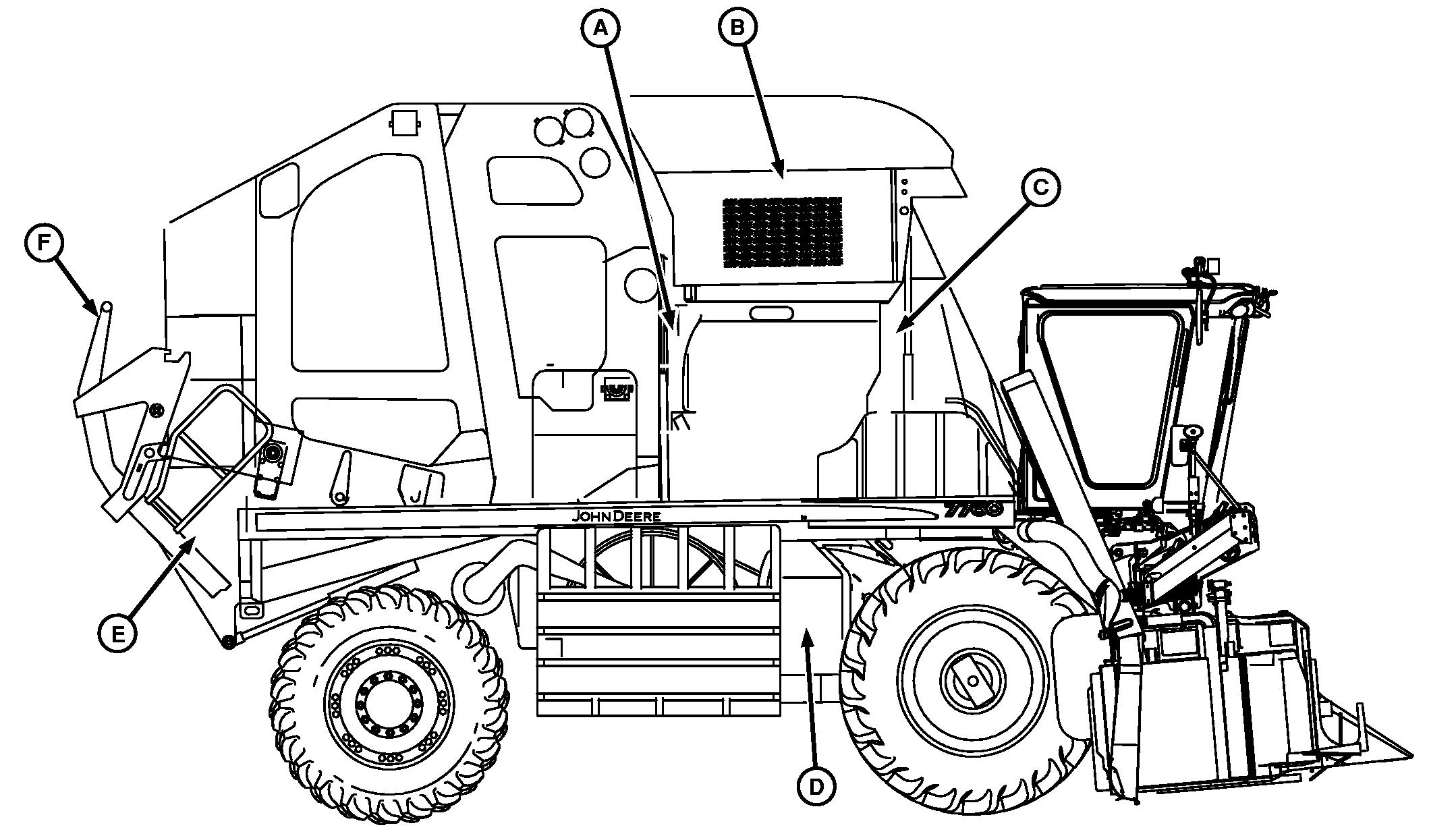
N96373-UN-09JAN12
Speed Sensor Locations-Right Side
A - Lower Accumulator Sensor (Emitter) (3 used)
B - Upper Accumulator Sensor
C - Lower Accumulator Sensor (Receiver) (3 used)
D - Right-hand Fan Speed Sensor
E - Front BOH Sensor (Emitter)
F - Rear BOH Sensor (Emitter)
|
DP99999,00007F6-19-20120201 |