Bleeding Accumulator Extension Lift Cylinders
NOTE: Module builder must be in transport position to bleed lift cylinders.
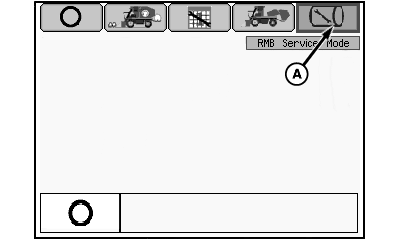
N96643-UN-26JAN12
Mode Management Screen
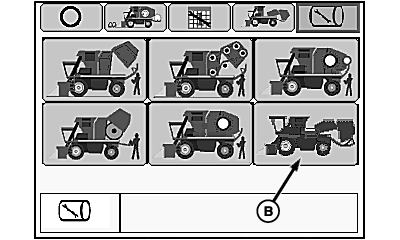
N96644-UN-26JAN12
RMB Service Mode Selection Screen
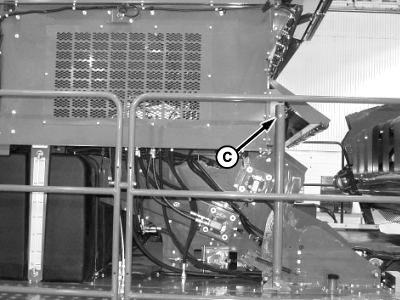
N96645-UN-26JAN12
Lift Cylinder Bleed Screw
A - RMB Service Mode Icon
B - Feeder Belt Service Mode Icon
C - Bleed Screw
Bleed air from accumulator extension lift cylinders as follows:
-
Place machine in transport mode and lower module builder into transport position. (See POSITIONING MACHINE FOR TRANSPORT in Operating the Machine section.)
-
Select RMB service mode icon (A) on mode management screen
-
Select feeder belt service mode icon (B) on RMB service mode selection screen.
-
Loosen bleed screw (C) at top of accumulator lift cylinder on left side of machine.
-
Press and hold button A on tether control until lift cylinder is fully extended. Continue holding button until a solid flow of oil (without bubbles) is discharged from bleed screw.
-
Tighten bleed screw.
-
Press button B on tether control and lower accumulator extension.
-
Repeat steps a second time to ensure that air is bled from cylinder.
|
DP99999,0000817-19-20120201 |