Removing and Replacing Empty Wrap Rolls
N96274-UN-05JAN12
N96732-UN-27JAN12
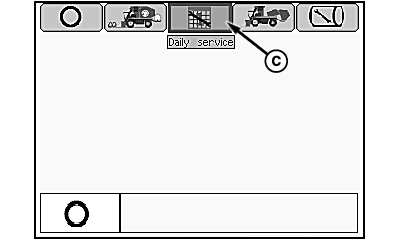
Mode Management Screen
N96733-UN-27JAN12
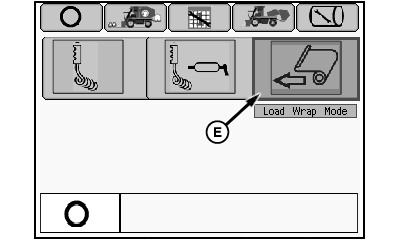
Daily Service Menu
N96267-UN-27JAN12
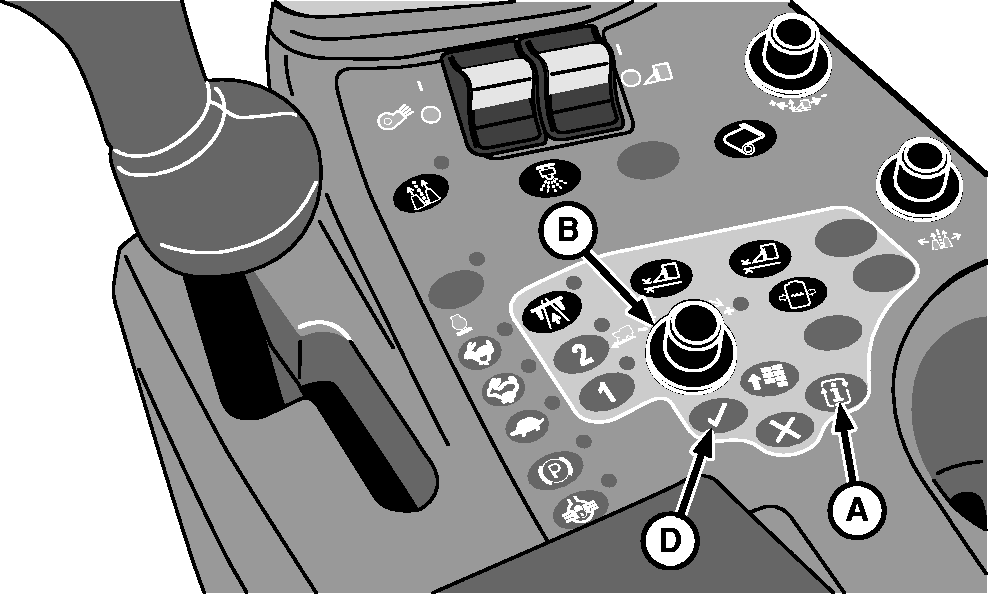
A - Mode Select Button
B - Selection Dial
C - Daily Service Tab
D - Confirm Button
E - Load Wrap Mode Icon
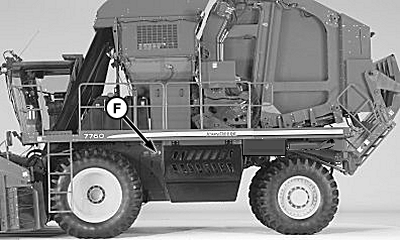
F - Power Module
-
Start engine and wait for control units and display unit to initialize.
-
Press mode select button (A) on armrest control console. Mode management screen appears.
-
Rotate selection dial (B) to highlight daily service tab (C).
-
Press confirm button (D). Daily service menu appears.
-
Using selection dial, highlight load wrap mode icon (E).
-
Press confirm button. External tether control unit is now active.
-
Remove control unit and tether from storage bracket on front side of power module (F).
-
 CAUTION: Module builder gate and handler are heavy and can cause
serious injury or death. Before operating module builder tether control,
make sure that no one is on or near accumulator, module builder, or
handler.
CAUTION: Module builder gate and handler are heavy and can cause
serious injury or death. Before operating module builder tether control,
make sure that no one is on or near accumulator, module builder, or
handler.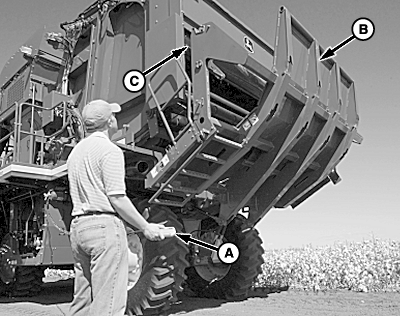
N76986-UN-08JUL08A - Tether Control
B - Handler
C - Wrap Hoist
Press and hold button A on tether control (A) to raise wrap hoist (C). Make sure that hoist is fully raised. -
NOTE: To prevent machine damage, position sensors lock out handler movement at full up position unless wrap hoist is fully raised. If handler does not move, check that wrap hoist (scissor lift) is fully raised.
Lower handler (B) to horizontal position by pressing button D on tether control.
-

N76988-UN-11JUL07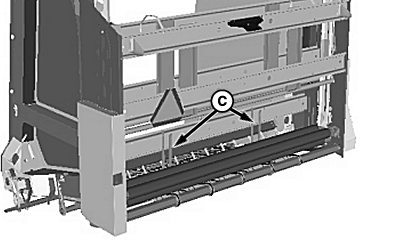
N88438-UN-27APR10A - Handler
B - Ladder
C - Carrier Brackets
With handler (A) in position shown, release ladder (B) from storage position and fold down. -
Climb onto handler and remove empty wrap roll core from wrap rollers.
-
Place core in carrier brackets (C).
-
CAUTION:
N97049-UN-22FEB12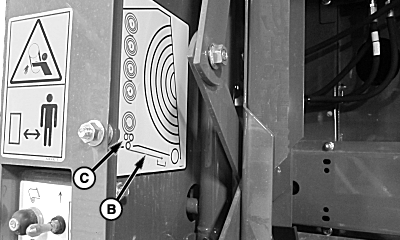
N97050-UN-18FEB12Wrap Routing Diagram
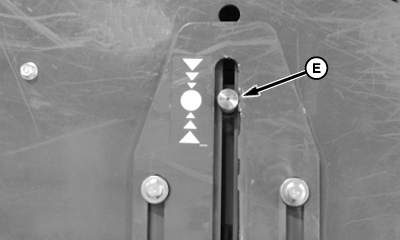
N97052-UN-22FEB12Wrap Hoist Cylinder Pin Position
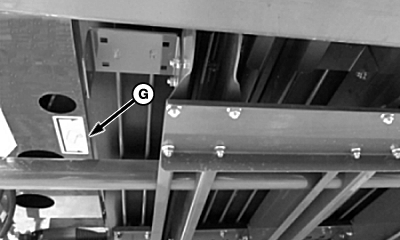
N97051-UN-22FEB12Wrap Leading Edge Position
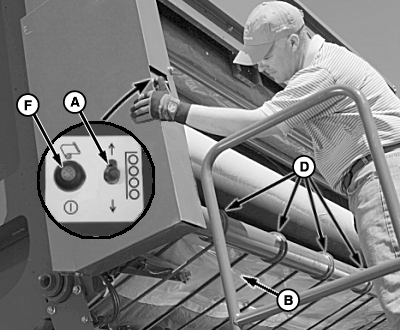
A - Wrap Hoist Switch
B - Wrap
C - Feed Rollers
D - Wrap Belts
E - Wrap Hoist Cylinder Pin
F - Wrap Feed Switch
G - Wrap Position Decal
To avoid crushing injuries, keep hands away while raising and lowering wrap rolls.Press down on wrap hoist switch (A) to lower new wrap roll into position on rubberized wrap rollers.
-
Press up on wrap hoist switch to raise hoist until motion stops.
-
Remove tape retaining leading edge of wrap to roll.
-
Rotate wrap roll to feed out approximately 1—1.2 m (3—4 ft.) of wrap.
-
NOTE: See wrap routing diagram decal on wrap box side for proper routing of wrap.
Route wrap (B) around feed rollers (C) as shown in wrap routing diagram.
-
Guide wrap into position between lower feed roller and wrap belts (D). Wrap must be distributed evenly across wrap belts and roller.
-
Press down on wrap hoist switch to lower hoist until cylinder pin (E) is aligned with location shown on decal. Observe and verify that left-hand wrap roll drive gears are fully engaged.
-
CAUTION: Wrap feed roller action is delayed. Keep hands clear
of rollers when wrap feed switch is engaged.
Press wrap feed switch (F) to feed wrap into position as shown. Leading edge of wrap must be within area indicated on decal (G) on handler frame.
-
Fold ladder into storage position.
-
Press button C on tether control and raise handler until motion stops.
-
Return tether control to storage bracket.
-
Enter cab and return machine to harvest mode. Press top of handler raise/lower switch on multifunction control handle to raise handler into full up position.
|
DP99999,0000840-19-20120222 |