Faults and Warnings
Auxiliary Gage Fault
1.
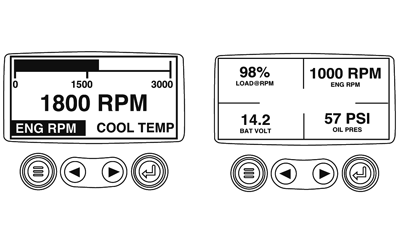
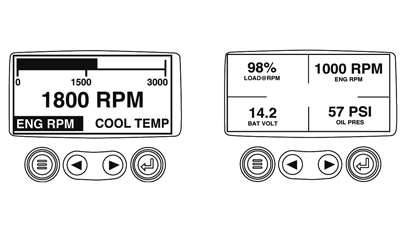
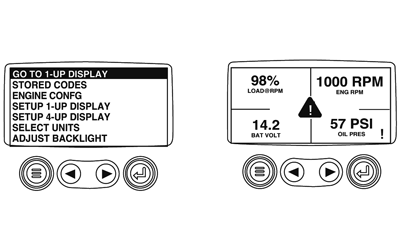
During normal operation the single or four parameters screen will be displayed.
|
|
|
|
GB52027,0000558 -19-23OCT08-1/12
|
|
2.
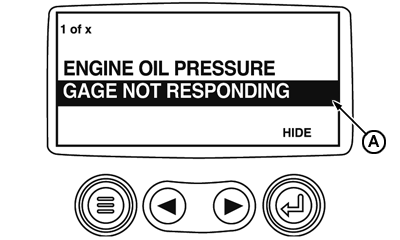
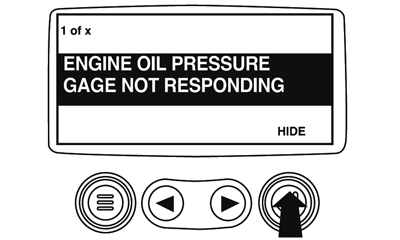
The Acoustic alarm and the Basecutter Pressure Gauge are attached to the Murphy Gauge. If at any time during system initialization or normal operation one of them should fail, the single or four parameter screen will be replaced with the "Gauge Fault" message.
A-Gauge Not Responding
|
|
|
|
GB52027,0000558 -19-23OCT08-2/12
|
|
3.
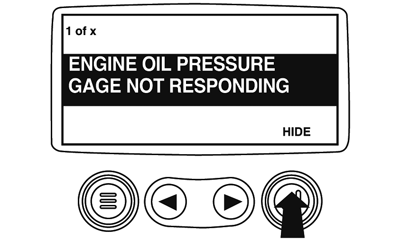
To acknowledge and "Hide" the fault and return to the single or four parameter display, touch the "Enter Button".
|
|
|
|
GB52027,0000558 -19-23OCT08-3/12
|
|
4.
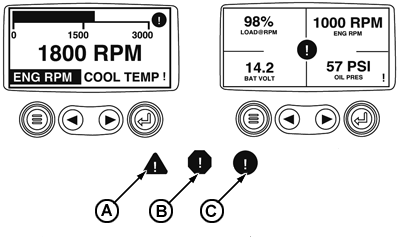
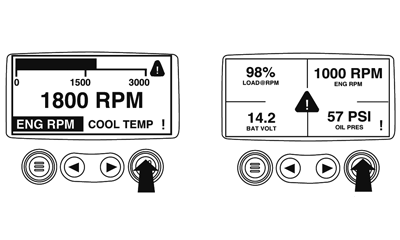
The display will return to the single or four parameter screen.
A-Indicates Fault Warning
B-Indicates Derate or Shutdown Condition Fault
C-Indicates Auxiliary Gauge Fault
|
|
|
|
GB52027,0000558 -19-23OCT08-4/12
|
|
5.
Touching the "Enter Button" will redisplay the hidden fault. Touching the "Enter Button" once again will hide the fault and return the screen to the single or four parameter display.
NOTE:
The fault can only be cleared by correcting the cause of the fault condition.
|
|
|
|
GB52027,0000558 -19-23OCT08-5/12
|
Active Fault Codes
1.
During normal operation the single or four parameter screen will be displayed.
|
|
|
|
GB52027,0000558 -19-23OCT08-6/12
|
|
2.
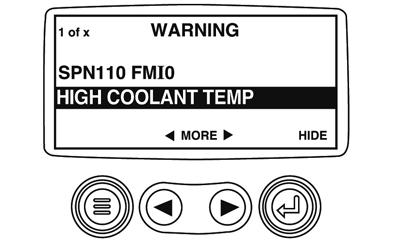
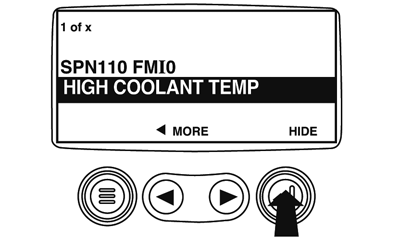
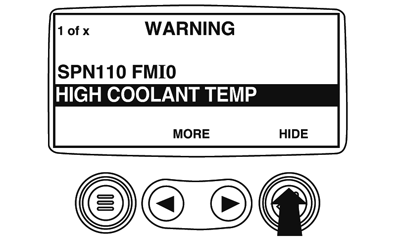
When the Diagnostic Gauge receives a fault code from an engine control unit the single or four parameter screen will be replaced with the "Active Fault Codes" message.
|
|
|
|
GB52027,0000558 -19-23OCT08-7/12
|
|
3.
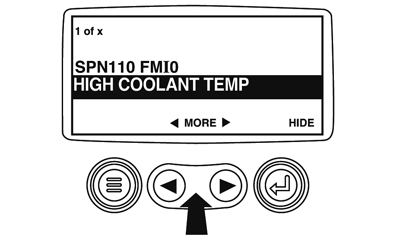
If the word "MORE" appears above the "arrow Buttons" there are more active fault codes that may be viewed. Use the "Arrow Buttons" to scroll to the next "Active Fault Code".
|
|
|
|
GB52027,0000558 -19-23OCT08-8/12
|
|
4.
To acknowledge and "Hide" the fault and return to the single or four parameter screen display touch the "Enter Button".
|
|
|
|
GB52027,0000558 -19-23OCT08-9/12
|
|
5.
The display will return to the single or four parameter display, but the display will contain the "Active Fault" warning icon. Touching the "Enter Button" will redisplay the hidden fault.
|
|
|
|
GB52027,0000558 -19-23OCT08-10/12
|
|
6.
Touching the "Enter Button" once again will hide the fault and return the screen to the single or four parameter display.
|
|
|
|
GB52027,0000558 -19-23OCT08-11/12
|
|
7.
The single or four parameter screen will display the fault icon until the fault condition is corrected.
NOTE:
Ignoring active fault code could result in severe engine damage.
|
|
|
|
GB52027,0000558 -19-23OCT08-12/12
|
|