Contrast Adjustment
1.
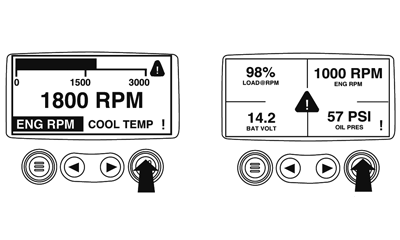
Starting at the single or four engine parameter display touch the "Menu Button".
|
|
|
|
GB52027,000055A -19-14FEB08-1/4
|
|
2.
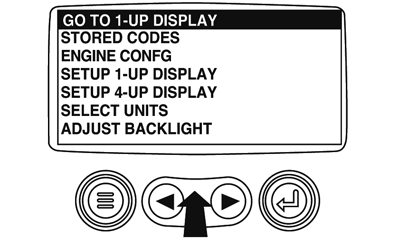
The main menu will pop up on the display. Use the "Arrow Buttons" to scroll through the menu until the "Adjust Contrast" is highlighted.
|
|
|
|
GB52027,000055A -19-14FEB08-2/4
|
|
3.
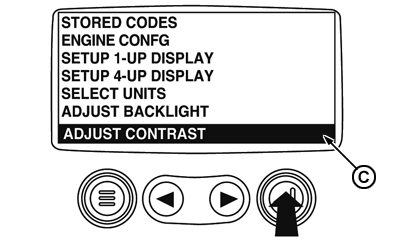
Once the "Adjust Contrast" menu item has been highlighted touch the "Enter Button" to activate the "Adjust Contrast" function.
C-Adjust Contrast icon
|
|
|
|
GB52027,000055A -19-14FEB08-3/4
|
|
4.
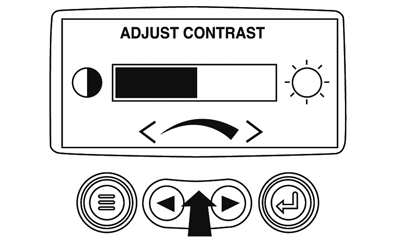
Use the "Arrow Buttons" to select the desired contrast intensity.
5.
Touching the "Menu Button" will take you back through the menus.
|
|
|
|
GB52027,000055A -19-14FEB08-4/4
|
|