Select Units
1.
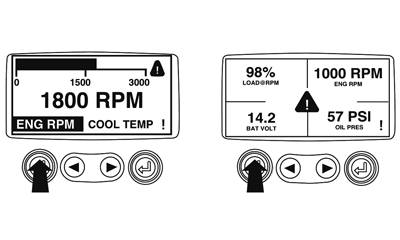
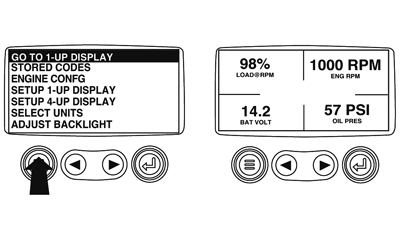
Starting at the single or four engine parameter display touch the "Menu Button".
|
|
|
|
GB52027,000055B -19-23OCT08-1/7
|
|
2.
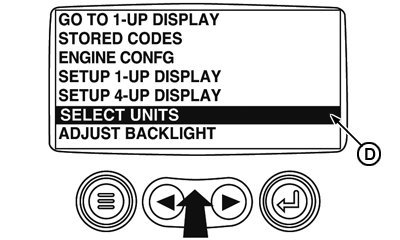
The main menu will pop up on the display. Use the arrow buttons to scroll through the menu until the "Select Units" is highlighted.
D-Select Units icon
|
|
|
|
GB52027,000055B -19-23OCT08-2/7
|
|
3.
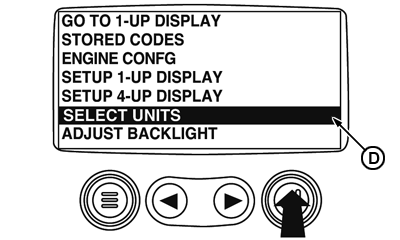
Once the "Select Units" menu item has been highlighted touch the "Enter Button" to access the "Select Units" function.
D-Select Units icon
|
|
|
|
GB52027,000055B -19-23OCT08-3/7
|
|
4.
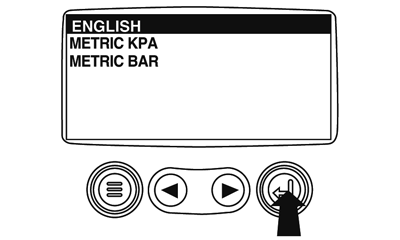
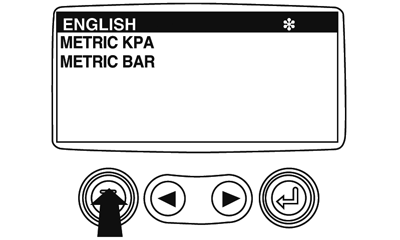
Use the arrows to highlight the desired units. "English" for Imperial units i.e. PSI, °F or Metric kPa, Metric Bar for IS units i.e. kPa, Bar, °C.
|
|
|
|
GB52027,000055B -19-23OCT08-4/7
|
|
5.
Touch the "Enter Button" to select the highlighted units.
|
|
|
|
GB52027,000055B -19-23OCT08-5/7
|
|
6.
Touch the "Menu Button" to return to the "Main Menu".
|
|
|
|
GB52027,000055B -19-23OCT08-6/7
|
|
7.
Touch the "Menu Button" to exit the Main menu and return to the engine parameter display.
|
|
|
|
GB52027,000055B -19-23OCT08-7/7
|
|