Attaching Mower to Tractor
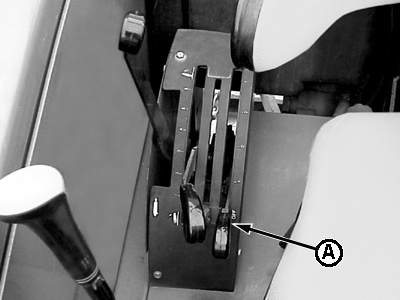
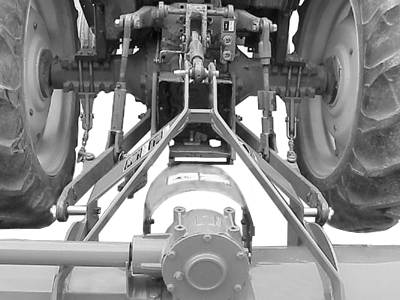
Do not stand between tractor and implement. NOTE: John Deere 5000 series tractor shown throughout procedure as reference only. Your tractor's controls and features may be different. See your tractor's Operator Manual. 1. Set load/depth control on tractor for no sensitivity to "position" control (A). 2. Extend tractor telescoping draft link ends (if equipped). 3. Back up tractor to mower with hitch points approximately in alignment. 4. Engage tractor parking brake and place transmission in "Park". 5. Shut off tractor engine and remove key. 6. Remove center and lateral hitch pins. 7. Align draft links with hitch masts and install side hitch pin assemblies according to tractor hitch category (See procedures in this section). 8. Start tractor engine. 9. Carefully back up tractor making sure both left and right telescoping draft link ends lock (if tractor equipped). 10. Engage tractor parking brake and/or place transmission in "Park". 11. Shut off tractor engine and remove key. 12. Align center link with mower center hitch mast and install center link pin. |
|
 CAUTION:
To avoid bodily injury or machine damage whenever an implement is attached, put transmission in PARK position and check the full range of hitch for interference, binding, or PTO separation.
CAUTION:
To avoid bodily injury or machine damage whenever an implement is attached, put transmission in PARK position and check the full range of hitch for interference, binding, or PTO separation.
PX07220,0000010 -19-25APR02-1/3 |
|
IMPORTANT: Improper tractor center link adjustment may affect the settings of the mower. Adjust the center link until the gear case support is horizontal initially and make adjustments as needed to get the desired cutting height. |
PX07220,0000010 -19-25APR02-2/3 |
|
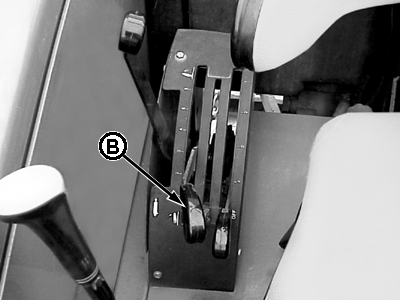
13. Attach PTO driveline (See procedures in this section). 14. Start tractor engine. 15. Slowly pull hitch control lever (B) to raise mower. Check for interference. Lower mower to ground and adjust if necessary.
|
|
PX07220,0000010 -19-25APR02-3/3 |