Removing and Installing Gear Case
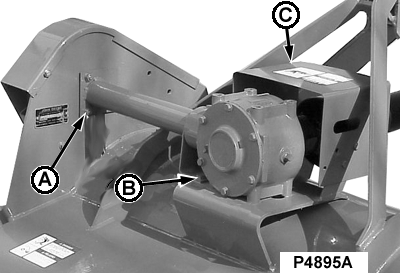
P4895A-UN-07MAY02
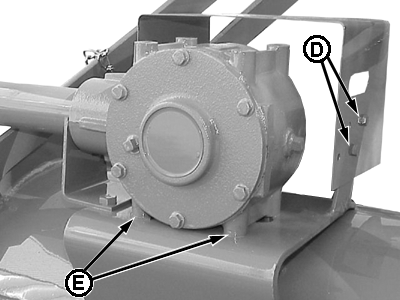
P11288-UN-30APR02
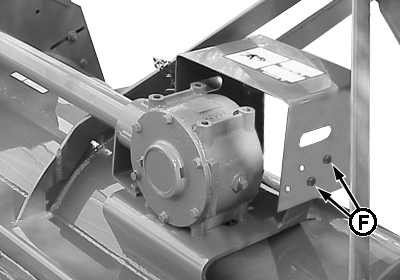
P11306-UN-07MAY02
A - Mounting bolts
B - Driven shaft shield support bolts
C - PTO driveline shield
D - PTO driveline shield bolts
E - Gear case support bolts
F - Hole
-
Loosen driven shaft bearing mounting bolts (A).
-
Remove bolts (B) from driven shaft shield support.
-
Remove PTO driveline shield (C) by removing (4) bolts (D).
-
Loosen (4) gear case support bolts (E).
-
Slide the gear case forward in the grooves to release bolt heads.
-
Pull up the gear case towards the opposite side of the drive shaft.
-
Install gear case in reverse order of removal using the following special instructions:
- Apply multipurpose grease on gear case output shaft.
- Tighten bolts to specifications.
Gear Case Bolts Torque..............
95 N•m (70 lb-ft)
-
Install PTO driveline shield (C) on the correct hole locations (F) as illustrated.
|
PX07220,00010EF-19-20090526 |