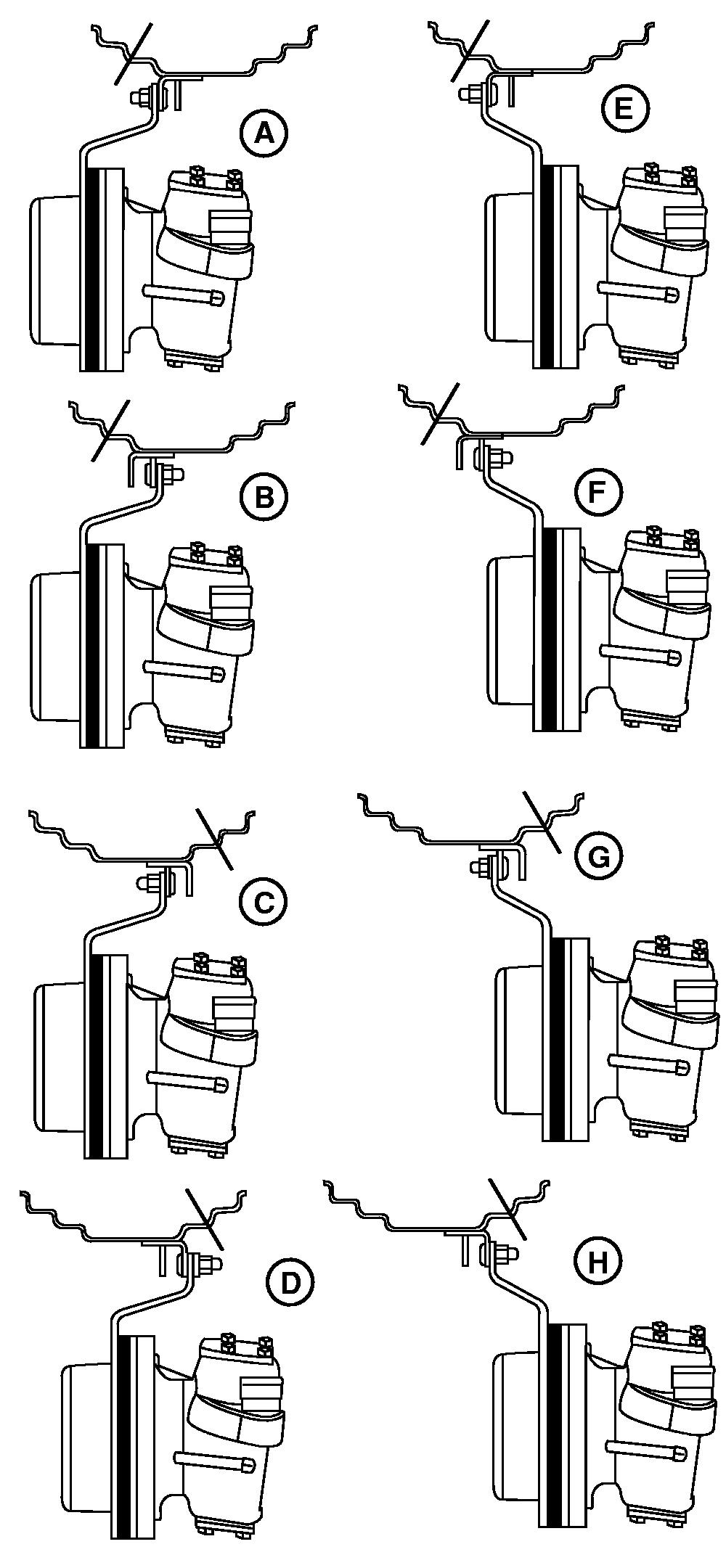
MFWD Tread Settings - With SpacersNOTE: Wheel as viewed from behind left front tire. Tread settings are measured at bottom center line of tire. Use diagram as a guide to adjust rim and disk. NOTE: Settings listed on this page require spacers. See your John Deere Dealer.
IMPORTANT: After setting wheel spacing, tighten rim-to-disk bolts to 310 N·m (230 lb-ft) and disk-to-hub nuts to 300 N·m (220 lb-ft). Tighten disk-to-hub nuts on 7520 tractor to 480 N·m (355 lb-ft). Tighten spacer-to-hub nuts to 300 N·m (220 lb-ft) for 7220 and 7320 tractor and 480 N·m (355 lb-ft) for 7520. Tighten disk-to-spacer cap screws to 402 N·m (300 lb-ft) for 7220 and 7320 tractor and 610 N·m (450 lb-ft) on 7520. Adjust fenders and steering stops as required. |
|
|||||||||||||||||||||||||||||||
PX07220,0000004 -19-02OCT02-1/1 |