SETUP - GPS - PAGE 1
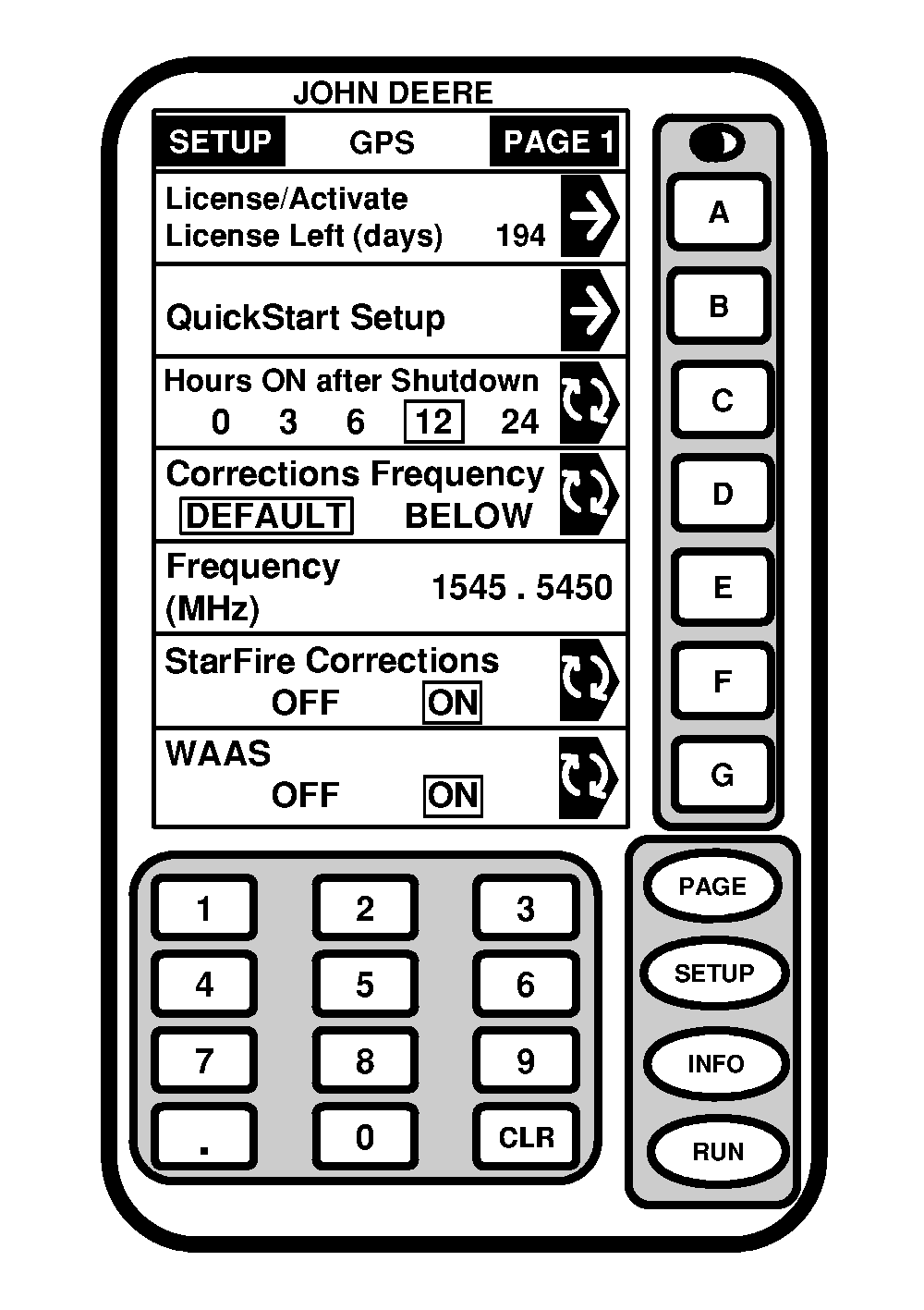
Screen: SETUP - GPS - PAGE 1 Press: SETUP >> STARFIRE RECEIVER The following items can be setup in this screen:
Press corresponding button to access option being changed. |
|
OUO6050,000071E -19-11JUN04-1/5 |
|
License/Activate-Licence Left
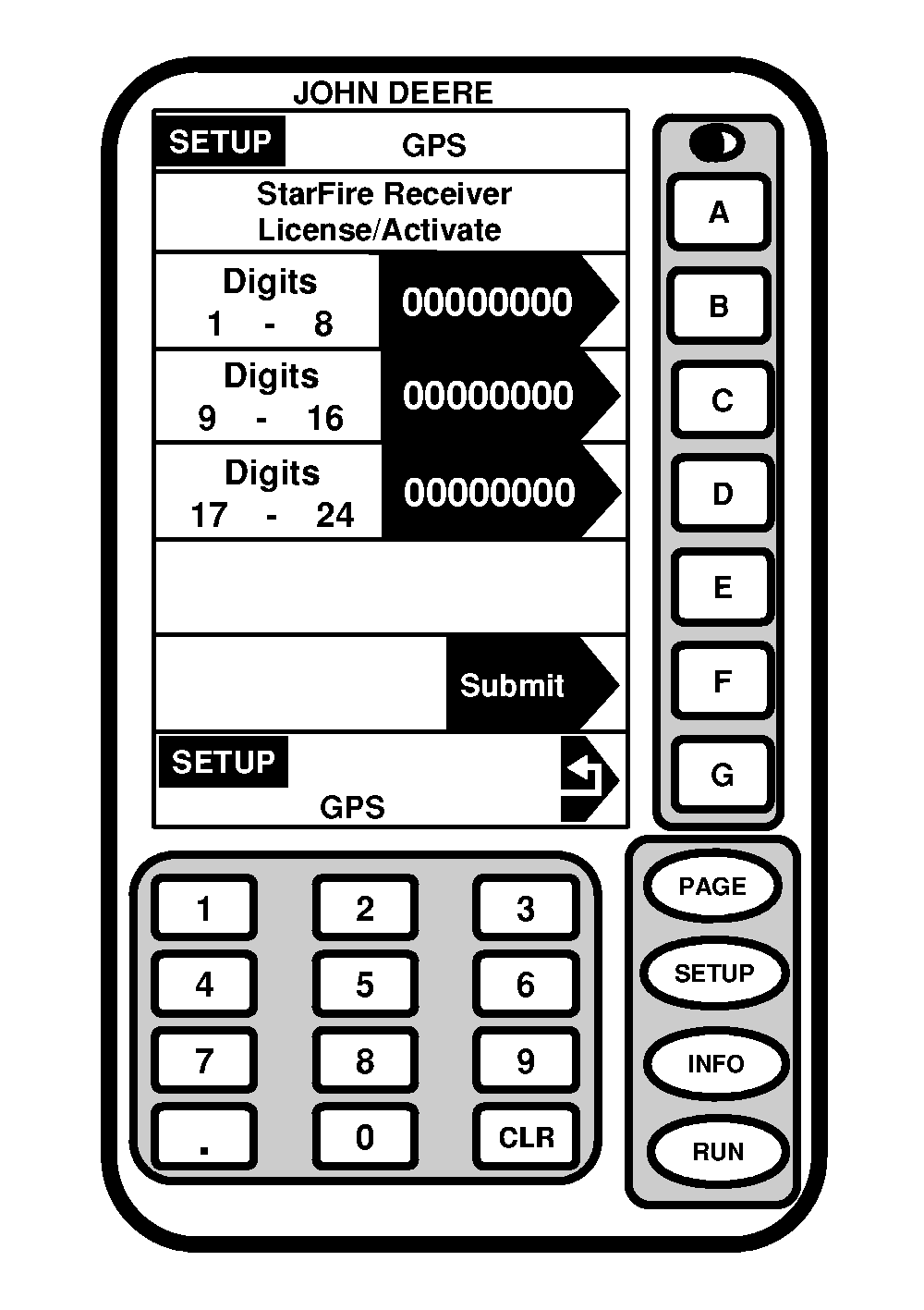
Screen: SETUP - GPS Press: SETUP >> STARFIRE RECEIVER >> LICENSE/ACTIVATE-LICENCE LEFT (DAYS) NOTE: To receive updated license contact www.stellarsupport.com on Internet, call + 49 (0) 62 18 29 44 70, or contact your John Deere dealer. Renew license if using StarFire differential correction signal or activate receiver for use with RTK. License left screen indicates number of days remaining before receiver license needs to be renewed. To manually enter 24-digit position receiver subscription license: 1. Press DIGITS 1-8 button and enter first eight digits using numeric keypad. Press DIGITS 1-8 button again to enter and save entered value.2. Press DIGITS 9-16 button and enter first eight digits using numeric keypad. Press DIGITS 9-16 button again to enter and save entered value. 3. Press DIGITS 17-24 button and enter first eight digits using numeric keypad. Press DIGITS 17-24 button again to enter and save entered value. 4. Press SUBMIT button to accept all of numbers and send. |
|
OUO6050,000071E -19-11JUN04-2/5 |
|
License Expired Warning
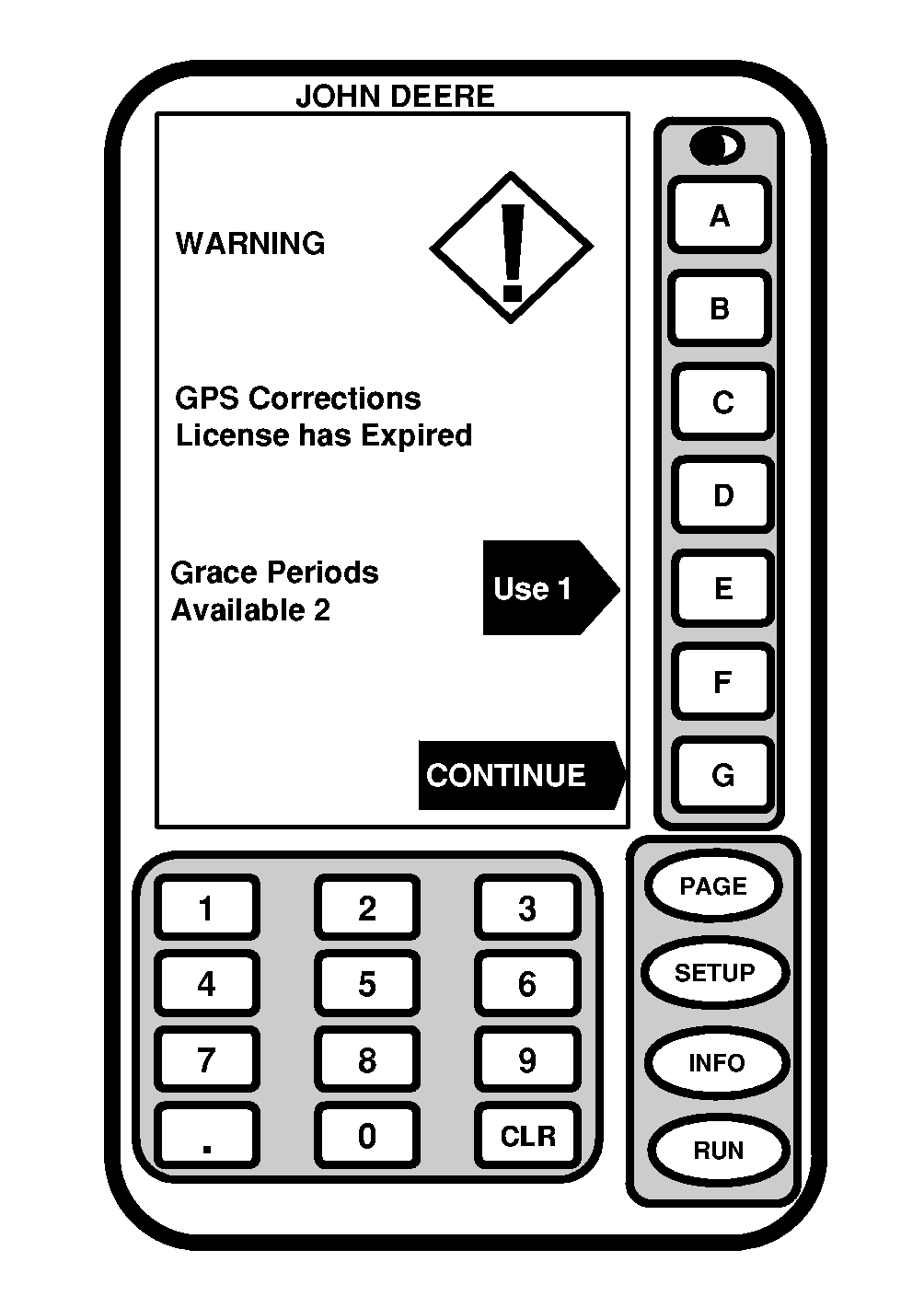
NOTE: Two 48 hour grace periods are available when current license expires. This is provided to allow sufficient time for customer to renew a license. Grace period signal will be SF 2 differential correction signal. If license expires while operating or since last operated, a warning screen will appear. Warning screen can be cleared by pressing CONTINUE button or a grace period can be activated by pressing USE 1 button if needed. |
|
OUO6050,000071E -19-11JUN04-3/5 |
|
StarFire QuickStart
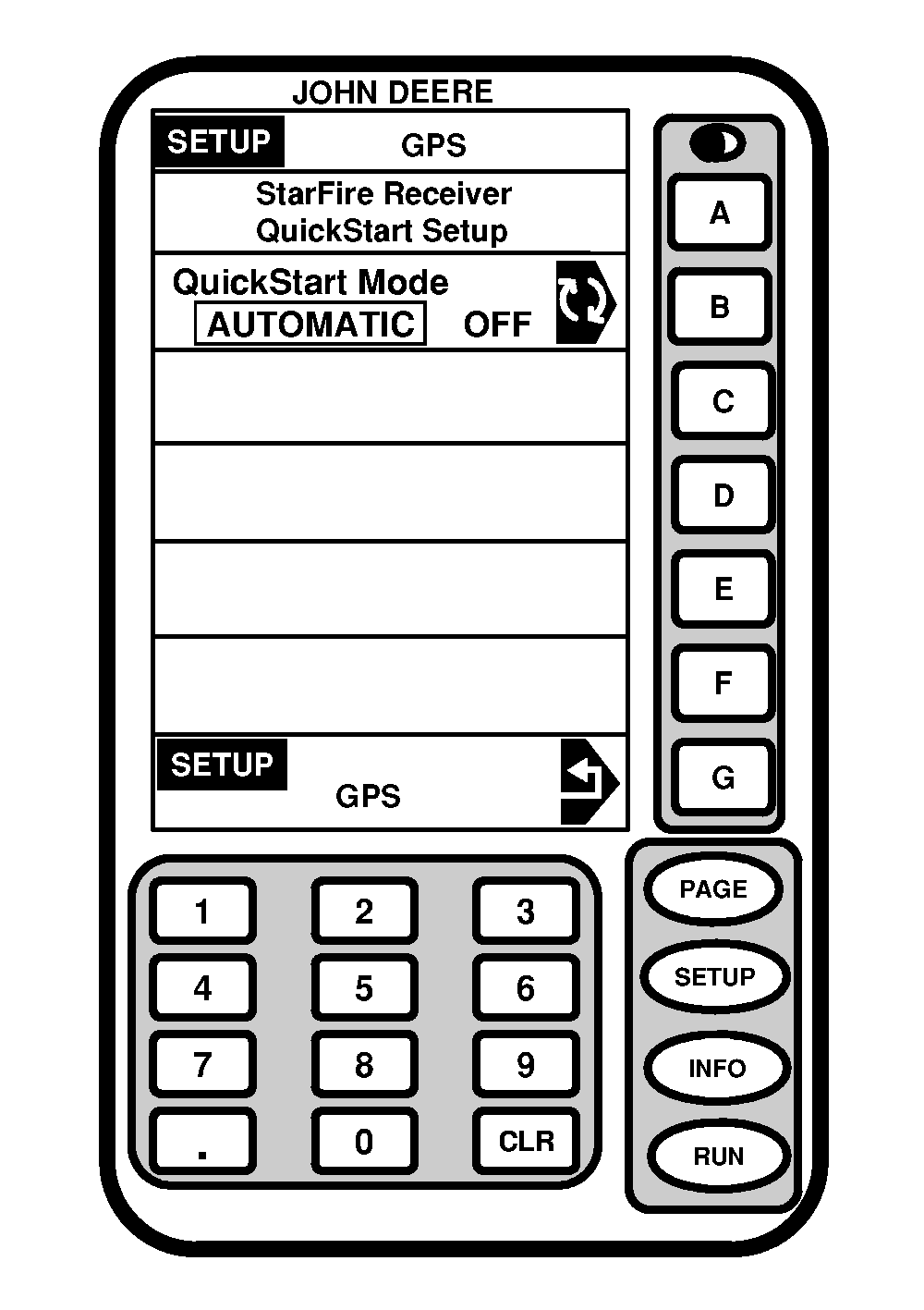
Screen: SETUP - GPS Press: SETUP >> STARFIRE RECEIVER >> QUICKSTART SETUP If QuickStart is activated (automatic mode) and user has SF2 when receiver is powered down, a position is saved for future quickstart. If power is restored to receiver within time period defined under "hours on after shutdown," a QuickStart won't be needed since receiver power was never disrupted. However, if duration has been past hours on after shutdown, a quickstart will be initiated. Saved position will be used to bypass startup transient (warm up period) that is usually required. However, stipulation is that receiver cannot move while this quickstart is taking place. It may take up 6 minutes for quickstart to complete. User will be notified on screen when it's done. Press QUICKSTART MODE button to toggle between AUTOMATIC and OFF. |
|
OUO6050,000071E -19-11JUN04-4/5 |
|
Hours ON After Shutdown
This defines how long receiver remains powered after key is turned off in vehicle. If power is restored within number of hours defined under hours on after shutdown, receiver will re-establish full SF2 accuracy within a few seconds (assuming it had SF2 when key was turned off). Operator can select amount time in hours system will stay on. Press HOURS ON AFTER SHUTDOWN button to toggle between settings. Default setting is 3 hours. Corrections FrequencyIMPORTANT: DO NOT change default channel unless instructed to do so by your John Deere Dealer or by John Deere Ag Management Solutions. Press CORRECTIONS FREQUENCY button to toggle/select either DEFAULT or BELOW frequency. StarFire CorrectionsNOTE: This information will only appear when receiver has a license. Press STARFIRE CORRECTIONS button to toggle/select OFF or ON. WAAS-North America OnlyEGNOS-Europe Only Press EGNOS (WAAS) button to toggle/select OFF or ON. |
|
OUO6050,000071E -19-11JUN04-5/5 |