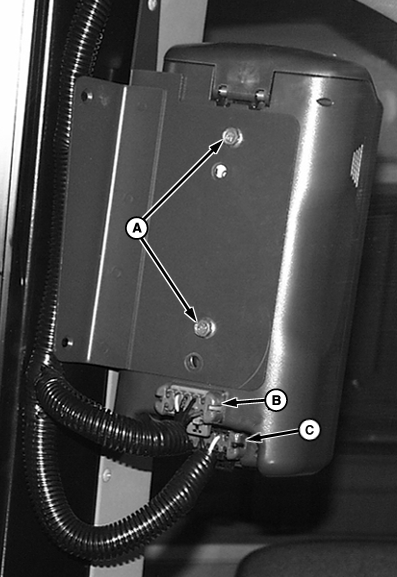
Reprogramming from Field Doc/Parallel TrackingWhen a GreenStar system is programmed for Field Doc or Parallel Tracking and is moved onto another machine to be used for Harvest Doc, mobile processor must be reprogrammed to operate as a Harvest Doc system. The following procedures show basic connections and programming steps needed to prepare system to operate in Harvest Doc mode. The mobile processor must be reprogrammed to operate in Harvest Doc mode. After Harvest Doc is loaded on mobile processor you may see automatic software load warning for display, StarFire position receiver and Harvest Monitor to the most recent version of software. For more information on this warning refer to Automatic Software Load section. NOTE: If components are installed in vehicle intended for use with Harvest Doc skip to step 7. 1. Disconnect main wiring harness connector from position receiver connector and remove position receiver from machine.2. Disconnect gray (B) and black (C) wiring harness connectors. 3. Remove cap screws (A) and display assembly. 4. Install position receiver onto machine and connect machine wiring harness to position receiver. 5. Attach display to bracket with hardware provided. 6. Attach gray connector to mobile processor connector and black connector to display connector. |
|
OUO6050,0000744 -19-17JUN04-1/5 |
|
7.
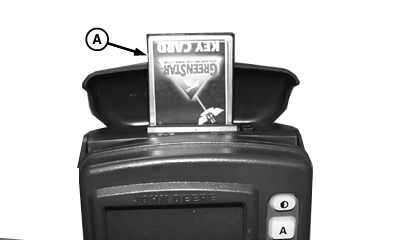
Install KeyCard (A) into top slot of mobile processor.
8. Turn ignition key to RUN position. NOTE: If moisture sensor is detected on CAN Bus it will prompt for automatic software load, if not skip to step 9. 9. The following are some of the messages that may appear:
|
|
OUO6050,0000744 -19-17JUN04-2/5 |
10.
Press CONTINUE for:
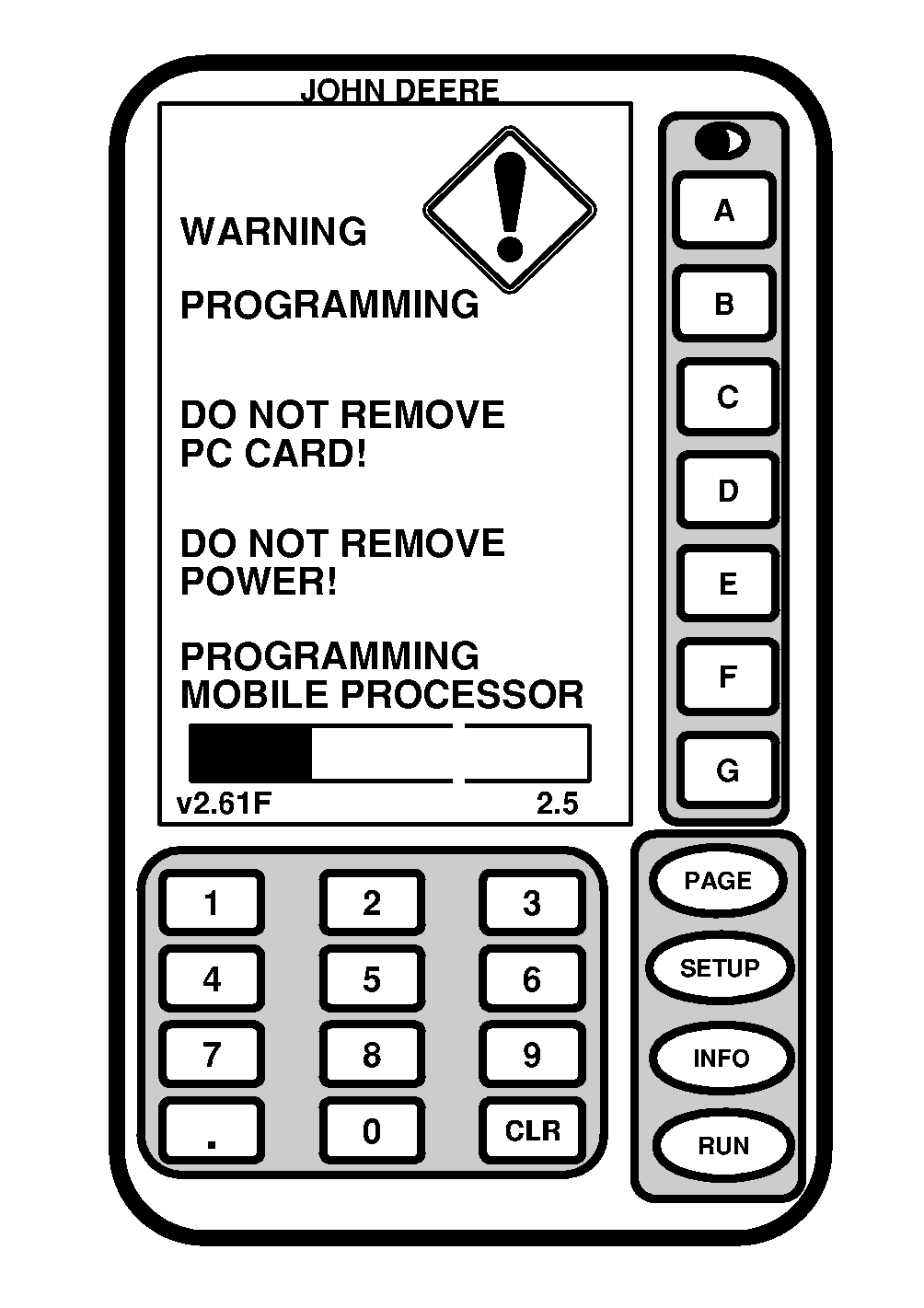
11. Wait until WARNING PROGRAMMING screen appears and follow on screen directions. DO NOT REMOVE PC CARD DO NOT REMOVE POWER 12. When programming is complete PROGRAMMING COMPLETE screen will appear, OK button will be displayed in lower right corner. |
|
OUO6050,0000744 -19-17JUN04-3/5 |
|
13.
Press OK button.
14. Combine: Press SETUP >> KEYCARD >> HARVEST DOC COMBINE Picker: Press SETUP >> KEYCARD >> HARVEST DOC COTTON |
|
OUO6050,0000744 -19-17JUN04-4/5 |
|
15.
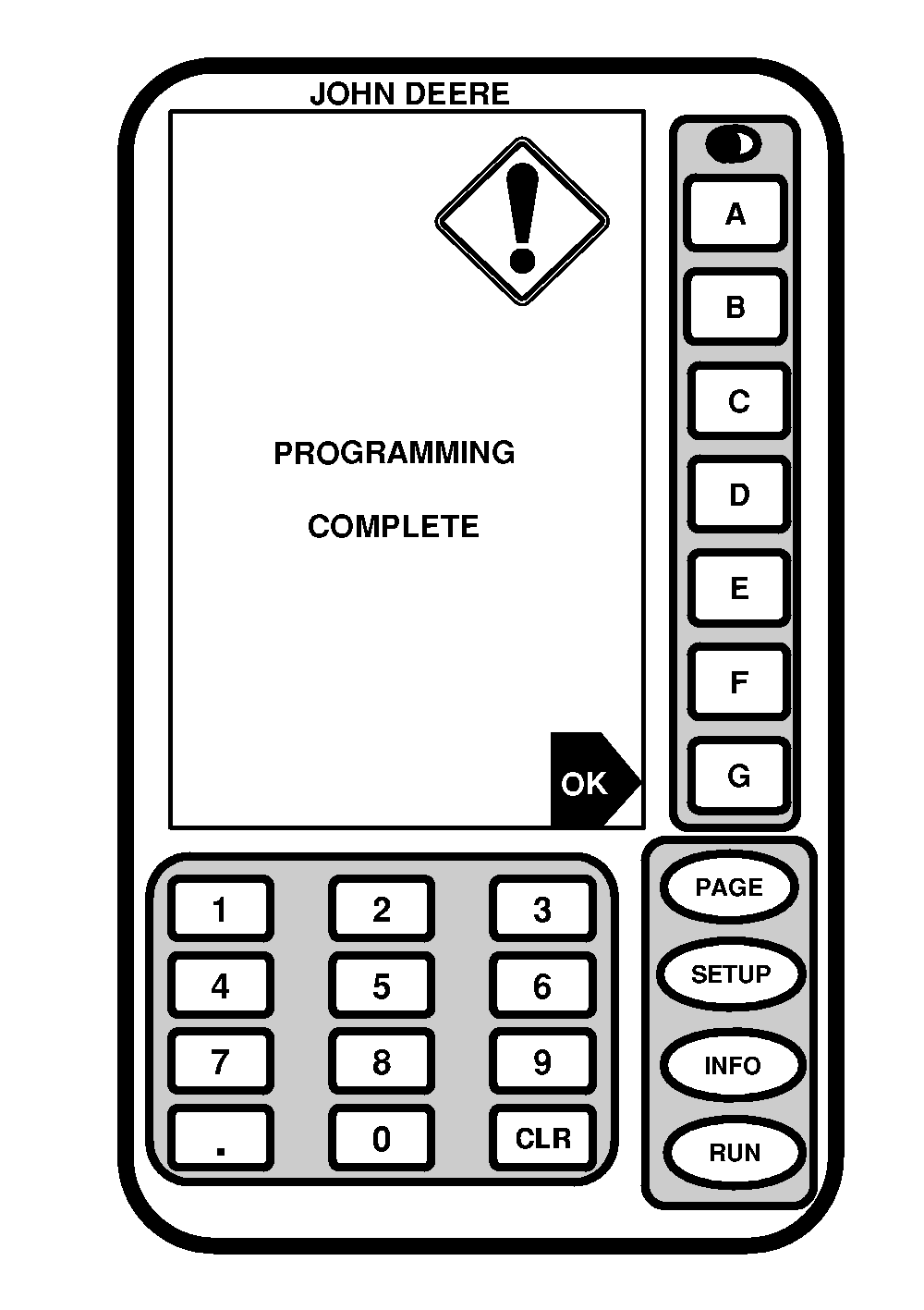
If PROGRAMMING COMPLETE screen appears, OK button will be present in lower right corner.
16. Press OK button. 17. RUN - PAGE 1 screen will appear briefly and then checking for product keys and program updates warning screen will appear. 18. Continue process with AUTOMATIC SOFTWARE LOAD, if prompted (refer to Automatic Software load section for complete procedures). 19. Cycle Power when complete. |
|
OUO6050,0000744 -19-17JUN04-5/5 |