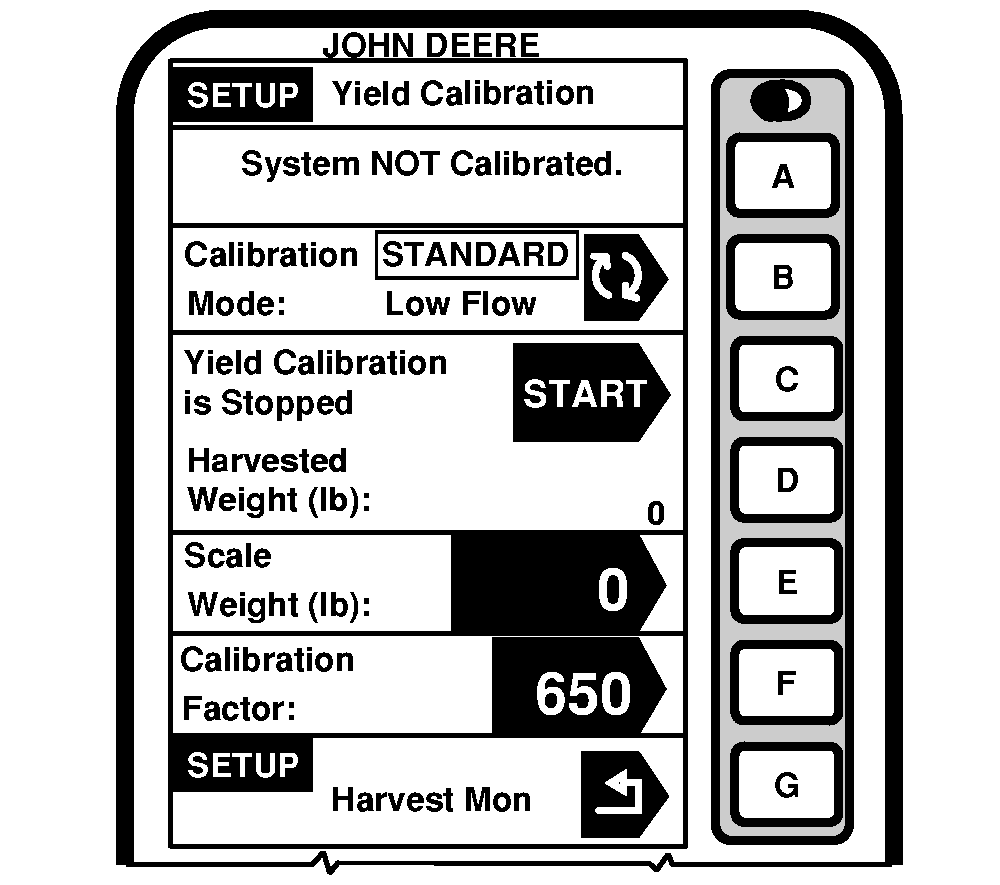
Manually Adjusting Calibration FactorScreen: SETUP - YIELD CALIBRATION Press: SETUP >> HARVEST MONITOR >> YIELD CALIBRATION NOTE: Do not perform a manual adjustment of Calibration Factor if you intend on using Low Flow Compensation procedure. If scale weight is more than 50% higher or lower than displayed weight, system will not allow entry of scale weight. It is recommended that you review harvesting procedures and verify vehicle hauling grain away from combine is also following correct procedures. At that time, repeat calibration procedures. A new calibration factor can also be entered manually. To calculate calibration factor, divide weight shown on display by new weight on scale ticket. Multiply result by displayed calibration factor (see example below). This is the new calibration factor. To manually enter a calibration factor: 1. Press CALIBRATION FACTOR button to change calibration factor.2. Using numeric keypad, input calibration factor. 3. Press CALIBRATION FACTOR button to enter a new value. |
|
OUO6050,000074B -19-11JUN04-1/2 |

|
|
Example: Displayed Calibration Factor = 950 Weight of grain shown on display = 27,643 lb |
New weight of grain from scale ticket = 27,022 New Calibration Factor = 971 |
OUO6050,000074B -19-11JUN04-2/2 |