Setting Moisture CorrectionScreen: SETUP - MOISTURE Press: SETUP >> HARVEST MONITOR >> MOISTURE IMPORTANT: Changing moisture correction in cell A will not change data already saved. After changes are made, all harvest information collected from that point will reflect changes. NOTE: Refer to Harvest Monitor section of Combine Operator's Manual for more detailed information. This screens allows operator to setup:
The moisture correction screen is used to set moisture correction to match reading from a customer or elevator certified moisture sensor as shown on RUN - PAGE 1 screen. |
|
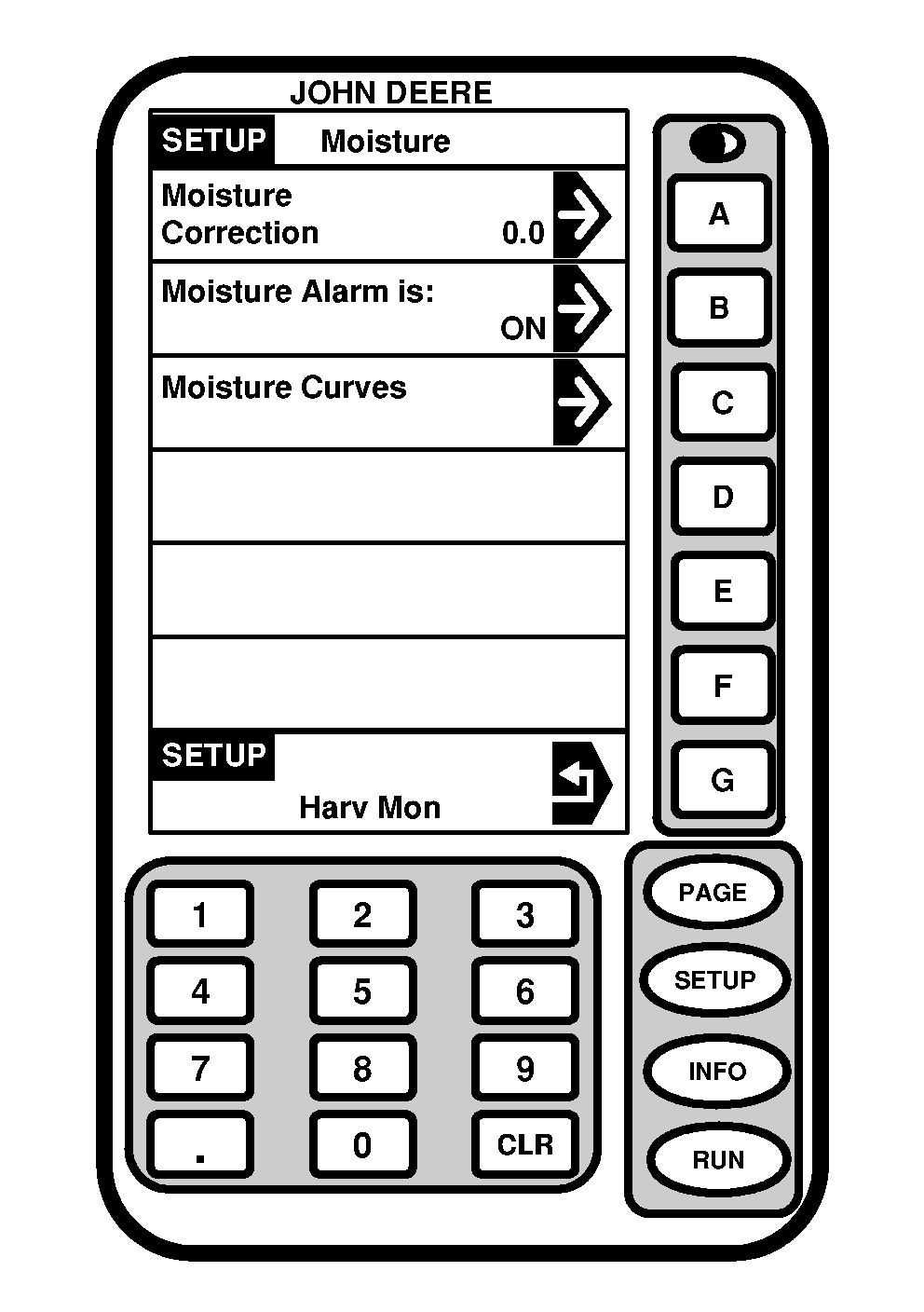
OUO6050,000074D -19-20JUN04-1/4 |
|
NOTE: Moisture calibration curve have been pre-loaded for following crops:
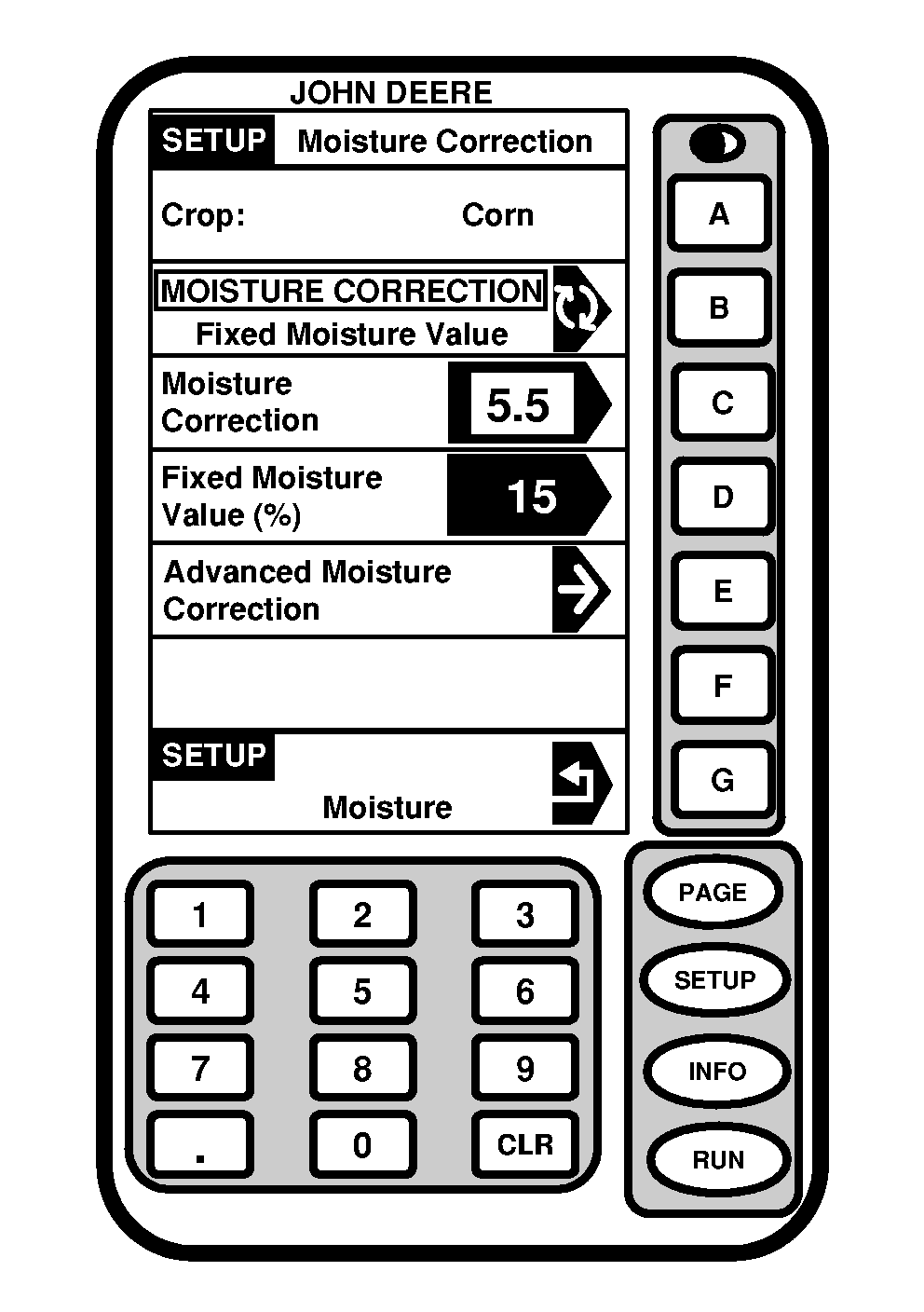
Screen: SETUP - MOISTURE CORRECTION Press: SETUP >> HARVEST MONITOR >> MOISTURE >> MOISTURE CORRECTION IMPORTANT: Make sure moisture correction is performed when recording is ON. When recording is OFF, average moisture of crop will be displayed on RUN - PAGE 1 screen, if average moisture is corrected, instantaneous moisture could be overcorrected. NOTE: Cell A displays selected crop. 1. Press MOISTURE CORRECTION button to correct moisture reading on RUN - PAGE 1 screen by either:
|
|
OUO6050,000074D -19-20JUN04-2/4 |
Select desired correction procedure. |
|
OUO6050,000074D -19-20JUN04-3/4 |
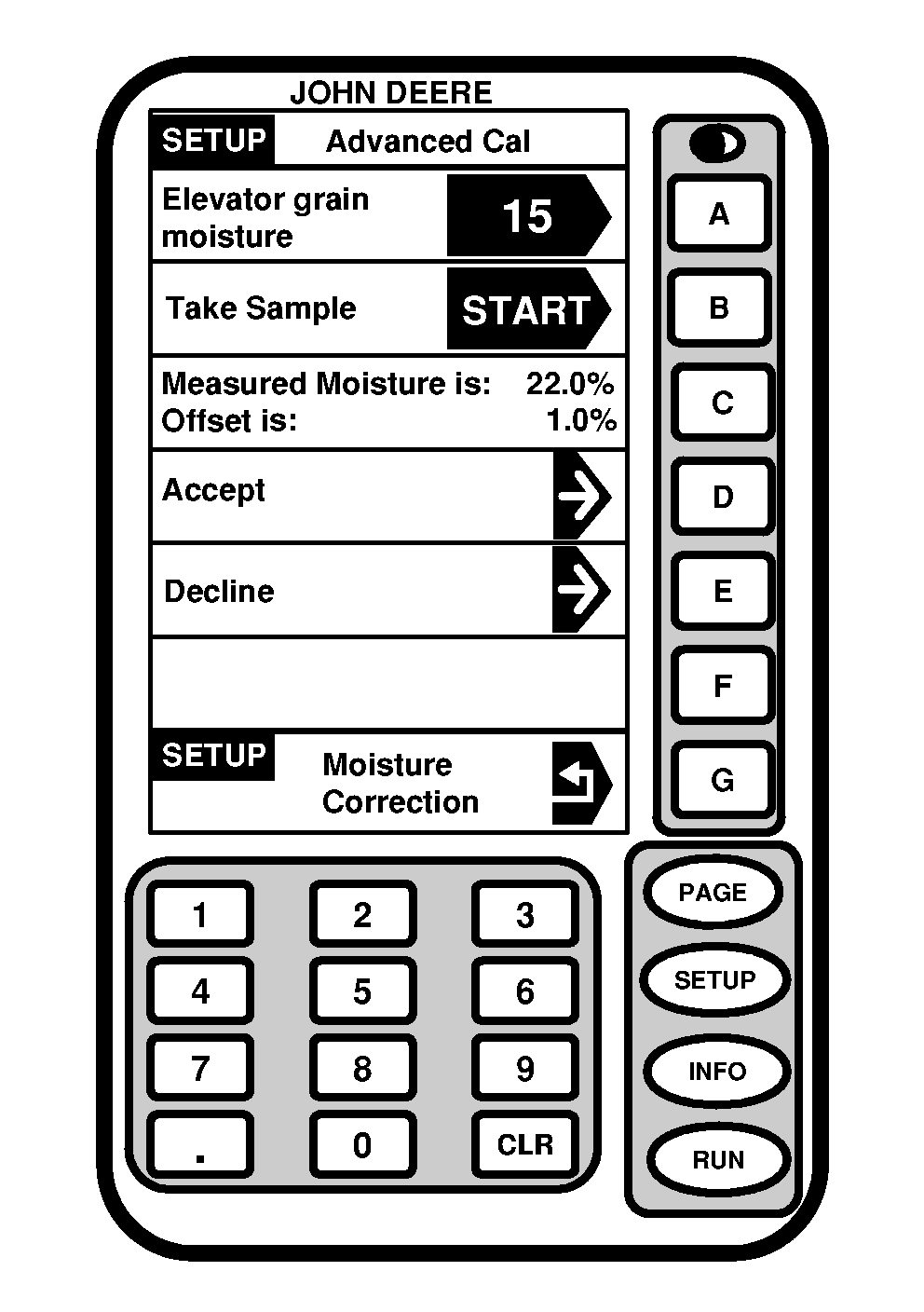
NOTE: This procedure is used to determine moisture correction when elevator readings do not agree with combine moisture readings. 1.Collect 0.95 L ( 1 qt) grain sample and place in a sealed container and have tested by elevator. IMPORTANT: To finish this procedure combine engine must be turned OFF. 2.Screen: SETUP - ADVANCED CAL Press: SETUP >> HARVEST MONITOR >> MOISTURE >> MOISTURE CORRECTION >> ADVANCED MOISTURE CORRECTION Press ELEVATOR GRAIN MOISTURE button on SETUP - ADVANCED CAL screen. Using numeric keypad, enter value from elevator. Press ELEVATOR GRAIN MOISTURE button again to save value. Press TAKE SAMPLE button to start sampling. NOTE: Screen will prompt operator to pour sample in moisture sensor. 7.Pour sample into moisture sensor. Screen will display CALIBRATION IN PROGRESS. MEASURED MOISTURE IS displays moisture of sample in moisture sensor. Press ACCEPT button to accept value or DECLINE button to decline. |
|
OUO6050,000074D -19-20JUN04-4/4 |