Defining Custom Names
|
|
|
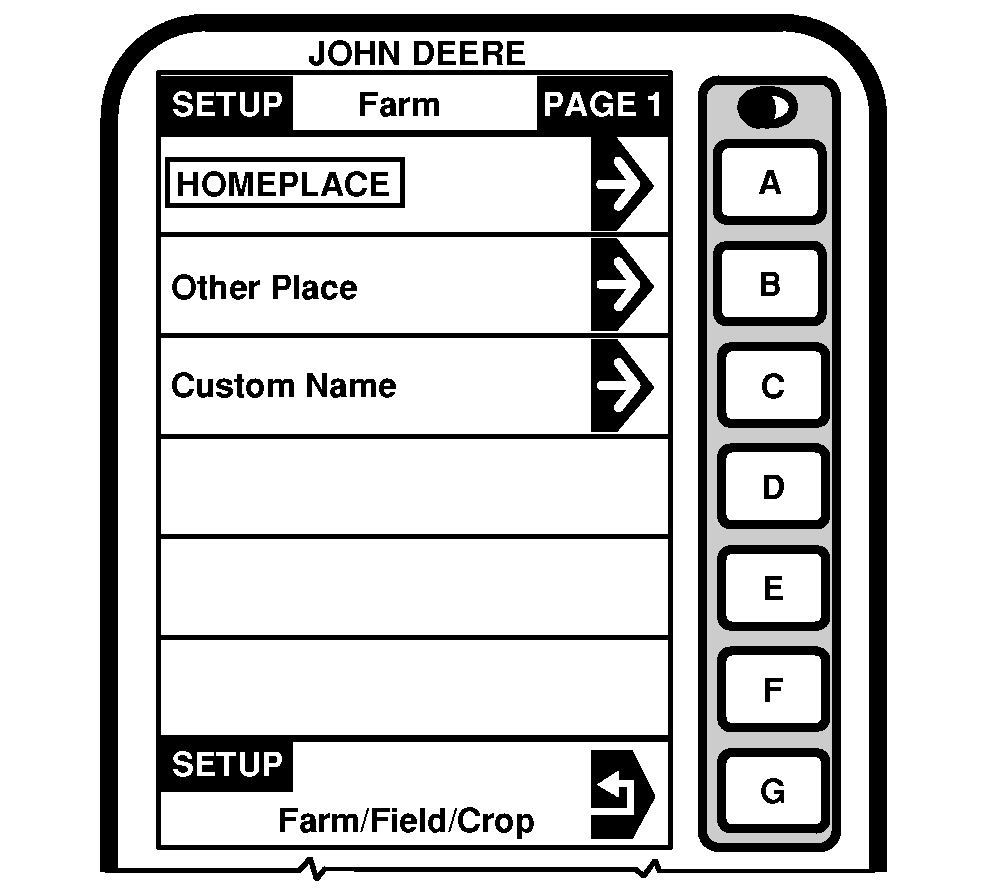
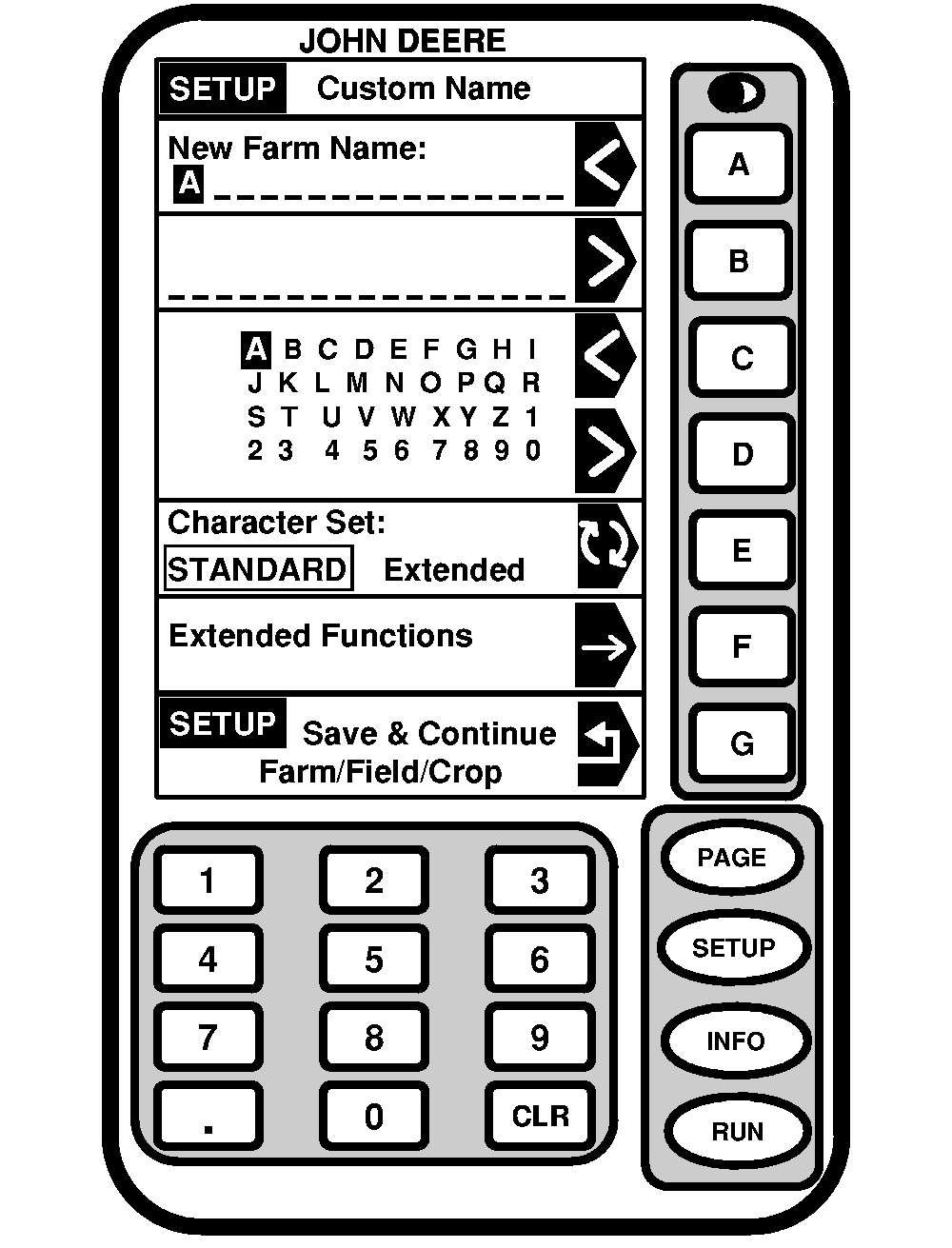
NOTE: SETUP - FARM - PAGE 1 screen is used as an example, same procedures are used for setting up Custom Names for Farm, Field, Client, Operator, etc. Custom Name will appear in specific screen (i.e. RUN, SETUP or INFO). There are 19 characters available for Custom Name. When using numbers for a Custom Name, press desired number on numeric keypad and number will be displayed. Farm- Press: SETUP >> HARVEST DOC >> OPERATIONS >> CLIENT: FARM: FIELD: TASK >> FARM\CUSTOM NAME Field- Press: SETUP >> HARVEST DOC >> OPERATIONS >> CLIENT: FARM: FIELD: TASK >> FIELD\CUSTOM NAME |
Task- Press: SETUP >> HARVEST DOC >> OPERATIONS >> CLIENT: FARM: FIELD: TASK: TASK >> TASK\CUSTOM NAME Press CUSTOM NAME button. Press < button to go to previous position/character in name. Press > button to move forward one position. Press < button to choose previous letter in alphabet. Press > button to choose next letter in alphabet. NOTE: Press RUN, SETUP or INFO button to exit without saving custom name. To save, press SAVE & CONTINUE FARM/FIELD/CROP button. |
OUO6050,0000753 -19-07JUN04-1/1 |