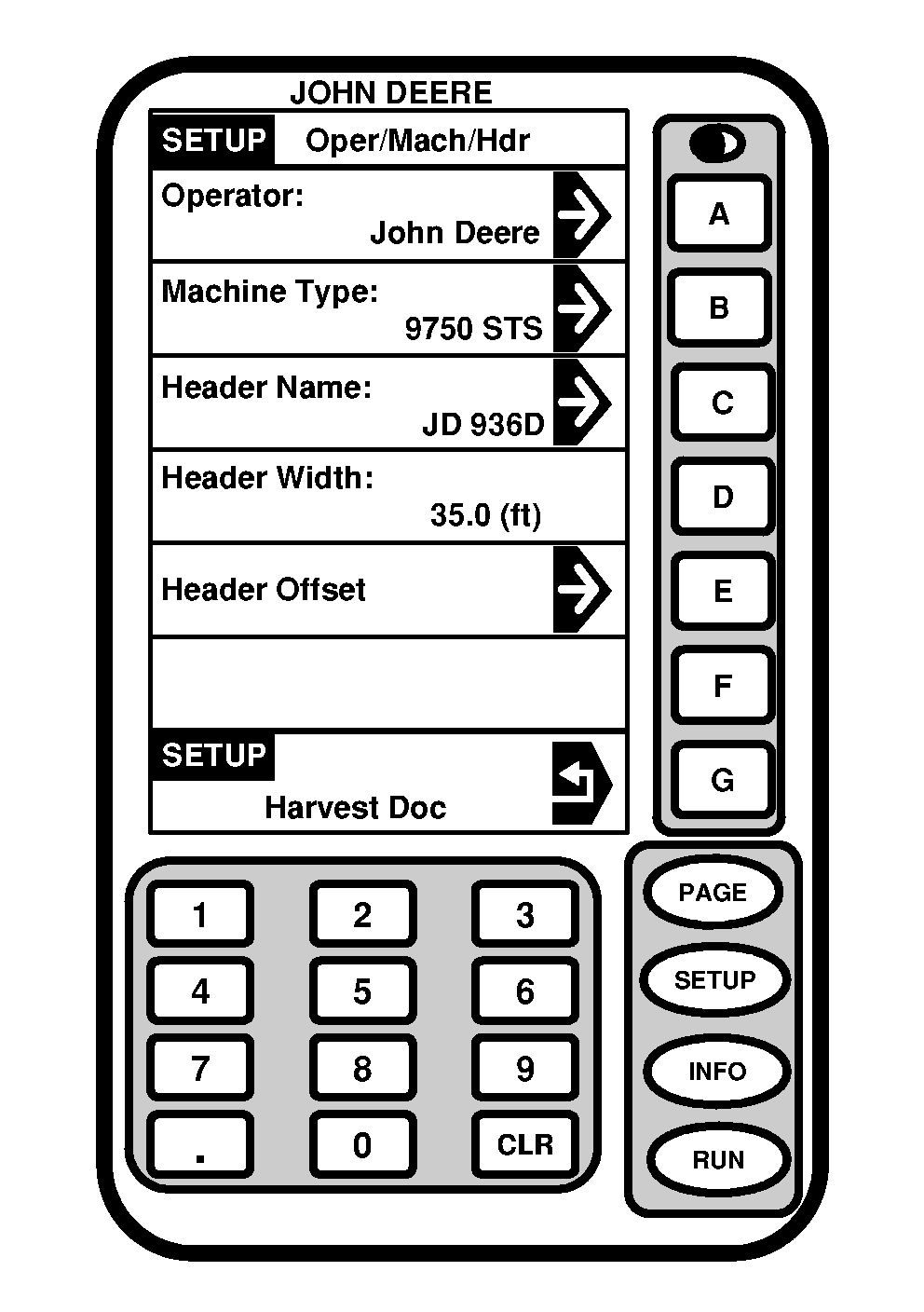
Defining Header Width and Header OffsetScreen: SETUP - OPER/MACH/HDR Press: SETUP >> HARVEST DOC >> OPER: MACH: HDR: WIDTH: NOTE: All selections on SETUP - OPER/MACH/HDR screen are either setup in JDOffice and saved to a PC card or setup in Custom Name (see SETUP - CUSTOM NAME section in this manual). Header Width is setup in Harvest Monitor, see Combine Operator's Manual for procedures. This screen allows operator to define:
Press button of desired cell, select desired information to define Oper/Mach/Imp. |
|
OUO6050,0000756 -19-20JUN04-1/3 |
|
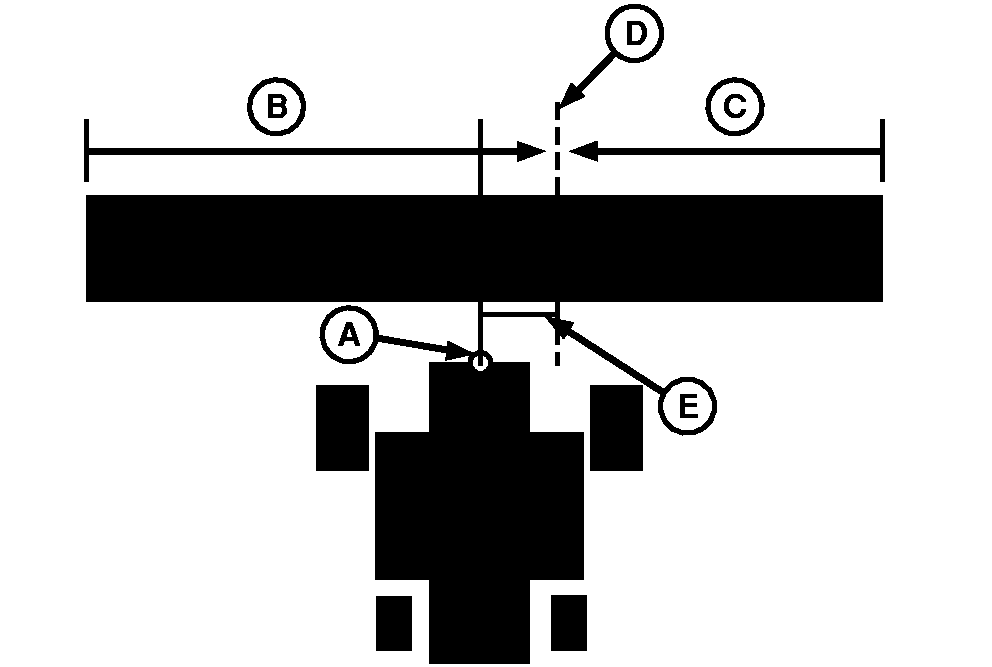
NOTE: Header Offset is used for operators using a offset head (i.e. draper). When an offset header is used (like a draper) enter distance (E) required to move receiver (A) to center of head (D).
|
|
OUO6050,0000756 -19-20JUN04-2/3 |
|
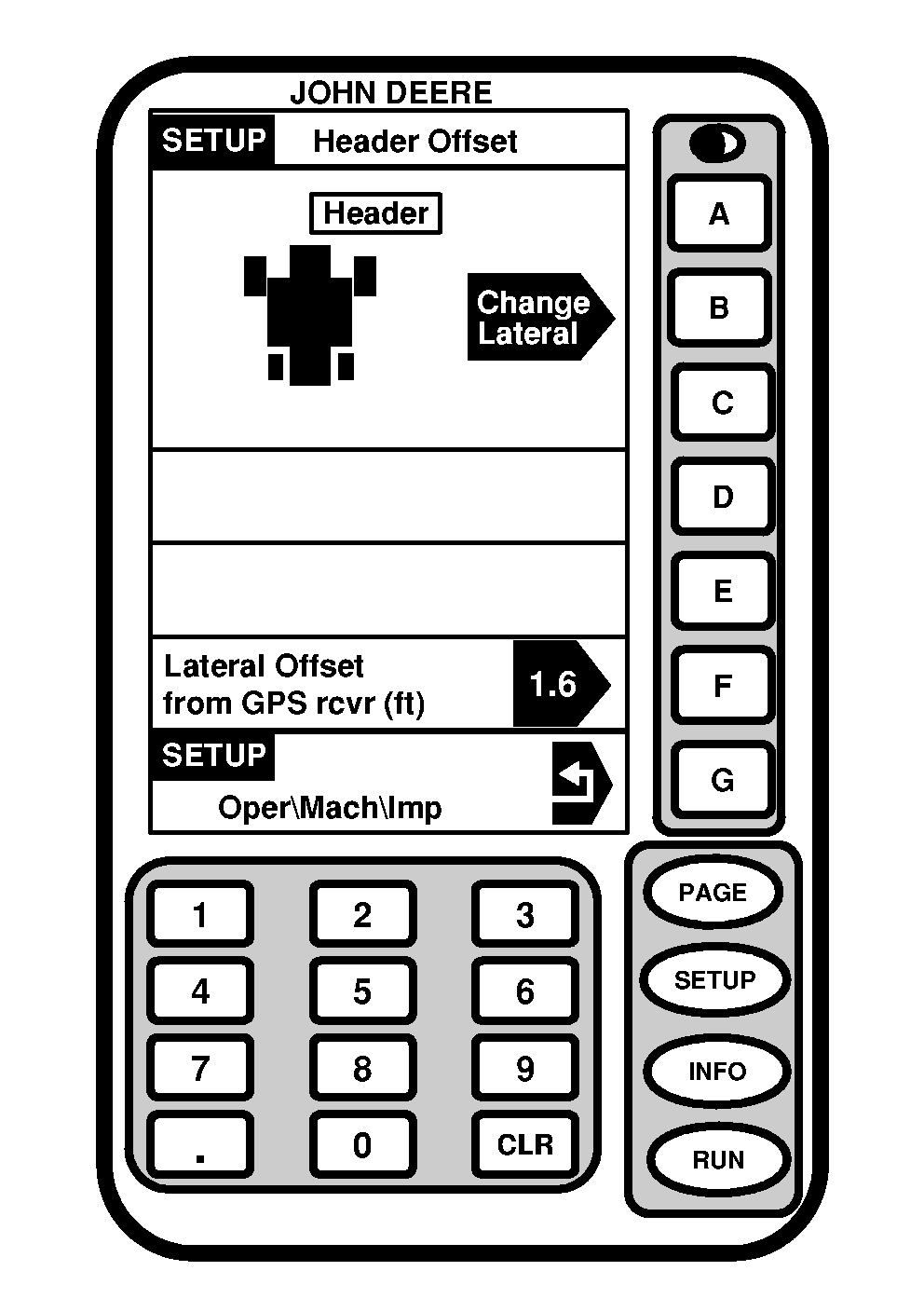
NOTE: Lateral position can be toggled to three different positions. If operating a 936D Draper with a header offset, press CHANGE LATERAL button until header is displayed to right side of machine and press LATERAL OFFSET button from GPS rcvr (ft), numerically enter offset value (i.e. 36 ft head with 16 ft from center feeder house/position receiver to left-hand side of platform, 20 ft from center feeder house/position receiver to right-hand side of platform, offset equals 2 ft). Screen: SETUP - HEADER OFFSET Press: SETUP >> HARVEST DOC >> OPER: MACH: HDR: WIDTH: >> HEADER OFFSET Press CHANGE LATERAL button to desired lateral position. Preform following to figure offset value: 1.
Measure total width of head and enter value in SETUP - HARVEST MON - PAGE 1 screen (refer to combine Operator's Manual for procedures).
|
|
OUO6050,0000756 -19-20JUN04-3/3 |