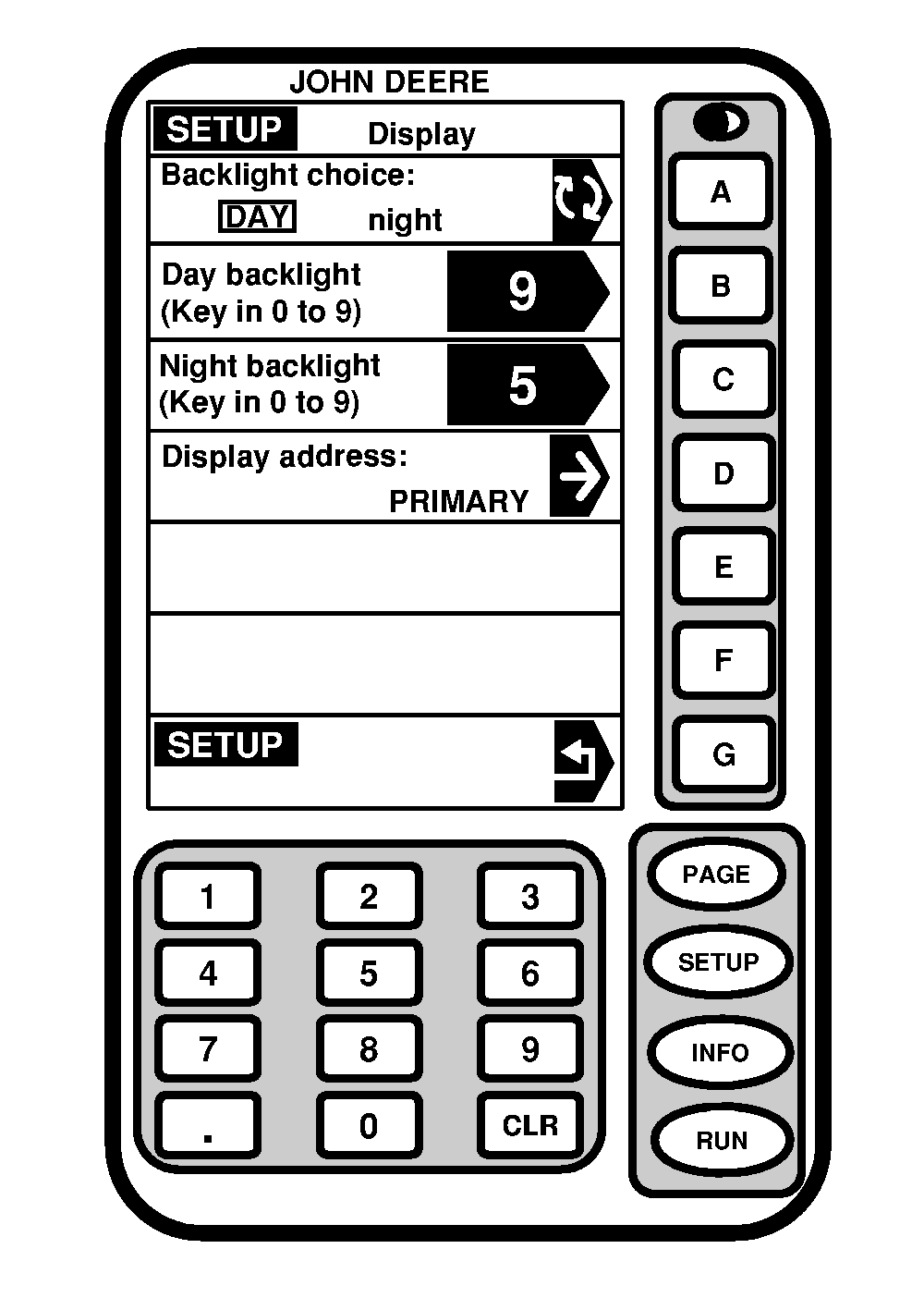
Setting Up BacklightScreen: SETUP - DISPLAY - PAGE 1 Press: SETUP >> GREENSTAR DISPLAY Backlight Choice This screen is used to select backlight level and display address. To select DAY backlight or NIGHT backlight, press A button. The choice will appear boxed in and in capital letters. Day Backlight Press DAY BACKLIGHT button to change DAY backlighting level intensity. Using numeric keypad, enter any number from 0 to 9 for intensity level. The higher the number the brighter the screen. Night Backlight Press NIGHT BACKLIGHT button to change NIGHT backlighting level intensity. Using numeric keypad, enter any number from 0 to 9 for intensity level. The higher the number the brighter the screen. Display Address |
|
OUO6050,000079A -19-20JUN04-1/2 |
|
IMPORTANT: When using 2 GreenStar Displays, only parallel tracking and AutoTrac can be run on auxiliary display. All other products must be used on primary display. When using Parallel Tracking with either SPRAYSTAR ™ or SEEDSTAR ™ systems and a second display, SPRAYSTAR and SEEDSTAR systems must be set to primary display, Parallel Tracking must be set to auxiliary 1. This cell shows current address of display. (See Changing Display Address later in this section to change display address.) |
|
SPRAYSTAR is a trademark of Deere & Company. | OUO6050,000079A -19-20JUN04-2/2 |