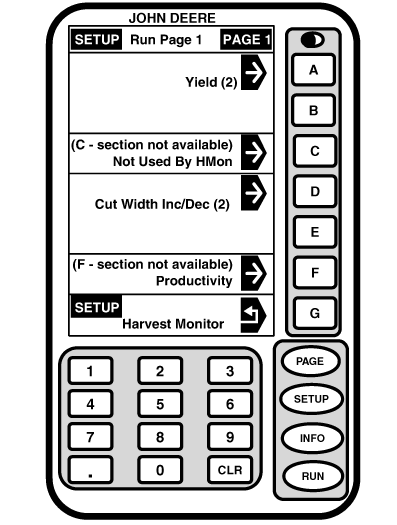
SETUP - RUN PAGE 1 - PAGE 1Screen: SETUP - RUN PAGE 1 - PAGE 1 Press: SETUP >> HARVEST MONITOR >> RUN PAGES 1. Select any cell on this screen and SETUP - RUN ITEMS - PAGE 1 screen will appear.2. Press button to information that you want to appear in a desired cell on RUN - PAGE 1 screen. NOTE: To check information arrangement press RUN button. RUN - PAGE 1 screen will appear. 3. When selection is made, SETUP - RUN PAGE 1 - PAGE 1 screen will appear. 4. Selection will appear on SETUP - RUN PAGE 1 - PAGE 1 screen. 5. Continue selecting sections on SETUP - RUN PAGE 1 - PAGE 1 screen. 6. Press SETUP button to return to SETUP - HARVEST MON screen. |
|
OUO6050,00007AE -19-11JUN04-1/1 |