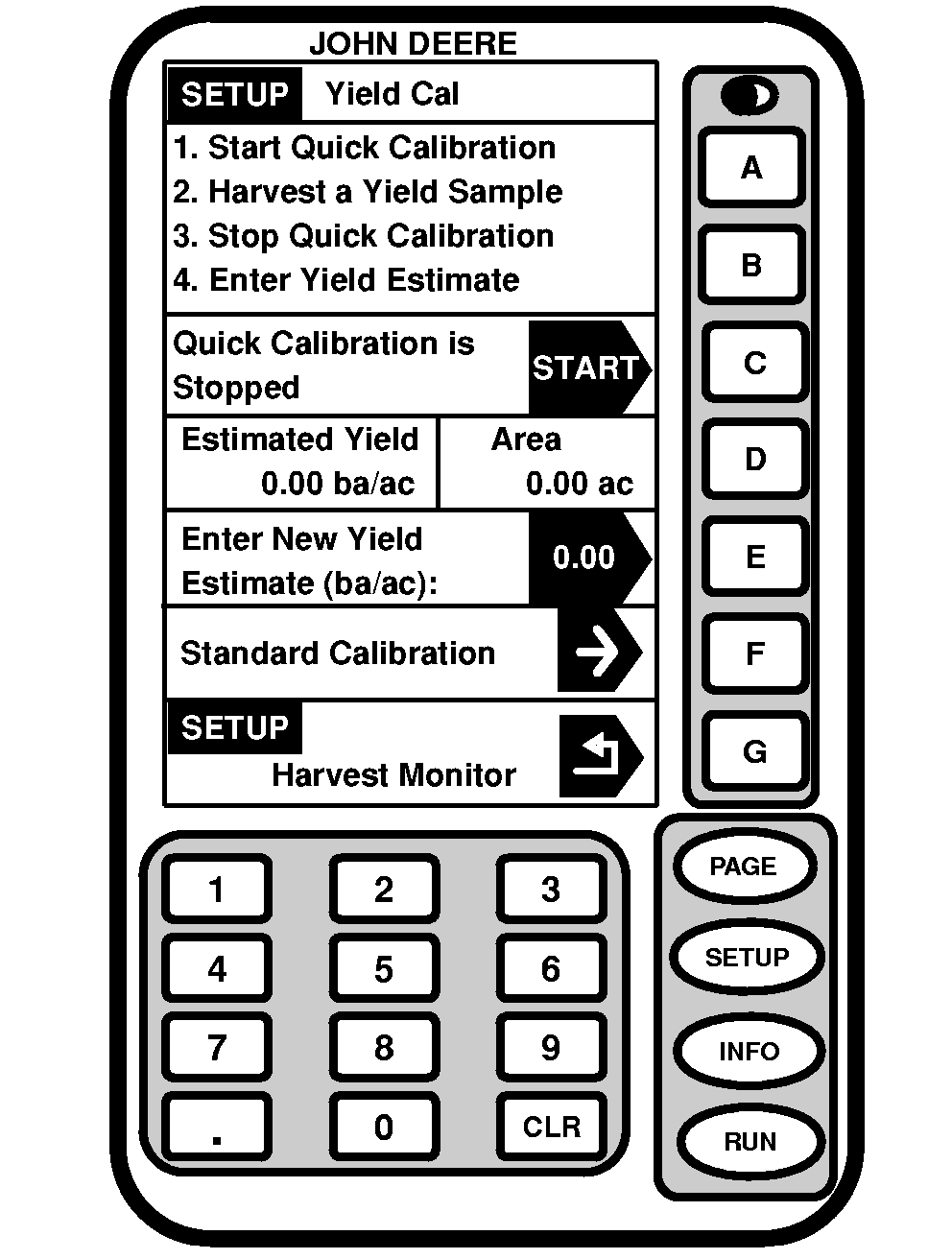
CalibrationNOTE: Always read the text to the left of the START/STOP arrow. This explains the current status of calibration. Arrow changes back and forth between START and STOP. When yield calibration is stopped, START arrow is shown. When yield calibration is running, STOP arrow is shown. STOP arrow-CALIBRATION IS RUNNING. Push button to STOP CALIBRATION. START arrow-CALIBRATION IS STOPPED. Push button to START CALIBRATION. Screen: SETUP - YIELD CAL Press: SETUP >> HARVEST MONITOR >> YIELD CALIBRATION Mass flow sensors must be calibrated in order to achieve accurate cotton weights. Calibration should be performed when necessary as condition and maturity of crop change or at least once a season. Quick Calibration: Easiest calibration procedure when there is no scale available for weighing harvest samples. Standard Calibration: Used when actual weights can be obtained from a scale for harvest samples. Manual Calibration: Only used if previous procedures do not work because calibration is off by more than 50%. Before performing manual calibration, check to make sure all components in yield monitoring system are installed and performing correctly, and that sensors are unobstructed. Post Calibration: Done using desktop software. There is no post calibration procedure to be performed in field or on display. This is recommended method for best results. Desktop software allows post calibration using weight of crop from whole field or weight of crop from each module, depending on level of detail wanted.
|
|
OUO6050,0001866 -19-07FEB06-1/3 |
|
Are you a customer that is looking for logged yield data to show trends across the field so you can make management decisions based on those trends?
If you believe it is important for the Harvest Doc Cotton system to make a yield map that shows variability across a whole field consistently (using desktop software)? If so, the following recommendation can help you achieve these expectations:
Mass flow sensors need to be calibrated at the start of harvest for more accurate cotton weights to be mapped. Once calibration is achieved, it is best to not change calibration, especially in the middle of a field. This is assuming that most characteristics and conditions of cotton stay similar within the field. In these cases you should not re-calibrate. If yield becomes too inaccurate and you feel recalibration is needed then follow these step to insure that your maps show consistent trends for you to base management decisions of:
NOTE: The only way this could pose a problem is if you have a drastic change in cotton conditions between the field you calibrated in and the field you changed the calibration factor in by entering a cotton weight.
This will allow the Harvest Doc Cotton system to be very consistent across the characteristics of cotton in the field. Not changing cal factors or entering cal run weight in the middle of field will allow for simple post calibration using desktop software when Gin tickets are received. This is the recommended calibration for the best accuracy in the Harvest Doc Cotton system.
Are you a customer that is using Harvest Doc Cotton for the sole purpose of seeing your yield as you go across the field?
|
OUO6050,0001866 -19-07FEB06-2/3 |
|
If you believe it is important for the Harvest Doc Cotton system to be as accurate as possible at all times in the field (on display in cab), the following recommendation can help you achieve this expectation: Mass flow sensors need to be calibrated to achieve more accurate seed cotton weights shown on the display in the field. This is done by performing a QUICK CAL or STANDARD CAL after a Row Compensation Calibration is performed in uniform crop. STANDARD Cal, which uses actual scale weights, is the best form of calibration to use in order to attain more accurate cotton weights. Once calibrated, additional calibration may be used for any substantial changes in types of cotton, variety change, moisture, crop management, quality of defoliation, weeds, irrigated vs. non-irrigated, crop conditions, etc. Any of these condition changes in cotton could cause shift in accuracy of the Harvest Doc cotton system. Throughout the season it is recommended to check accuracy by weighing the cotton. Recalibration is suggested if you find that the system is not accurate.
If you run multiple machines with Harvest Doc Cotton system in a field at the same instance, see POST CALIBRATION in this section. |
OUO6050,0001866 -19-07FEB06-3/3 |