Implement Section and Rate Control
|
|
|
|
|
|
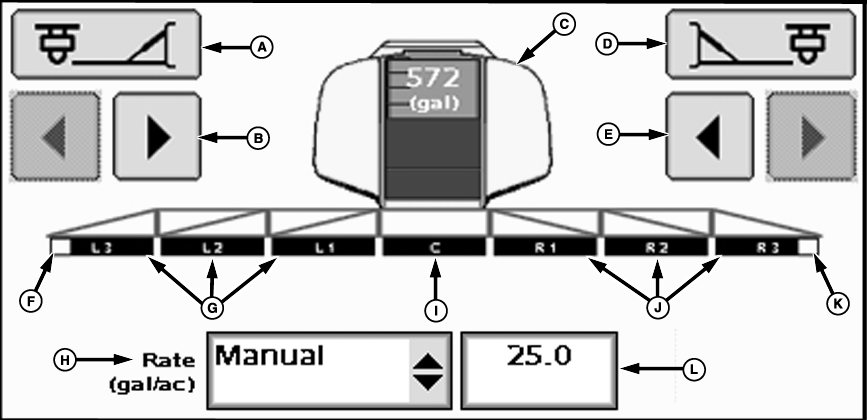
The fence row nozzle buttons arm or disarm the outside nozzles. The selectable rates under the rates drop-down menu will be predefined later. Manual rate can be selected anytime by choosing Manual from the Rate selection drop-down menu. |
NOTE: The Rate Selection drop-down menu will be disables when the Master Switch is on. To access predefined rate selections, choose Predefined from the Rate selection drop-down menu. |
JS56696,0000008 -19-05JUL07-1/2 |

|
|
|
|
|
|
Predefined rates are limited to a maximum of three. |
JS56696,0000008 -19-05JUL07-2/2 |