Nozzle Flow Check Test
|
|
|
|
|
|
NOTE: The nozzle flow check test is for use on sprayers and liquid fertilizer (not for use on NH3). Nozzle Flow Check is a procedure to check your application rate at a desired speed while the machine is not moving. The following items can be determined: |
|
JS56696,000003A -19-05JUL07-1/2 |
|
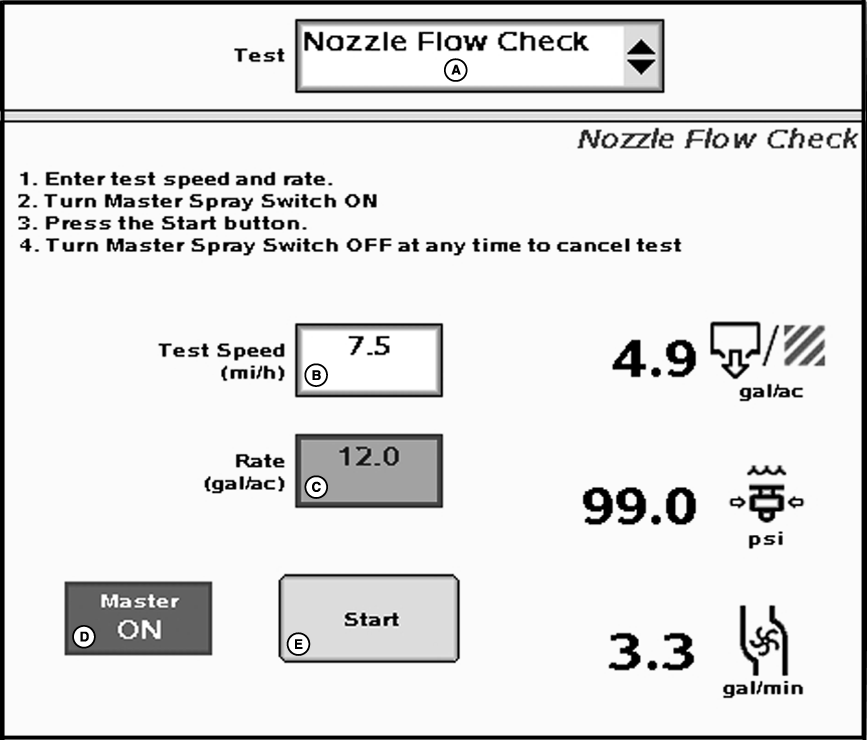
IMPORTANT: Always fill the solution tank with clean water to do a proper nozzle flow check. 1. Select Nozzle Flow Check from the tests drop-down menu. 2. Enter a Test Speed such as 10 km/h (6.2 mi/h). 3. Enter a desired spray "Rate" such a 94 L/hec (10 gal/ac). NOTE: Master switch must be off to enter data. 4. Set pump to normal operating speed. 5. Turn the Master Spray Switch ON. 6. Press the Start button on the screen. 7. Hold a known volume container (such as a calibration container) under a nozzle and measure |
output for one minute. Amount collected times the number of nozzles should equal the flow per minute displayed on screen.
For example, using a size 3 nozzle and the pressure at 276 kPa (40 psi) with 72 nozzles, total volume should be 82 Lpm (21.6 gpm) (e.g. 1.14 Lpm (.3 gpm) per nozzle x 72 nozzles = 82 Lmp (21.6 gpm). If the volume is higher than expected and pressure is lower than expected, nozzle tips could be worn. If the pressure is higher than expected for the given output, nozzle tips could be partially plugged. Also, a pressure drop could be occurring from the section shut-off valves to nozzle tips (normally only associated with high flow rates.) |
JS56696,000003A -19-05JUL07-2/2 |