Initial Settings
|
|
|
|
|
|
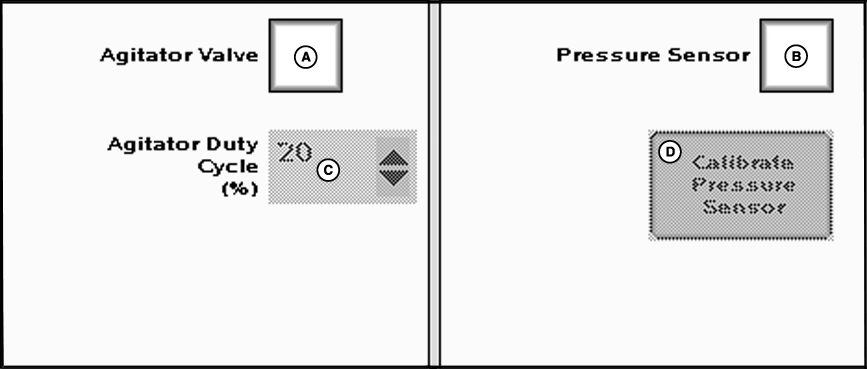
Check the agitator valve box to enable agitator. NOTE: Agitator valve selection may reduce the number of implement sections the GS2 can control. See maximum number of implement sections table. Set agitator duty cycle percent from drop-down menu. Agitation Rate is based on runtime in ten minute intervals. Example: at 20% agitator runs for 2 minutes and is off for 8 minutes. If the tank volume is at or below 20% of the total volume of the tank the agitation will reduce to half the |
set run time. Example: at the 20% setting from the example above, the agitation will now run for 1 minute and is off for 9 minutes.
Check the pressure sensor box if sensor is installed. Pressure indicator will be displayed on main menu instead of flow rate when pressure sensor is checked. To calibrate pressure sensor, press button and follow on screen instructions. |
JS56696,000004A -19-05JUL07-1/1 |