Reports and TotalsPress the Reports and Totals button to show the following page. |
|

JS56696,0000081 -19-05JUL07-1/5 |
|
|
|
|
|
|
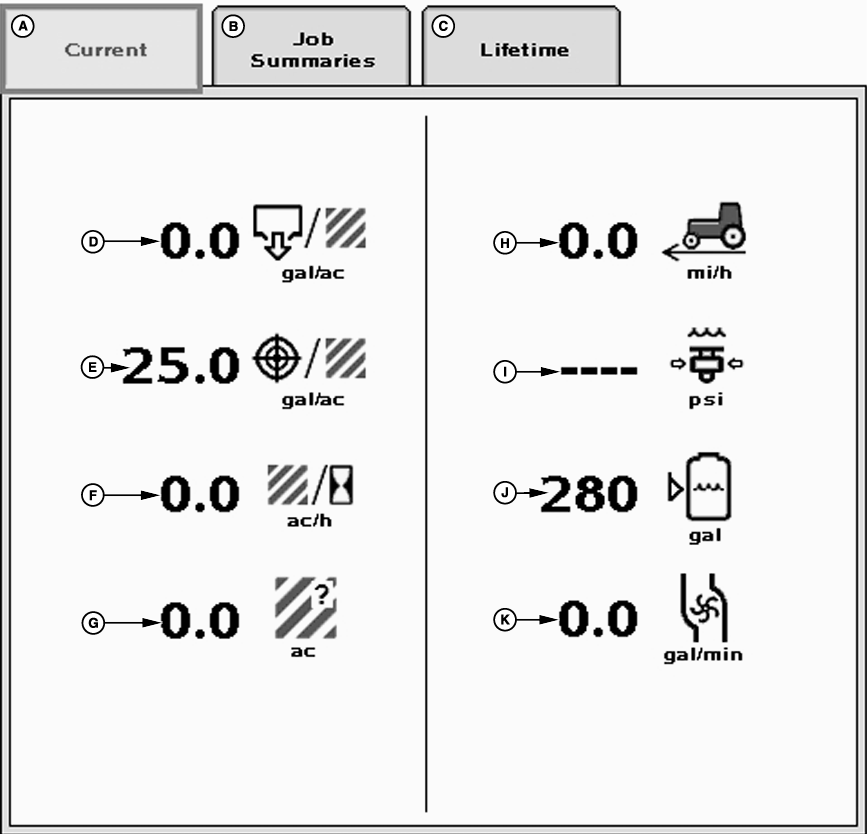
The current totals page will display instant values. |
JS56696,0000081 -19-05JUL07-2/5 |
|
|
|
|
|
|
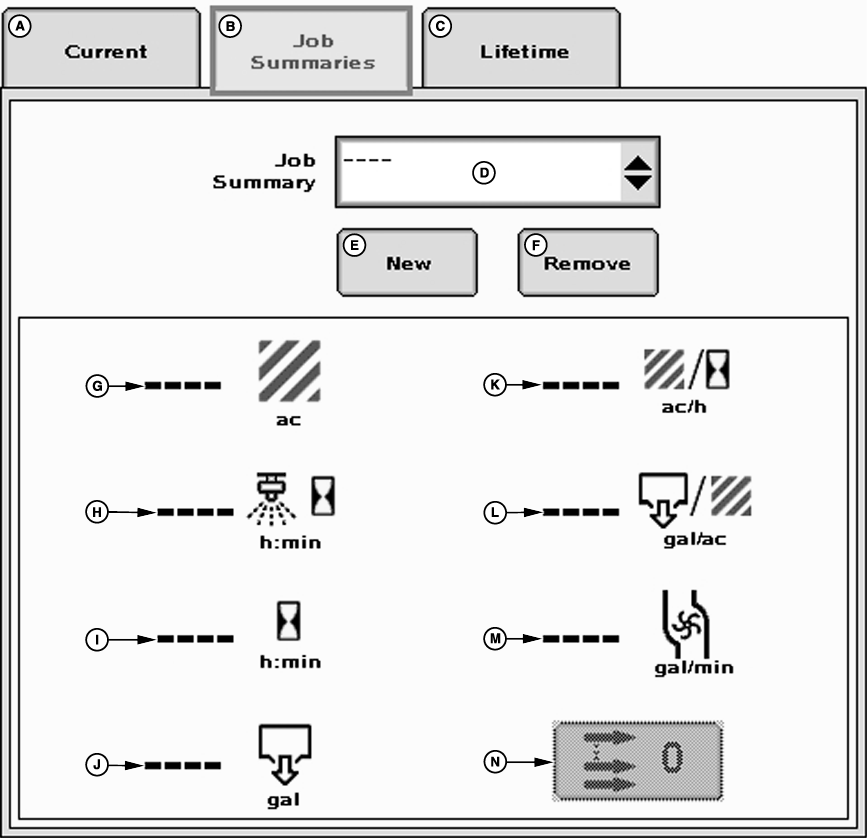
The job summaries page will keep track of totals listed on the job page. Only values for the currently selected job summary will be incremented. |
Job summaries are stored on the controller. The controller can store up to 6 different jobs. |
JS56696,0000081 -19-05JUL07-3/5 |
|
To create a new job follow these steps: 1. Press the "New" button and a keypad will appear.2. Type in a name for the current job on the key pad. 3. Press enter. 4. Select the desired job from the job summary drop-down menu. |
Jobs that are no longer needed may be deleted by pressing the remove button. Totals can be reset to zero by pressing the zero button. |
JS56696,0000081 -19-05JUL07-4/5 |
|
|
|
|
|
|
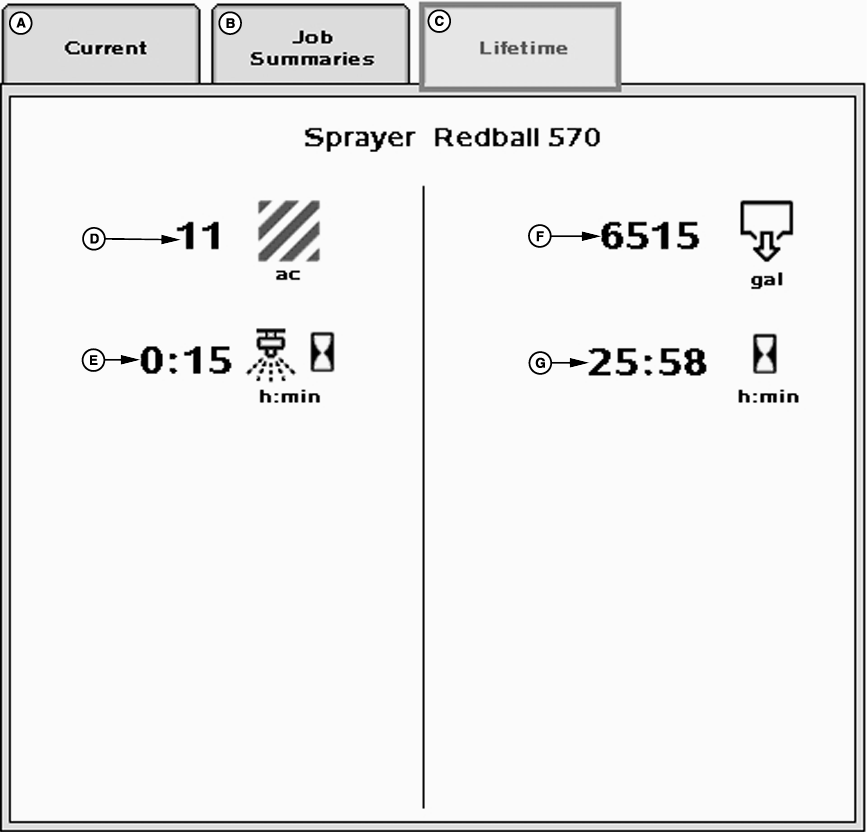
The lifetime page keeps track of all totals for the lifetime of the implement selected in section 15 of the operator's manual. |
JS56696,0000081 -19-05JUL07-5/5 |